Your kid just asked for Robux. Again. And you’re pretty sure they’re talking to strangers in some game you’ve never heard of. Welcome to Roblox — a platform where 70 million daily users (most of them kids) build games, chat with friends, and unfortunately, encounter scammers and predators.
This article contains affiliate links. PacketMoat may earn a commission at no extra cost to you when you purchase through these links. This helps support our cybersecurity research and content creation.
Here’s the reality: Roblox isn’t inherently dangerous, but it’s a massive social platform disguised as a game. Your 9-year-old isn’t just playing — they’re messaging strangers, joining Discord servers, and getting targeted by sophisticated scams that would fool most adults. This guide covers what you need to know and which tools actually work to keep your kid safe.
I’m writing this as both a cybersecurity professional (CISSP) and a parent who’s spent way too many hours figuring out what “adopt me trading” means and why someone keeps asking my kid to “go off-platform.”
Why Roblox Requires Different Parenting Than Other Games
Most parents treat Roblox like Minecraft — a game their kid plays alone. That’s the first mistake. Roblox is closer to Facebook than Fortnite. Every game has chat. Every player can send friend requests. Every interaction is a potential conversation with a stranger.
The platform hosts over 40 million user-created games. Roblox moderates the platform, but they can’t review every chat message in real-time. According to the National Center for Missing & Exploited Children (NCMEC), gaming platforms are now the #1 place online predators make initial contact with children — surpassing social media.
Here’s what makes Roblox particularly challenging: the platform is designed to be social. Kids don’t just play games — they join groups, attend virtual events, trade items, and form friendships. That’s not bad. But it means you can’t just “turn off chat” and call it safe. You need a layered approach.
The Three Roblox Threats Parents Miss
Scams disguised as game mechanics. Your kid thinks they’re “trading” for a rare pet. The scammer convinces them to hand over their password “to complete the trade.” Roblox will never restore scammed items — they consider it a lesson learned.
Off-platform grooming. Predators don’t assault kids in Roblox chat. They befriend them in Roblox, then move the conversation to Discord, Snapchat, or WhatsApp where there’s no moderation. This is called “off-platform migration” and it’s the #1 grooming tactic.
Social engineering through “game development.” Scammers pose as game developers recruiting kids to “test” games or “become a moderator.” The pitch always ends with “send me your login so I can give you developer access.” Your kid thinks they’re getting a job. They’re handing over account access.
Roblox’s Built-In Safety Settings (Start Here)
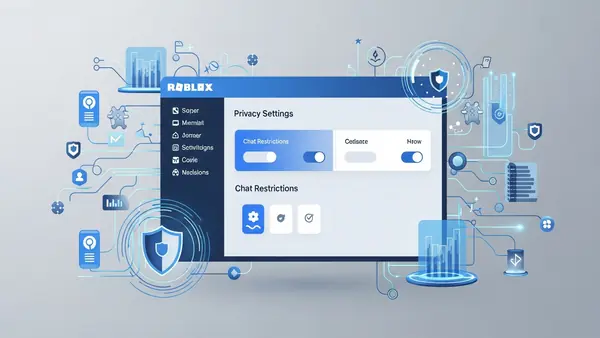
Before you buy any third-party tools, configure Roblox’s native controls. These are free and surprisingly effective if you set them up correctly. Log into your child’s account on a computer (not the app — you need the full settings panel).
Account Restrictions (Under 13). This locks the account to a curated list of age-appropriate games and disables some social features. The problem: it also blocks legitimate games your kid’s friends play, so they’ll beg you to turn it off within a week. Use this for kids under 10. For older kids, use targeted restrictions instead.
Contact Settings (Critical). Set “Who can message me?” to “Friends” and “Who can chat with me in app?” to “Friends” or “No one.” Do NOT leave this on “Everyone.” The default setting allows any stranger to message your child. According to Roblox’s 2025 transparency report, they blocked over 2 million accounts for child safety violations — most involved unsolicited contact.
PIN Protection. Set a 4-digit PIN that’s required to change settings. Your kid will figure out your PIN if you use their birthday or 1234. Use something random and don’t tell them what it is. This prevents them from undoing your restrictions the moment you leave the room.
What Roblox’s Settings Can’t Do
Even with perfect configuration, Roblox’s native controls have gaps. They can’t monitor what your kid says in chat (only what others say to them). They can’t alert you when someone asks to move to Discord. And they can’t prevent your kid from sharing personal information in a game description or group post.
This is where parental control software comes in — not to replace Roblox’s settings, but to fill the gaps.
Best Parental Control Software for Roblox Monitoring
Bark: Best for Detecting Grooming and Off-Platform Requests
Bark monitors your child’s text messages, social media, and email for concerning content using AI and keyword detection. It doesn’t record Roblox chat directly (no third-party app can access that), but it catches the moment your kid’s conversation moves off-platform.
Why it works for Roblox: When a predator says “add me on Discord” or “text me at this number,” Bark flags it. When your kid gives out their phone number in a Roblox chat, Bark sees the incoming text. It’s designed to detect grooming patterns — things like adults asking for photos, requesting private conversations, or using manipulative language.
Best for: Parents of tweens and teens (10-15) who have phones and use multiple platforms. If your kid only plays Roblox on a shared family computer with no phone access, Bark is overkill.
Honest downside: Bark generates false positives. It’ll flag your kid’s friend saying “let’s get on Discord to talk about the math homework” the same way it flags a predator. You’ll get alerts. Some will be nothing. You still need to review them.
Bark_Parental_Control_Subscription
Qustodio: Best for Screen Time and App Blocking
Qustodio is a traditional parental control app that focuses on time limits, app blocking, and web filtering. It won’t analyze Roblox chat content, but it will let you set “Roblox only on weekends” or “30 minutes per day” and actually enforce it.
Why it works for Roblox: Most Roblox safety issues happen when kids have unlimited, unsupervised access. Qustodio solves the “my kid plays Roblox for 6 hours straight while I’m at work” problem. You can also block the Roblox app during school hours or after bedtime.
Best for: Parents who need to enforce boundaries on when and how long their kid plays. Also good for families with younger kids (7-10) where time limits matter more than content monitoring.
Honest downside: Qustodio is a blunt instrument. It can block Roblox entirely or allow it entirely, but it can’t distinguish between “playing a building game alone” and “chatting with strangers in a roleplay server.” You’re managing access, not content.
mSpy: Best for Real-Time Location and Comprehensive Monitoring
mSpy is the most invasive option on this list. It logs keystrokes, takes screenshots, tracks location, and monitors every app. It’s designed for parents who need to know everything happening on their child’s device.
Why it works for Roblox: If your kid is in a high-risk situation (they’ve already been contacted by a predator, they have a history of sharing personal information, or they’re neurodivergent and struggle with social boundaries), mSpy gives you real-time visibility. You’ll see Roblox chat through screenshots, even though you can’t access the chat logs directly.
Best for: High-risk scenarios where you need maximum oversight. Also useful for parents of kids with developmental delays who may not recognize grooming tactics.
Critical trust note: mSpy is surveillance software. If you install this, you need to tell your child it’s installed and explain why. Frame it as protection, not punishment. The American Academy of Pediatrics recommends transparency with monitoring tools — secret surveillance damages trust and can backfire when your kid finds out (and they will).
Honest downside: mSpy is expensive and requires ongoing subscription fees. It also drains battery life and can slow down older devices. Some kids find ways to disable it by factory resetting the device.
Recognizing Robux Scams (The Ones Your Kid Will Fall For)
Robux is Roblox’s virtual currency. Kids want it. Scammers exploit that. Here are the four scams that work on smart kids who know “don’t talk to strangers.”
The “Free Robux Generator” scam. Your kid finds a YouTube video or website promising free Robux if they enter their username and password. The site is fake. The moment they enter credentials, the scammer logs into their account, changes the password, and steals everything. Roblox will not restore the account.
The “Trust Trade” scam. In trading-focused games like Adopt Me, scammers offer to “duplicate” rare items. The pitch: “Give me your item first, I’ll duplicate it, then give you both back.” Your kid hands over their $50 worth of virtual pets. The scammer leaves the game. This works because it’s framed as game mechanics, not a scam.
The “Game Developer” recruitment scam. Someone messages your kid: “I’m making a new game and need testers. I’ll pay you in Robux. Just give me your login so I can add you to the developer team.” Your kid thinks they’re getting a job. They’re handing over account access.
The “Verify Your Account” phishing scam. Your kid gets an email (or in-game message) claiming their account will be deleted unless they “verify” by clicking a link and entering their password. The link goes to a fake Roblox login page. Roblox will never ask you to verify via email or in-game message.
The One Rule That Stops All Robux Scams
Teach your kid this: “Roblox will never ask for your password. Not in a game. Not in an email. Not to give you free Robux. If someone asks for your password, they’re lying.” Print that out and tape it to the monitor if you have to.
Also: use a family password manager. Store your kid’s Roblox password in Best Password Managers for Remote Teams (2026 Review) (family plan version). That way, they can’t give away the password even if they want to — they don’t know it. They log in via the password manager.
Spotting Grooming Behavior (What to Watch For)
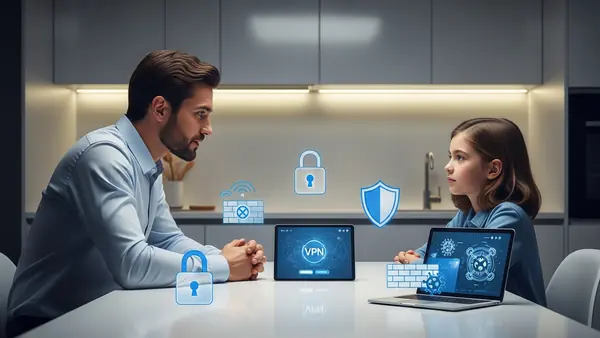
Online predators don’t start with “send me a photo.” They start with friendship. According to NCMEC’s 2025 report, the average grooming timeline is 6-8 weeks from first contact to exploitation. Here’s what the early stages look like in Roblox.
Excessive gift-giving. An adult player starts giving your kid free Robux, rare items, or game passes. This creates a sense of obligation. The predator is investing in the relationship. Later, they’ll ask for something in return.
Isolating your child from friends. The predator suggests playing games “just the two of us” or creates a private server. They frame it as “your friends don’t understand you like I do.” This is textbook grooming — separating the victim from their peer group.
Asking personal questions. “What school do you go to?” “What does your mom do for work?” “Are you home alone right now?” These aren’t friendly questions. They’re reconnaissance. The predator is mapping your child’s life to find vulnerabilities.
Requesting off-platform contact. “Let’s move to Discord so we can voice chat.” “Add me on Snapchat.” “What’s your phone number?” This is the red line. Once the conversation moves off Roblox, there’s no moderation, no chat logs, and no way for you to monitor what’s happening.
What to Do If Your Kid Is Being Groomed
First: don’t panic and don’t blame your child. Predators are skilled manipulators. Your kid didn’t do anything wrong. Second: preserve evidence. Screenshot the chat logs, note the username, and record the date/time of contact. Third: report to both Roblox (via their in-game reporting tool) and NCMEC’s CyberTipline (report.cybertip.org).
Fourth: if the predator requested in-person contact, requested photos, or made sexual comments, report to your local FBI field office. This is a federal crime. The FBI’s Internet Crime Complaint Center (IC3) has a specific category for online child exploitation.
Common Mistakes Parents Make (That Undermine Everything Else)
Thinking “my kid knows better.” Your kid is smart. Predators are smarter and have more practice. A 35-year-old predator posing as a 13-year-old has spent years perfecting their approach. Your kid has spent years being a kid. This isn’t about intelligence — it’s about experience.
Only monitoring the family computer. Your kid plays Roblox on the computer you can see. Great. They also play on their iPad in bed, on their phone during carpool, and on their friend’s Xbox. If you’re only monitoring one device, you’re missing most of their activity.
Treating this as a one-time conversation. You can’t give “the Roblox safety talk” once and be done. This is an ongoing conversation. Check in weekly. Ask what games they’re playing. Ask if anyone’s been weird. Make it normal to talk about online interactions the same way you talk about school.
Using monitoring as punishment. If your kid thinks parental controls are punishment, they’ll find ways around them. Frame monitoring as protection: “I’m not spying on you. I’m making sure the adults on this platform aren’t creeps.” Position yourself as being on their side against the predators, not against them.
Ignoring the “trusted friend” loophole. Your kid’s best friend has unrestricted Roblox access and no parental controls. Your kid plays at their house. Congratulations — you’ve just outsourced your safety strategy to another 11-year-old’s judgment. Talk to the other parents. Set consistent rules.
Comparison Summary: Which Tool for Which Family
If your kid is under 10 and only plays on a family device: Start with Roblox’s native parental controls (Account Restrictions enabled, chat set to Friends only) plus Qustodio for time limits. You don’t need advanced monitoring yet.
If your kid is 10-13 with their own phone: Use Bark to monitor cross-platform activity and catch off-platform grooming attempts. Combine with Roblox’s native settings for in-game restrictions.
If your kid is 13+ and you’re worried about specific risks: Bark for content monitoring, plus regular check-ins and a family tech contract. At this age, transparency and trust matter more than surveillance.
If your kid has already been contacted by a predator or has special needs: mSpy for comprehensive monitoring, but only with your child’s knowledge and as part of a safety plan that includes therapy or counseling support.
Final Recommendation: Layer Your Defenses
No single tool solves Roblox safety. You need layers: Roblox’s native controls (free and mandatory), parental control software (pick one based on your kid’s age and risk level), regular conversations (weekly check-ins, not lectures), and a family password manager so your kid can’t give away credentials even under pressure.
The goal isn’t to make Roblox perfectly safe — that’s impossible on any social platform. The goal is to make your kid a harder target than the kid next door. Predators and scammers look for easy victims. Make your family not worth the effort.
Start tonight: log into your kid’s Roblox account, set a PIN, change the contact settings to Friends only, and install one of the monitoring tools above. Then have the conversation. Ask what games they’re playing. Ask if anyone’s ever been weird. Listen more than you talk.
Roblox isn’t the enemy. Unsupervised access is.

Tye is a CISSP-certified cybersecurity analyst with over 25 years in IT and 15 years specializing in network defense and threat intelligence. He built PacketMoat to bring enterprise-grade security knowledge to everyday people and small businesses.