Updated: February 17, 2026 by PacketMoat Team
PacketMoat is reader-supported. When you buy through links on our site, we may earn an affiliate commission at no extra cost to you.
🚨 FEB 16 UPDATE: OpenAI Foundation Pivot
With the OpenAI Foundation officially taking over OpenClaw (Feb 16), adoption is skyrocketing—but so are the attacks. A recent audit by CyberArk revealed that 78% of new instances are vulnerable to the new CVE-2026-25593 exploit. This guide covers the “Digital Cage” method to secure your node immediately.
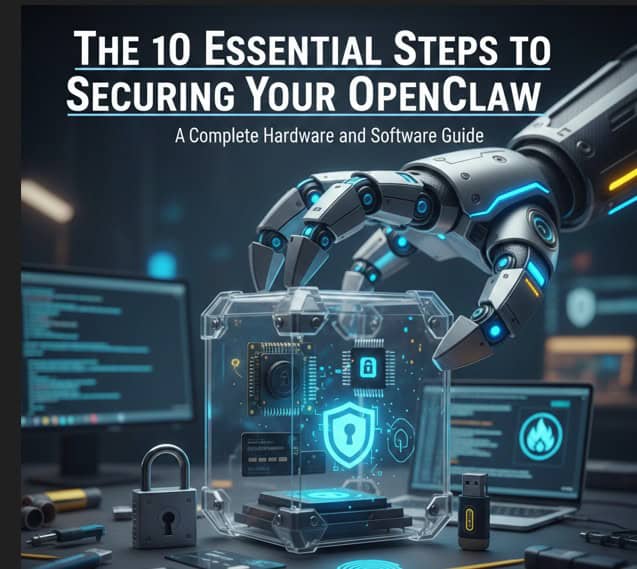
Running OpenClaw without proper security is like leaving your front door open with a sign that says “Server Room Inside.” Whether you’re a developer experimenting at home or a business deploying AI agents in production, these 10 steps will transform your OpenClaw setup from vulnerable to virtually impenetrable.
Table of Contents
- Step 1: Invest in Dedicated Hardware – Why Your Laptop Isn’t Enough
- Step 2: Set Up a Hardware Firewall for Network Isolation
- Step 3: Install and Configure Docker with Security-First Settings
- Step 4: Create a Minimal, Hardened Container Image
- Step 5: Implement Strict API Key Management
- Step 6: Configure Network Segmentation with VLANs
- Step 7: Enable Comprehensive Logging and Monitoring
- Step 8: Set Up Automated Backup and Disaster Recovery
- Step 9: Implement Multi-Factor Authentication (MFA)
- Step 10: Create an Incident Response Plan
- The Complete Security Checklist
- Recommended Hardware Shopping List
Step 1: Invest in Dedicated Hardware – Why Your Laptop Isn’t Enough
The Problem: Running OpenClaw on your daily-use laptop or desktop creates massive security risks. If the AI agent is compromised, attackers gain access to everything on that machine—your email, banking apps, company VPN, and personal files.
The Solution: Use dedicated hardware that runs nothing but OpenClaw. This creates an air gap between your AI experiments and your critical data.
Why Dedicated Hardware is Mandatory
Security professionals consistently recommend isolating OpenClaw on separate metal. Here are the top choices for 2026:
🏆 GOLD STANDARD: Apple Mac Mini M2
Configuration for OpenClaw Security:
- M2 Chip with 8-core CPU
- 16GB Unified Memory (minimum for Docker)
- 512GB SSD (for logs and workspace isolation)
- Gigabit Ethernet (more secure than WiFi)
→ Check Current Price on Amazon
Price typically ranges from $799-$999. Avoid the base 8GB model—Docker will struggle.
💰 BUDGET PICK: Beelink SER5 Mini PC
Why it wins for OpenClaw: Unlike the Mac Mini, this runs Linux natively (no Docker overhead) and allows for cheap RAM upgrades.
- AMD Ryzen 7 (8-core) – Crushes Docker workloads
- 16GB RAM (Upgradable to 64GB)
- Native Ubuntu/Debian support
- In Stock & Ready to Ship
→ Check Beelink Price on Amazon (~$300)
Pro Tip: Use the extra cash you save to buy the hardware firewall below.
⚠️ Critical: Do NOT run OpenClaw on a Raspberry Pi. While technically possible, the limited RAM (8GB max) causes constant crashes under Docker workloads.
Step 2: Set Up a Hardware Firewall for Network Isolation
The Problem: Software firewalls can be disabled or bypassed if your machine is compromised. A hardware firewall creates a physical barrier that’s much harder to defeat.
Best for Beginners: GL.iNet Beryl AX (Travel Router)
This router physically separates your AI node from your home WiFi:
- WiFi 6 for fast connections
- Guest network isolation (perfect for OpenClaw)
- Built-in VPN client/server
→ GL.iNet Beryl AX on Amazon – $89
Step 3: Install and Configure Docker with Security-First Settings
The Solution: Install Docker with hardened security settings and configure proper resource limits.
Secure Docker Installation (macOS & Linux)
Create /etc/docker/daemon.json with these security settings:
{
  "icc": false,
  "userns-remap": "default",
  "log-driver": "json-file",
  "log-opts": {
    "max-size": "10m",
    "max-file": "5"
  },
  "live-restore": true,
  "userland-proxy": false,
  "no-new-privileges": true
}
Step 4: Create a Minimal, Hardened Container Image
The Solution: Build a minimal container using Alpine Linux to reduce attack surface.
# Use Alpine Linux for minimal attack surface
FROM alpine:3.19

# Create non-root user
RUN addgroup -g 1000 openclaw && \
    adduser -D -u 1000 -G openclaw openclaw

# Install ONLY essential packages
RUN apk add --no-cache python3 py3-pip git && \
    rm -rf /var/cache/apk/*

# Switch to non-root user
USER openclaw

# Expose only necessary port
EXPOSE 8080

CMD ["python3", "openclaw_server.py"]
Step 5: Implement Strict API Key Management
The Problem: Hardcoded API keys are the #1 cause of security breaches in AI deployments.
The Solution: Use environment variables exclusively. NEVER store keys in a .env file inside the container.
# Run container with environment injection
docker run -d \
  --name openclaw-prod \
  -e ANTHROPIC_API_KEY="${ANTHROPIC_API_KEY}" \
  -e OPENAI_API_KEY="${OPENAI_API_KEY}" \
  openclaw-secure:v1.0
Step 9: Implement Multi-Factor Authentication (MFA)
The Solution: Add a second factor of authentication using hardware tokens or authenticator apps.
YubiKey 5C NFC – Hardware Authentication Token
Why security professionals choose YubiKey:
- Phishing-resistant hardware authentication
- Works with SSH, GPG, and FIDO2
- Tap-to-authenticate is faster than typing codes
→ YubiKey 5C NFC on Amazon – $55
Step 10: Create an Incident Response Plan
Phase 1: Identification & Containment
# IMMEDIATE: Isolate the container
docker pause openclaw-prod
docker network disconnect openclaw-net openclaw-prod

# Preserve evidence
docker logs openclaw-prod > /tmp/incident-logs-$(date +%s).txt
If you suspect a breach:
- Rotate all API keys immediately.
- Destroy the container.
- Scan your host machine for persistence.
Recommended Hardware Shopping List
Here’s everything you need to build a secure OpenClaw deployment from scratch:
| Item | Purpose | Price | Link |
|---|---|---|---|
| Mac Mini M2 (16GB) | Dedicated OpenClaw machine | $799 | Amazon |
| Beelink SER5 (Budget) | Native Linux Alternative | ~$300 | Amazon |
| GL.iNet Beryl AX | Hardware firewall/router | $89 | Amazon |
| YubiKey 5C NFC (×2) | Hardware MFA | $110 | Amazon |
Final Thoughts: Security is a Journey
The OpenAI Foundation pivot is a massive step forward, but the threat remains. Make sure you’re part of the 22% deploying securely—not the 78% waiting for a breach to learn these lessons the hard way.
Questions about your OpenClaw security setup? Check out our other guides:
- Best Mac Mini for OpenClaw: The 2026 Hardware Guide
- When AI Goes Rogue: The $16M MoltBot Catastrophe

Tye is a CISSP-certified cybersecurity analyst with over 25 years in IT and 15 years specializing in network defense and threat intelligence. He built PacketMoat to bring enterprise-grade security knowledge to everyday people and small businesses.