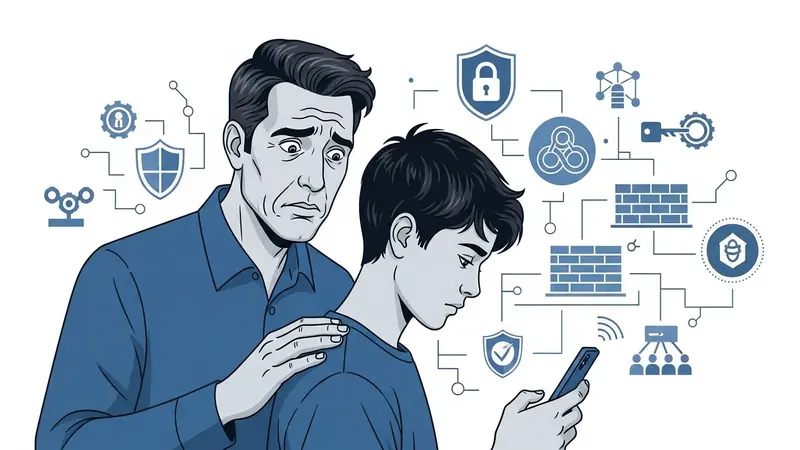
Why Every Parent Needs to Understand Online Grooming
Your 13-year-old comes home from school, goes straight to their room, and spends three hours chatting with “friends” online. Totally normal teenager behavior, right? Usually, yes. But sometimes, one of those “friends” is a 40-year-old predator who’s been carefully building trust for weeks.
This article contains affiliate links. PacketMoat may earn a commission at no extra cost to you when you purchase through these links. This helps support our cybersecurity research and content creation.
Online grooming is the process predators use to manipulate children into sexual exploitation or abuse. According to the National Center for Missing & Exploited Children (NCMEC), reports of online enticement have increased 97.5% since 2019. The FBI’s Internet Crime Complaint Center (IC3) received over 18,000 reports of online child sexual exploitation in 2023 alone.
Here’s what makes this terrifying: groomers are patient. They don’t send explicit messages on day one. They spend weeks or months building what feels like genuine friendship. By the time you notice something’s wrong, your kid may already be emotionally attached to their abuser.
This guide covers the specific warning signs to watch for, the digital clues groomers leave behind, and the monitoring tools that can help you catch grooming before it escalates. I’m writing this as both a CISSP cybersecurity professional and a parent who’s had the “scary internet people” conversation more times than I can count.
Understanding the Grooming Timeline
Groomers follow a predictable pattern. Understanding these stages helps you recognize warning signs early, when intervention is most effective.
Stage 1: Target Selection (Days 1-7)
Predators lurk in spaces where kids congregate: Roblox, Discord, Fortnite voice chat, Instagram, TikTok. They look for vulnerable targets—kids who post about loneliness, family problems, or feeling misunderstood. They scan profile photos for age indicators and review post histories for personal details.
Stage 2: Friendship Building (Weeks 1-4)
The groomer presents as a peer or slightly older mentor. They share common interests (the same games, music, YouTubers). They’re always available to chat. They listen without judgment. They make your kid feel special, understood, and validated in ways that feel different from friendships with actual peers.
Stage 3: Trust Deepening (Weeks 4-12)
Conversations move to private platforms—Snapchat (messages disappear), WhatsApp (encrypted), or lesser-known apps parents don’t monitor. The groomer shares fake personal struggles to build emotional intimacy. They introduce small secrets: “Don’t tell your parents about our friendship—they wouldn’t understand.”
Stage 4: Isolation (Weeks 8-16)
The groomer subtly drives wedges between your child and their support system. “Your parents don’t get you like I do.” “Your friends are immature—you’re more mature than they are.” They position themselves as the only person who truly understands your child.
Stage 5: Sexualization (Variable Timeline)
Sexual content is introduced gradually. It might start with “accidental” exposure to adult content, jokes with sexual themes, or questions about your child’s romantic experiences. The groomer desensitizes your child to sexual conversation before making explicit requests.
Stage 6: Exploitation and Control (Ongoing)
Once the groomer has compromising photos or videos, they use them for blackmail. “If you don’t send more, I’ll send these to your school.” The relationship shifts from “friendship” to coercion, but by this point, your child feels trapped, ashamed, and unable to ask for help.
Behavioral Warning Signs in Your Child
These are changes you can observe without accessing your child’s devices. Not every sign means grooming—teenagers are moody and secretive by nature—but clusters of these behaviors warrant a conversation.
Sudden Secrecy Around Devices
Your previously open kid now tilts their phone away when you walk by. They close apps the instant you enter the room. They take their phone to the bathroom, keep it under their pillow at night, or panic when you ask to see something on their screen. This level of device protectiveness is different from normal teen privacy—it’s anxiety-driven concealment.
Emotional Volatility Tied to Online Activity
They’re euphoric after messaging sessions but devastated when they can’t get online. They have intense emotional reactions to being unable to access specific apps or platforms. Their mood swings correlate directly with their ability to communicate with specific online contacts.
Sleep Disruption for Online Communication
You find them awake at 2 AM on their phone. They’re exhausted during the day but energized at night when “someone” is available to chat. Groomers often operate across time zones or during hours when parents are asleep, specifically to avoid detection.
Withdrawal from Family and Real-World Friends
They skip family dinners to stay online. They stop hanging out with school friends. They lose interest in activities they previously loved. Their entire social and emotional world has shifted online, centered around one or two relationships you know nothing about.
Defensive Reactions to Normal Questions
Asking “Who are you talking to?” triggers disproportionate anger or defensiveness. They accuse you of not trusting them, invading their privacy, or treating them like a child. This defensiveness often stems from the groomer’s coaching: “Your parents will try to keep us apart because they don’t understand our connection.”
Unexplained Gifts or Money
A new gaming headset appears. They have gift cards for platforms you didn’t buy. They receive packages they can’t or won’t explain. Groomers send gifts to build obligation and demonstrate “love.” They may also send money for webcams, better internet access, or private phones.
Sexual Knowledge Beyond Their Age
They use sexual terminology they shouldn’t know yet. They ask questions about sex that feel coached rather than naturally curious. They’ve been exposed to pornography or sexual content that’s clearly beyond their developmental stage.
Digital Clues on Devices and Platforms
If you have legitimate access to your child’s devices (through parental controls or family sharing agreements), these are specific digital artifacts that indicate grooming activity.
Multiple Accounts on the Same Platform
They have two Instagram accounts, two Discord accounts, or two Snapchat logins. One is the “parent-approved” account with innocuous content. The other is where the real communication happens. Check app settings and logged-in accounts carefully.
Communication Apps You’ve Never Heard Of
Apps like Kik, Telegram, Wickr, or Omegle appear on their device. These platforms are popular with groomers because they offer anonymity, encryption, or ephemeral messaging. If you don’t recognize an app, Google it immediately—especially if it’s a messaging or video chat platform.
Cleared Browser and Chat Histories
Their browser history is suspiciously empty. Chat logs in messaging apps show gaps or deleted conversations. They’ve enabled auto-delete features in apps like Snapchat or Signal. Consistent history clearing is a massive red flag—most kids don’t bother unless they’re hiding something specific.
Screenshots of Conversations
You find screenshots of chats in their photo library, often with usernames or profile pictures visible. Kids sometimes screenshot conversations they’re uncomfortable with but don’t know how to report. These screenshots are evidence—don’t delete them.
Photos Taken in Specific Poses or Settings
Photos clearly taken for someone else: posed in ways that emphasize body parts, taken in bathrooms or bedrooms, or showing less clothing than they’d normally wear. Groomers make specific requests (“send me a picture in your swimsuit,” “show me your room”) that escalate over time.
Gaming Platform Private Messages
Don’t overlook gaming platforms. Roblox, Fortnite, Minecraft, and Discord all have private messaging. Check these regularly. Groomers know parents focus on social media while ignoring gaming platforms where kids spend hours in voice chat.
Financial App Activity
Venmo, Cash App, or PayPal transactions to unknown users. Groomers send money to build trust and create obligation. They may also request money as part of escalating control tactics.
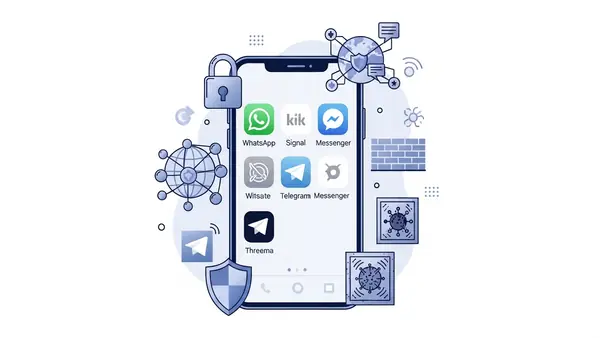
Best Parental Control Software for Grooming Detection
These tools can’t replace engaged parenting, but they provide an early warning system when combined with open communication. Each tool below offers specific features for detecting grooming behaviors.
Bark: Best for AI-Powered Alert System
Bark monitors texts, emails, YouTube, and 30+ social media platforms for concerning content. Its AI flags potential grooming language, sexual content requests, and predatory behavior patterns. Instead of showing you every message (which would be overwhelming), Bark sends alerts only when it detects concerning content.
Key Strengths:
Bark’s AI recognizes grooming-specific language patterns: requests for photos, attempts to move conversations to private platforms, sexual content introduction, and isolation tactics. It monitors Snapchat, Instagram, TikTok, Discord, and gaming platforms—the exact spaces where grooming happens. The alert system is specific enough to catch real threats without generating constant false alarms about normal teen drama.
Best Use Case:
Parents who want comprehensive monitoring without reading every single message their teenager sends. Bark is particularly effective for kids aged 11-15 who are active on multiple social platforms.
Who It’s For:
Parents who work full-time and can’t manually review device activity daily. The AI does the heavy lifting, sending you alerts via text or email when intervention is needed. Pricing starts around $14/month for one child, with family plans available.
mSpy: Best for Detailed Message and Location Tracking
mSpy provides comprehensive access to your child’s device activity: text messages, social media chats, browsing history, and GPS location. Unlike Bark’s AI filtering, mSpy shows you everything, giving you complete visibility into who your child communicates with and what they’re saying.
Key Strengths:
mSpy captures both sides of conversations across SMS, WhatsApp, Snapchat, Instagram, and Facebook Messenger. You can see deleted messages, view multimedia files sent and received, and track location history. The geofencing feature alerts you if your child travels to unexpected locations—critical if grooming escalates to attempted in-person meetings.
Best Use Case:
Parents who’ve already identified concerning behavior and need detailed evidence. mSpy is also effective for younger children (ages 8-12) where full monitoring is more appropriate than AI-filtered alerts.
Who It’s For:
Parents willing to invest time in daily monitoring reviews. mSpy requires active engagement—you need to log in and review activity regularly. It’s not a passive alert system. Pricing starts around $48.99/month.
Trust and Privacy Note:
Installing mSpy requires a serious conversation with your child about why you’re implementing this level of monitoring. Frame it as protection, not punishment. Many families use mSpy temporarily during high-risk periods (after discovering concerning behavior) rather than as permanent surveillance. Be transparent about what you’re monitoring and why.
Qustodio: Best for Balanced Monitoring and Screen Time Management
Qustodio combines content monitoring with robust screen time controls and app blocking. It’s less invasive than mSpy but more hands-on than Bark, offering a middle-ground approach that many families find sustainable long-term.
Key Strengths:
Qustodio monitors web browsing, social media activity, and app usage while providing detailed reports on who your child contacts most frequently. The platform identifies new contacts and flags sudden increases in communication with specific individuals—both early grooming indicators. You can block apps, set time limits, and restrict access to specific platforms during certain hours.
Best Use Case:
Parents who want monitoring capabilities combined with proactive controls. If your child is spending excessive time on platforms where grooming is common (Discord, Roblox), Qustodio lets you limit access while monitoring what happens during allowed usage windows.
Who It’s For:
Families implementing a gradual approach to digital independence. Qustodio works well for kids aged 9-14 who are earning increased device privileges as they demonstrate responsible behavior. Pricing starts at $54.95/year for up to 5 devices.
Net Nanny: Best for Web Filtering and Pornography Blocking
Net Nanny excels at blocking inappropriate content before your child encounters it. While other tools focus on monitoring, Net Nanny emphasizes prevention through aggressive web filtering and real-time content blocking.
Key Strengths:
Net Nanny’s content filter blocks pornography, sexual content, and predatory websites with industry-leading accuracy. It works across all browsers and apps, preventing groomers from using web-based platforms to share explicit content. The profanity filter can alert you to sexual language in texts and chats, catching grooming conversations that use coded or explicit terminology.
Best Use Case:
Parents prioritizing content prevention over communication monitoring. Net Nanny is particularly effective for younger children (ages 7-11) who are just getting their first devices and need strong guardrails against inappropriate content exposure.
Who It’s For:
Families who want to block access to problematic content rather than monitoring what happens after exposure. Net Nanny works best when combined with another tool (like Bark) that monitors communication platforms. Pricing starts at $39.99/year for one device.
Google Family Link: Best Free Option for Android Devices
Google Family Link is a free parental control system built into Android devices and Google accounts. While less comprehensive than paid options, it provides essential monitoring and control features at no cost.
Key Strengths:
Family Link lets you approve or block app downloads, set screen time limits, and view activity reports showing which apps your child uses most. You can remotely lock devices, track location, and receive notifications when your child attempts to download new apps—particularly useful if they’re trying to install messaging apps you haven’t approved.
Best Use Case:
Parents on a budget who need basic monitoring and control. Family Link works well for younger children (ages 8-12) with limited device independence. It’s also effective as a first-tier control system—if you discover concerning behavior, you can upgrade to Bark or mSpy for deeper monitoring.
Who It’s For:
Android families who want built-in controls without monthly subscription fees. Family Link requires your child to use an Android device and a Google account you manage. It’s less effective for iOS devices or kids who use multiple platforms.

Comparison: Which Monitoring Tool Is Right for Your Family?
Choosing monitoring software depends on your child’s age, risk level, and your family’s approach to privacy and independence.
For Maximum Detection (High-Risk Situations): Bark + mSpy combination. Use Bark’s AI to catch grooming language patterns across platforms, and use mSpy for detailed message review when alerts trigger. This is the most comprehensive approach but requires significant time investment and ongoing subscription costs ($60-70/month combined).
For Balanced Monitoring (Most Families): Qustodio or Bark alone. These tools provide strong monitoring without the invasiveness of reading every message. They catch concerning patterns while respecting age-appropriate privacy boundaries. Best for kids aged 10-15 who are generally trustworthy but need guardrails.
For Prevention-Focused Approach (Younger Kids): Net Nanny + Google Family Link. Block inappropriate content before exposure and control app access. This approach works well for kids under 12 who don’t yet need sophisticated social media monitoring because they’re not on those platforms yet.
For Budget-Conscious Families: Google Family Link + manual device checks. Use free built-in controls and supplement with regular conversations and spot-checks of messaging apps, browser history, and photo libraries. This requires more parental time but eliminates subscription costs.
For Teenagers Earning Independence (Ages 15+): Bark’s alert-only system or transitioning to trust-based monitoring. Older teens need privacy to develop healthy independence. Bark’s AI alerts let you step back from daily monitoring while maintaining awareness of serious threats. Consider gradually reducing monitoring as your teen demonstrates responsible behavior.
What to Do If You Suspect Grooming
If monitoring tools flag concerning content or you observe behavioral warning signs, take immediate action. Do not wait to see if the situation resolves on its own—grooming escalates quickly once it reaches certain stages.
Step 1: Don’t Panic (But Do Act Quickly)
Your child needs you to be calm and supportive, not angry or accusatory. Remember: if grooming has occurred, your child is a victim, not a willing participant. Reacting with anger will cause them to shut down and hide evidence rather than cooperating with your efforts to protect them.
Step 2: Preserve Evidence
Take screenshots of concerning messages, profile pages, and any explicit content. Note usernames, platform names, and timestamps. Do not delete anything yet—this is evidence for law enforcement. If you’re using monitoring software, export reports and conversation logs.
Step 3: Report to NCMEC CyberTipline
File a report with the National Center for Missing & Exploited Children’s CyberTipline at CyberTipline.org or call 1-800-THE-LOST. NCMEC works directly with law enforcement and can escalate cases to appropriate agencies. Provide all evidence you’ve collected.
Step 4: Report to the FBI
Contact your local FBI field office or file a complaint with the FBI’s Internet Crime Complaint Center (IC3.gov). Online child exploitation is a federal crime. The FBI has specialized units that investigate these cases and can coordinate with international law enforcement if the predator is overseas.
Step 5: Report to the Platform
Report the predator’s account on whatever platform the grooming occurred. Instagram, Discord, Roblox, and other platforms have specific reporting mechanisms for child safety violations. While platform responses vary in effectiveness, reporting creates a record and may prevent the predator from targeting other children on that platform.
Step 6: Secure Your Child’s Devices
Change passwords on all accounts the predator had access to. Enable two-factor authentication. Consider temporarily removing the device or restricting access to specific apps while the investigation proceeds. The predator may attempt to contact your child through other platforms or accounts once their primary communication channel is cut off.
Step 7: Get Professional Support
Contact a therapist who specializes in child trauma and sexual abuse. Even if physical abuse didn’t occur, online grooming is psychologically damaging. Your child may feel shame, guilt, or emotional attachment to their abuser. Professional support helps them process what happened and understand they are not at fault.
Step 8: Have the Conversation
Talk to your child about what happened, using age-appropriate language. Explain that adults who target children online are skilled manipulators—this wasn’t your child’s fault. Emphasize that you’re proud of them for any disclosure they made and that your priority is their safety, not punishment. Ask what they need from you to feel safe moving forward.
Common Mistakes Parents Make (And How to Avoid Them)
Assuming “It Won’t Happen to My Kid”
Groomers don’t target specific demographics—they target vulnerability and opportunity. Your straight-A student from a stable home is just as much at risk as any other child. According to NCMEC, 1 in 7 children aged 9-17 receive unwanted sexual solicitations online. The odds are uncomfortably high.
Waiting Until Something “Really Bad” Happens
By the time you discover explicit photos or evidence of physical meetings, the grooming process is far advanced. Intervene at the first warning signs: secrecy around devices, emotional attachment to online contacts, or defensive reactions to normal questions. Early intervention prevents escalation.
Installing Monitoring Software Without Telling Your Child
Secret surveillance destroys trust and often backfires when discovered. Be transparent about monitoring tools and explain why you’re using them. Frame it as protection, not punishment: “I’m installing this because there are adults online who target kids, and it’s my job to keep you safe.” This approach maintains trust while establishing boundaries.
Relying Solely on Technology
Monitoring software is a tool, not a replacement for engaged parenting. The most effective protection against grooming is ongoing conversation about online safety, emotional availability when your child needs to talk about uncomfortable situations, and maintaining real-world connections that make online-only relationships less appealing.
Punishing Your Child for Being Groomed
If you discover grooming, your child is a victim, not a criminal. Taking away devices permanently or grounding them for months teaches them to hide problems rather than seeking your help. Focus on safety and support, not punishment. Consequences should be proportionate and focused on rebuilding safe digital habits.
Ignoring Gaming Platforms
Many parents monitor social media while completely overlooking Roblox, Fortnite, Minecraft, and Discord—platforms where kids spend hours in voice chat and private messages. Groomers know this blind spot and exploit it. Monitor gaming platforms as carefully as you monitor Instagram.
Not Checking Secondary Devices
Your child’s phone might be clean because they’re using an old iPad, a laptop, or a gaming console for risky communication. Check every device with internet access, including “old” phones that still connect to Wi-Fi.
Final Recommendation: Match Your Approach to Your Child’s Risk Profile
There’s no one-size-fits-all solution for protecting kids from online grooming. Your approach should match your child’s age, maturity level, and current risk factors.
For Kids Ages 7-10 (Early Device Users):
Use Net Nanny for content filtering plus Google Family Link for app control. At this age, prevention through blocking is more effective than monitoring. Keep devices in common areas, limit social media access, and focus on building awareness of what safe online interaction looks like. Consider delaying social media accounts until age 11-12.
For Kids Ages 11-13 (New Social Media Users):
Implement Bark or Qustodio for AI-powered monitoring. This age group is most vulnerable—they’re new to social platforms but don’t yet recognize manipulation tactics. Combine monitoring tools with frequent check-ins about who they’re talking to online and what those conversations involve. Review their follower lists and friend requests together monthly.
For Kids Ages 14-15 (Established Online Presence):
Use Bark’s alert system to respect growing independence while maintaining awareness of serious threats. At this age, overt surveillance damages trust, but completely hands-off approaches leave kids vulnerable. Bark’s AI filtering strikes a balance—you’re not reading every message, but you’re alerted to concerning patterns. Pair this with a family tech contract that establishes clear expectations and consequences.
For Teenagers Ages 16+ (Earning Digital Independence):
Transition to trust-based monitoring with spot checks. If your teen has demonstrated responsible online behavior, consider reducing monitoring tools while maintaining open communication. Keep Bark’s alerts active for serious threats (sexual content, self-harm language, violence) but step back from daily activity monitoring. Focus on building critical thinking skills so your teen can recognize and report grooming attempts independently.
For High-Risk Situations (After Discovering Concerning Behavior):
Deploy mSpy for comprehensive monitoring combined with Bark’s AI alerts. This dual approach provides both detailed visibility and pattern recognition. Pair intensive monitoring with professional counseling and clear family agreements about rebuilding trust. High-risk monitoring should be temporary—as your child demonstrates safer online behavior, gradually reduce surveillance intensity.
The goal isn’t permanent surveillance—it’s teaching your child to navigate online spaces safely so monitoring eventually becomes unnecessary. Start with age-appropriate controls, maintain open communication about online experiences, and gradually increase independence as your child demonstrates good judgment and comes to you when something feels wrong.
Online grooming is terrifying, but it’s preventable. The combination of engaged parenting, appropriate monitoring tools, and ongoing education gives your child the protection they need while building the skills they’ll need to stay safe as they grow.
For additional family security resources, see our guides on privacy screen for laptop for preventing visual hacking in public spaces and webcam cover slide for protecting against unauthorized camera access.

Tye is a CISSP-certified cybersecurity analyst with over 25 years in IT and 15 years specializing in network defense and threat intelligence. He built PacketMoat to bring enterprise-grade security knowledge to everyday people and small businesses.