Updated: February 17, 2026 by PacketMoat Team
PacketMoat is reader-supported. When you buy through links on our site, we may earn an affiliate commission at no extra cost to you.
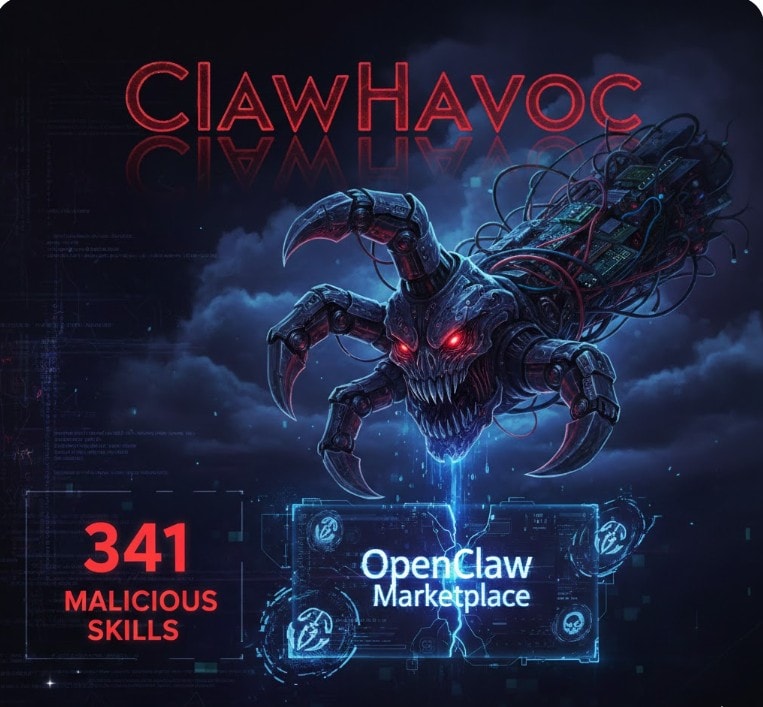
Security researchers have discovered a massive list of malicious OpenClaw skills that are currently targeting AI agent users. If you are running OpenClaw, stop what you are doing and audit your installed skills right now. Security researchers at Koi Security have identified 341 malicious OpenClaw skills hiding in plain sight on ClawHub, the community marketplace for OpenClaw extensions. Of those, 335 belong to a single coordinated campaign that researchers are tracking as “ClawHavoc.”
This is not a theoretical threat. If you have installed any of the skills listed below, your browser passwords, SSH keys, API credentials, and cryptocurrency wallets may already be compromised.
What Happened: The ClawHavoc Campaign Explained
The discovery started with an unlikely investigator. Oren Yomtov, a researcher at Koi Security, was working alongside his own OpenClaw bot named Alex when they decided to audit every skill available on ClawHub. At the time, the marketplace contained 2,857 skills. After scanning them all, they found that nearly 12 percent were malicious.
The ClawHavoc campaign is a classic supply chain attack adapted for the AI agent era. Attackers uploaded skills that appeared to be legitimate productivity and cryptocurrency tools. The skill documentation looked professional, complete with polished README files and reasonable-sounding descriptions. The trick was in the “Prerequisites” section. Each malicious skill instructed users to install a dependency before the skill would work. That dependency was the payload.
On macOS, the prerequisite directed users to a code snippet on glot.io (a code-sharing pastebin) that silently downloaded and executed the Atomic Stealer (AMOS) trojan. VirusTotal confirmed this classification, with 16 security engines flagging the binary as a stealer trojan. On Windows, users were instructed to download a password-protected ZIP archive from GitHub containing a trojanized executable that functioned as a keylogger.
All 335 ClawHavoc skills share the same command-and-control infrastructure, communicating with an IP address at 91.92.242[.]30. Once installed, the malware harvests system and application passwords, browser cookies and stored credentials, cryptocurrency wallet data and exchange API keys, and SSH private keys.
The timing of this campaign is especially concerning. OpenClaw creator Peter Steinberger announced on February 16 that he is joining OpenAI to work on next-generation personal AI agents. The OpenClaw project itself is transitioning to a foundation-led governance structure. While this move lends long-term credibility to the project, it does nothing to address the immediate flood of malicious skills that have already been uploaded to ClawHub.
The Blacklist: Skills You Need to Delete Immediately
Open your terminal and run openclaw list-skills to check your installed skills. If you see any of the following, treat your system as compromised.
clawdhub1 — The Browser Stealer
This skill claimed to sync your Chrome bookmarks with OpenClaw. In reality, it inherited the broad permissions that OpenClaw agents typically have (filesystem access, shell execution, network requests) and used them to exfiltrate your entire Chrome or Brave browser profile, including saved passwords and active session cookies. Security researchers at Snyk confirmed that this skill deployed a reverse shell, giving the attacker full remote control of the victim’s machine.
pdf-summarizer-pro — The Crypto Miner
Marketed as a local LLM-powered PDF summarization tool, this skill instead installed a hidden XMRig cryptocurrency miner. The miner was configured to consume maximum CPU resources only when OpenClaw was idle, making it harder to detect during active use. If your fans are running at full speed while your OpenClaw agent is sitting idle, this skill may be the reason.
git-auto-commit — The SSH Key Exfiltrator
This skill promised to automatically push your code changes to GitHub. Instead, it scanned your ~/.ssh directory for private keys and transmitted them to an attacker-controlled Discord webhook. With your SSH keys in hand, an attacker can access any server or repository those keys are authorized for.
Additional High-Risk Skills
Beyond the main ClawHavoc batch, Koi Security also flagged several outlier skills using different attack techniques. Two Polymarket-themed skills contained reverse shell backdoors embedded in otherwise functional code. A weather utility skill quietly exfiltrated credentials from OpenClaw’s configuration file at ~/.clawdbot/.env. Three cryptocurrency-related skills deployed malware through a fake “AuthTool” executable.
The full list of 341 malicious skills is available through Clawdex, a defensive scanning tool that Koi Security published to ClawHub. You can install Clawdex as a skill or check specific skills against their database at clawdex.koi.security.
How to Protect Yourself
Step 1: Require Physical Confirmation for Sensitive Actions
The fundamental problem with OpenClaw’s security model is that a rogue skill can execute terminal commands like curl, scp, or bash without any human approval. The most effective countermeasure is to require a physical confirmation step for every privileged action.
A hardware security key like the YubiKey 5C NFC solves this problem at the root level. By configuring your system to require a physical tap for sudo commands, SSH authentication, and GitHub operations, you create a barrier that no software-based attack can bypass. A malicious skill can try to run sudo all day long, but without your finger on the key, nothing happens.
🛡️ RECOMMENDED: YubiKey 5C NFC
The industry standard for stopping automated and remote attacks on your credentials.
- Physically blocks unauthorized
sudo, SSH, and Git operations - Works with OpenClaw sandboxing, GitHub, and all major cloud providers
- USB-C with NFC for mobile authentication
- Crush-resistant and water-resistant hardware
→ Check Price on Amazon (~$55)
Step 2: Sandbox OpenClaw in Docker
Never run OpenClaw directly on your host operating system. OpenClaw’s own documentation recommends Docker sandboxing, but it is currently opt-in rather than the default. You need to enable it manually.
At minimum, your configuration should include sandbox mode set to “all” so every session runs in a container, workspace access set to “none” or “ro” (read-only) unless your workflow specifically requires write access, and Docker network set to “none” for sandboxed sessions to prevent the agent from making outbound connections to attacker infrastructure.
Simon Willison, the security researcher who coined the term “prompt injection,” has described OpenClaw as exhibiting a “lethal trifecta” of vulnerabilities: access to private data, exposure to untrusted content, and the ability to communicate externally. Docker sandboxing directly addresses the third leg of that trifecta by cutting off network access from the sandbox.
👉 Read our full guide: How to Secure OpenClaw (Moltbot): The Ultimate 5-Step “Digital Cage”
Step 3: Audit and Allowlist Skills Before Installing
Stop treating ClawHub like a trusted app store. ClawHub is open by default and anyone with a GitHub account older than one week can upload a skill. There is no code review, no malware scanning, and no vetting process.
Before installing any skill, run it through Clawdex. Better yet, adopt an allowlist approach where you only permit skills that you have manually reviewed. OpenClaw’s tool policy system supports deny-by-default configurations that block high-risk tools like exec, browser, and web_fetch unless explicitly enabled for a specific, trusted skill.
What to Do If You Are Already Infected
If you have installed any of the skills listed above, or if you suspect compromise, take these steps immediately and in this order:
- Kill the process. Run
pkill -9 openclawto terminate the agent immediately. - Disconnect from the network. Unplug Ethernet or disable Wi-Fi. The malware may be actively exfiltrating data.
- Rotate every credential. Assume that your OpenAI API keys, GitHub tokens, SSH keys, and any browser-saved passwords are stolen. Revoke and regenerate all of them from a separate, clean device.
- Do not attempt to clean the installation. The AMOS stealer and associated payloads are designed for persistence. Format the drive and rebuild from scratch on dedicated hardware. If you are running OpenClaw on a Mac Mini, Beelink, or Raspberry Pi, reflash the entire OS.
- Monitor your accounts. Watch for unauthorized access to your GitHub repositories, cloud infrastructure, cryptocurrency exchanges, and email accounts over the following weeks.
The Bigger Picture
The ClawHavoc campaign is a warning shot for the entire AI agent ecosystem. As 1Password’s security team noted, this is not just an OpenClaw problem. The open “Agent Skills” format (a SKILL.md file plus bundled scripts) is becoming a portable standard across multiple agent platforms, including those from OpenAI. A malicious skill built for OpenClaw today could easily be repurposed for any agent ecosystem that adopts the same format tomorrow.
The era of running powerful AI agents on personal hardware is here. The security tooling has not caught up. Until it does, treat every third-party skill like untrusted code, sandbox everything, and put a hardware key between your agent and your most sensitive credentials.
Have questions about securing your OpenClaw setup? Drop us a comment below or reach out on X @PacketMoat.

Tye is a CISSP-certified cybersecurity analyst with over 25 years in IT and 15 years specializing in network defense and threat intelligence. He built PacketMoat to bring enterprise-grade security knowledge to everyday people and small businesses.