Why Discord Safety Matters More Than You Think
Your 13-year-old just asked to download Discord because “everyone uses it for gaming.” You’ve heard the name, but you’re not sure if it’s like Instagram, a gaming thing, or something else entirely. Here’s what you need to know: Discord is a communication platform where 150+ million monthly users chat via text, voice, and video. It started as a tool for gamers but has exploded into communities covering everything from homework help to anime fandoms.
This article contains affiliate links. PacketMoat may earn a commission at no extra cost to you when you purchase through these links. This helps support our cybersecurity research and content creation.
The problem? Discord’s design prioritizes open communication over safety controls. Unlike Instagram or TikTok, which have invested heavily in parental controls and content moderation, Discord operates more like the old internet—think chat rooms and forums where anyone can create a “server” (their term for a chat group) and invite others to join. That openness creates genuine risks for kids, especially those under 15.
This guide covers what Discord actually is, the specific dangers your child faces, what parental controls exist (spoiler: not many built-in), and the third-party tools that actually work for monitoring Discord activity. I’m writing this as both a CISSP professional and a parent who’s dealt with the “can I download Discord?” conversation at my own dinner table.
What Discord Actually Is (and Why Kids Love It)
Discord isn’t social media in the traditional sense. There’s no public feed, no “likes,” and no algorithm pushing content at your kid. Instead, Discord is organized into servers—private or public chat groups focused on specific topics. Your child might join a server for their Roblox friend group, another for a YouTube creator they follow, and a third for a school project team.
Each server has text channels (like group chats) and voice channels (like conference calls). Kids can share images, videos, links, and stream their gameplay. The appeal is real: Discord offers better voice quality than Xbox Live, more features than iMessage group chats, and a sense of community that standalone games don’t provide. For many teens, Discord IS their social life.
The platform officially requires users to be 13+ to create an account, with some servers marked 18+ for mature content. But like every age gate on the internet, it’s enforced through an honor system. Your 10-year-old can claim to be 13, and Discord won’t verify.
The Real Dangers: What Keeps Security Professionals Up at Night
Let’s be direct about the risks. These aren’t theoretical—they’re patterns security researchers and law enforcement see repeatedly on Discord.
Predator Grooming in Direct Messages
According to the National Center for Missing & Exploited Children (NCMEC), Discord is increasingly mentioned in CyberTipline reports involving online enticement of minors. The platform’s direct message system allows anyone to message your child if they share a server, even if they’re not “friends.” Predators join popular gaming servers (Fortnite, Minecraft, Roblox communities) and target younger users through seemingly innocent conversations about the game.
The grooming pattern is consistent: start with game tips, move to personal questions, request moving the conversation to a “more private” platform, then escalate to requests for photos or video calls. Discord’s end-to-end encryption for DMs means the company can’t proactively scan these conversations for predatory behavior.
Exposure to Adult Content
Discord has thousands of servers dedicated to pornography, gore, and extreme political content. While these servers are supposed to be age-gated (marked 18+), the verification is just a button click. More concerning: adult content gets shared in general-interest servers too. Your kid joins a Pokémon fan server, and someone posts NSFW artwork in a poorly moderated channel.
Discord’s moderation is largely outsourced to volunteer server moderators—often teenagers themselves. There’s no centralized content filtering like TikTok or Instagram employ. If a server has weak moderation, it becomes a free-for-all.
Malware and Scam Links
Discord has become a popular distribution method for malware targeting gamers. Scammers offer “free Robux,” “Fortnite hacks,” or “Discord Nitro gift codes” through links that install keyloggers or ransomware. According to cybersecurity firm Sophos, Discord’s content delivery network (CDN) is increasingly abused to host malicious files because Discord links look legitimate and aren’t blocked by most school or home network filters.
Kids are particularly vulnerable because they’re used to clicking links shared by “friends” in servers. They don’t have the pattern recognition to spot a phishing attempt disguised as a game giveaway.
Cyberbullying and Raiding
Discord “raids” occur when a group coordinates to flood a server with hateful messages, slurs, or disturbing images. These raids target servers for specific games, fandoms, or even school groups. Your child’s private server with 10 school friends can be overwhelmed by 50 raiders posting hate speech before the moderators can respond.
The psychological impact is real. Unlike a mean comment on Instagram that you can delete, a Discord raid feels like an invasion—attackers are in your child’s space, disrupting their friend group’s conversations in real-time.
Discord’s Built-In Safety Features (and Why They’re Not Enough)
Discord does offer some safety controls, but they’re reactive rather than proactive. Here’s what exists and why it falls short for younger users.
Privacy Settings Your Child Should Enable
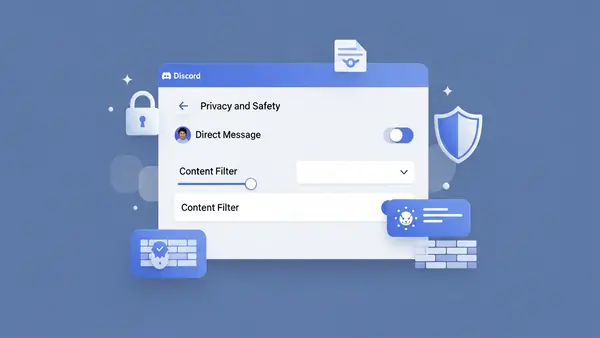
Discord allows users to restrict who can send them direct messages. Under User Settings > Privacy & Safety, your child can disable DMs from non-friends and require a friend request before anyone can message them. This blocks the most common predator approach vector.
The problem: most kids don’t enable this because it makes Discord less fun. They want to be able to chat with new people they meet in servers. Explaining why this matters requires a conversation about online safety that goes beyond “don’t talk to strangers.”
Blocking and Reporting Tools
Users can block individuals and report messages to Discord’s Trust & Safety team. According to Discord’s 2025 Transparency Report, they received 2.3 million reports of child safety violations and took action on 68% of them. That sounds good until you realize 32% of reported child safety issues didn’t result in action—and those are just the incidents that were reported.
The reporting process requires your child to recognize they’re in an unsafe situation and take action. Predators are skilled at manipulating kids into not reporting (“if you tell anyone, you’ll get in trouble too”).
What Discord Doesn’t Offer
Discord has no built-in parental controls. There’s no “family link” feature like Google or Apple provide. There’s no way to view your child’s DMs, monitor what servers they join, or set time limits within the app. Discord’s philosophy is that server owners and users are responsible for their own safety—a libertarian approach that doesn’t work for 12-year-olds.
Parental Control Tools That Actually Work for Discord
Since Discord doesn’t provide parental controls, you need third-party monitoring software. Here are the tools that can track Discord activity, with honest assessments of what they can and can’t do.
Bark: Best for Discord Message Monitoring
Bark monitors text messages, social media, and email for signs of cyberbullying, sexual content, online predators, depression, suicidal ideation, and threats of violence. For Discord specifically, Bark scans your child’s messages (both DMs and server chats) for concerning keywords and context, then alerts you.
What works: Bark’s AI is genuinely good at context. It won’t alert you every time your kid says “kill” in a gaming context (“I killed the boss”), but it will flag “I want to kill myself” or “send me pics.” The alerts include the full conversation thread, so you see the context before deciding if intervention is needed.
What doesn’t work: Bark requires your child’s Discord login credentials, which means they’ll know you’re monitoring. This isn’t sneaky surveillance—it’s transparent oversight. You’ll need to have a conversation about why this is happening. Bark also can’t monitor voice calls or screen shares, only text-based communication.
Best for: Parents of kids ages 10-14 who are new to Discord and need active monitoring during the learning phase. Bark costs $14/month for social media monitoring across multiple platforms.
Bark Parental Control Annual Subscription
Qustodio: Best for Time Limits and App Blocking
Qustodio is a comprehensive parental control platform that can block Discord entirely, set daily time limits, or restrict access to certain hours. It works across Windows, Mac, iOS, and Android. Unlike Bark, Qustodio focuses on screen time management and app blocking rather than content monitoring.
What works: Qustodio’s time limit enforcement is rock-solid. If you set 1 hour of Discord per day, the app locks at 61 minutes. Your child can’t bypass it without your password. The activity dashboard shows you how much time they spent on Discord and when.
What doesn’t work: Qustodio doesn’t monitor Discord message content. It sees “Discord was used for 47 minutes” but not what was said or which servers were visited. It’s a blunt instrument—useful for managing addiction or overuse, but it won’t catch grooming or bullying.
Best for: Parents dealing with Discord overuse (your kid spends 6 hours a day on it) or those who want to restrict Discord to certain hours (homework time = no Discord). Qustodio costs $54.95/year for up to 5 devices.
Qustodio Parental Control Premium
mSpy: Most Comprehensive (But Most Invasive)
mSpy is phone monitoring software that records everything: Discord messages, voice call logs, screen recordings, GPS location, and even keystrokes. It’s designed for complete visibility into your child’s digital life.
What works: If you need to know everything, mSpy delivers. The Discord monitoring includes message content, timestamps, server names, and even deleted messages (it caches them before deletion). The screen recording feature captures what your child sees during Discord voice calls, which is useful for detecting inappropriate video streams.
What doesn’t work: mSpy is expensive ($48.99/month) and requires significant setup. For iOS, you need your child’s iCloud credentials and two-factor authentication codes. For Android, you need physical access to install the app. More importantly, this level of surveillance damages trust. Use mSpy only if you have specific evidence of danger, not as a default monitoring approach.
Best for: Parents responding to a specific incident (you found concerning messages and need to understand the full scope) or managing a child with a history of unsafe online behavior. This is crisis-level monitoring, not everyday oversight.
Monitoring your kid’s phone is a personal decision. We recommend having an honest conversation with your child about why these tools are installed. Frame it as protection, not punishment. “I’m monitoring Discord because I love you and want to make sure you’re safe, not because I don’t trust you.”
The Low-Tech Approach: Rules That Work Without Software
Not every family needs monitoring software. For some kids, clear rules and open communication work better than surveillance. Here are the guidelines that security professionals use with their own children.
The “Public Device Only” Rule
Discord access is limited to a family computer in a public space—the living room, kitchen, or home office. No Discord on phones or tablets in bedrooms. This makes predatory grooming significantly harder because the conversations aren’t private. Your child knows you might walk by at any moment.
The downside: this rule is tough to enforce with teenagers who use Discord for legitimate friend communication. It works best with younger kids (10-13) who are just starting out.
The “Friend Requests Only” Policy
Your child must enable Discord’s privacy setting that blocks DMs from anyone who isn’t a confirmed friend. They can only friend people they know in real life or have video-called with (to verify they’re actually another kid, not an adult pretending).
This rule eliminates most predator contact while still allowing Discord’s core functionality. The challenge is enforcing it—you need to periodically check that the setting is still enabled, because kids will turn it off if it interferes with joining new servers.
The “Server Audit” Conversation
Once a month, sit down with your child and review their Discord server list together. Ask about each server: What is it for? Who runs it? Have you seen anything that made you uncomfortable? This isn’t an interrogation—it’s a teaching moment. You’re helping them develop judgment about which online spaces are safe.
Common Sense Media recommends this approach for kids ages 13-15 as a middle ground between total monitoring and complete independence. It respects their privacy while maintaining parental awareness.
Age-Appropriate Discord Use: When Is Your Child Ready?
Discord’s official age minimum is 13, but that doesn’t mean every 13-year-old is ready. Here’s a framework for deciding if your child is mature enough for Discord, based on their demonstrated online behavior.
Green Light Indicators (Probably Ready)
Your child has used other social platforms (Instagram, TikTok, Snapchat) without major incidents. They’ve told you when something online made them uncomfortable. They understand not to share personal information (full name, school name, address) with online strangers. They can articulate why certain online behaviors are risky.
Yellow Light Indicators (Proceed with Monitoring)
Your child is impulsive or struggles with peer pressure. They’ve had minor incidents on other platforms (shared something they shouldn’t have, got into an argument). They’re new to online communication and don’t have pattern recognition for scams or manipulation. They’re under 13 but mature for their age.
For yellow light kids, Discord access should come with active monitoring (Bark or similar) and the rules outlined above. Treat it as a learning phase with training wheels.
Red Light Indicators (Not Ready)
Your child has a history of unsafe online behavior (met up with online strangers, shared inappropriate content, got involved in cyberbullying). They’re under 11. They don’t understand basic internet safety concepts. They’ve recently experienced trauma or mental health challenges that make them more vulnerable to manipulation.
For red light kids, the answer is no—not yet. Focus on building digital literacy through safer platforms first. Discord will still be there in a year or two when they’re more prepared.
What to Do If Something Goes Wrong
Despite your best efforts, your child might encounter a predator, see disturbing content, or get caught up in cyberbullying on Discord. Here’s the response protocol.
If You Suspect Predatory Contact
Don’t delete anything. Screenshot the conversations (including usernames and timestamps). Report the user to Discord through their Trust & Safety portal (support.discord.com/hc/en-us/requests/new). File a report with NCMEC’s CyberTipline (report.cybertip.org). If the contact involved requests for photos or attempts to meet in person, contact your local police department—this is a crime.
According to NCMEC guidelines, preserve the evidence first, then have a non-judgmental conversation with your child. They need to know they’re not in trouble for being targeted. Predators are skilled manipulators—the fault lies with the adult, not the child.
If Your Child Was Exposed to Adult Content
Leave the server immediately. Block the users who posted the content. Report the server to Discord (right-click the server icon > Report). Have a conversation with your child about what they saw and how it made them feel. Depending on their age and the severity of the content, consider whether they need to take a break from Discord entirely.
For younger kids (10-12), accidental exposure to pornography or gore can be genuinely traumatic. Don’t minimize it with “it’s just the internet.” Acknowledge that what they saw was inappropriate and shouldn’t have happened.
If Your Child Is Being Bullied
Document the harassment with screenshots. Block the harassers. If it’s happening in a server your child’s friends run, talk to the server owner about banning the bullies. If it’s a raid (coordinated attack by outsiders), report it to Discord.
More importantly: take Discord off your child’s phone for a few days. Cyberbullying is relentless because the attacks follow kids home. Creating physical distance from the platform helps break the psychological cycle. Use the break to discuss whether this friend group or server is worth staying in.
Common Mistakes Parents Make With Discord
After reviewing dozens of Discord safety incidents reported to NCMEC and talking with other parents, these are the mistakes that consistently lead to problems.
Assuming Discord is “just for gaming.” Discord started as a gaming platform but has evolved into general-purpose communication. Your child might be using it for gaming, but they’re also using it for school projects, fandom communities, and socializing. Don’t underestimate how much of their social life happens there.
Not checking which servers they’ve joined. Your child might join a wholesome Minecraft server, but that server has links to 20 other servers in its announcement channel. Kids hop between servers constantly. What starts as a Pokemon fan club can lead to an anime server that shares adult content. Check their server list monthly.
Ignoring the “online friends” conversation. Your child will insist their Discord friends are “real friends.” Sometimes that’s true—they’re school friends who also game together. But often, these are strangers your child has never met. You need to distinguish between the two categories and set different rules for each.
Installing monitoring software without explanation. If you install Bark or mSpy without telling your child, and they discover it (they will), you’ve destroyed trust. Be upfront: “I’m installing this because Discord has risks I need to help you navigate. As you demonstrate good judgment, we’ll reduce monitoring.” Transparency matters.
Banning Discord entirely without offering alternatives. If you say “no Discord” but don’t provide a way for your child to stay connected with their friend group, you’ve created a problem. They’ll use Discord on a friend’s device, create a secret account, or resent you for isolating them. If Discord isn’t safe, what IS the approved communication method for their friends?
The Bottom Line: Discord Can Be Safe, But It Requires Work
Is Discord safe for kids? The honest answer: it depends on your child’s maturity, your involvement, and the specific servers they join. Discord is a tool—like a car, it’s useful but requires training and supervision before your kid should use it independently.
For most families, the right approach is graduated access. Start with strict monitoring and rules (public device only, friend requests only, monthly server audits). As your child demonstrates good judgment—they tell you when something feels off, they follow the rules without constant reminders, they handle conflicts maturely—you gradually reduce oversight.
The goal isn’t to keep your child off Discord forever. The goal is to teach them how to navigate online spaces safely so that by age 16 or 17, they can make those decisions independently. Discord is practice for the adult internet, where there are no parental controls and judgment is the only protection.
If you decide Discord is appropriate for your child, invest in one of the monitoring tools above. Bark is the best choice for most families—it catches concerning content without being overly invasive, and it works across multiple platforms as your child’s social media use expands. Pair it with clear rules, regular conversations, and a willingness to intervene if things go wrong.
And remember: your kid’s friends are all on Discord. Saying “no” without offering an alternative isolates them socially. The better question isn’t “should my child use Discord?” but “how do I make Discord safe for my child?”
Quick Comparison: Discord Monitoring Tools
Bark ($14/month): Best for content monitoring. Scans messages for concerning keywords. Can’t monitor voice calls. Requires child’s Discord login. Good for ages 10-14.
Qustodio ($54.95/year): Best for time limits and app blocking. Doesn’t monitor message content. Solid for managing overuse. Good for all ages.
mSpy ($48.99/month): Most comprehensive monitoring including screen recording. Expensive and invasive. Use only for crisis situations or high-risk kids.
Built-in Discord settings (free): Can restrict DMs to friends-only. No parental oversight. Requires your child to self-enforce. Good for mature 15+ teens.
For families just starting with Discord, I recommend Bark plus the “public device only” rule for the first 6 months. As your child proves they can handle Discord responsibly, transition to Qustodio for time management only. By age 16, most kids should be trusted with just Discord’s built-in privacy settings and periodic check-ins.
The monitoring tool you choose matters less than your willingness to have ongoing conversations about what your child is experiencing online. Technology is the safety net—your relationship is the actual protection.

Tye is a CISSP-certified cybersecurity analyst with over 25 years in IT and 15 years specializing in network defense and threat intelligence. He built PacketMoat to bring enterprise-grade security knowledge to everyday people and small businesses.