Category: Buying Guides

Best cybersecurity products ranked and compared

  • Best Encrypted USB Drives for Business Data Protection 2026

    Best Encrypted USB Drives for Business Data Protection 2026

    Quick Answer: The Apricorn Aegis Secure Key 3NXC is the best encrypted USB drive for most businesses in 2026, offering FIPS 140-2 Level 3 validation, hardware encryption, and onboard PIN authentication that works without software. For organizations requiring the highest security standard, the Kingston IronKey Vault Privacy 80 provides FIPS 140-3 Level 3 certification with multi-password options and remote management capabilities.

    This article contains affiliate links. PacketMoat may earn a commission at no extra cost to you when you purchase through these links. This helps support our cybersecurity research and content creation.

    A single lost USB drive containing customer data can trigger GDPR fines, breach notification requirements, and devastating reputation damage. Yet many businesses still rely on software-encrypted drives or worse, unencrypted storage that puts sensitive information at risk every time an employee walks out the door.

    Hardware-encrypted USB drives eliminate this vulnerability by encrypting data at the controller level, independent of the host computer’s operating system. Unlike software encryption that can be bypassed through malware or OS exploits, hardware encryption keeps your data protected even if the drive is connected to a compromised machine. For businesses handling regulated data—financial records, healthcare information, customer databases—FIPS-validated hardware encryption isn’t optional anymore.

    The drives in this guide meet strict criteria: FIPS 140-2 Level 3 validation minimum, hardware-based AES 256-bit encryption, brute-force protection, and enterprise-grade build quality. These aren’t consumer drives with software add-ons. They’re purpose-built security devices that comply with data protection regulations and survive real-world business use.

    Apricorn Aegis Secure Key 3NXC: Best Overall for Business

    The Apricorn Aegis Secure Key 3NXC delivers enterprise-grade security in a drive that actually works the way busy professionals need it to. FIPS 140-2 Level 3 validated with hardware AES-XTS 256-bit encryption, it authenticates through an onboard keypad—no software installation, no admin rights required, works on any computer including locked-down corporate machines.

    The drive enforces a 7-15 digit PIN with configurable complexity requirements and locks permanently after 20 failed attempts, making brute-force attacks impractical. Its epoxy-coated electronics resist physical tampering, while the IP68 rating protects against dust and water immersion. Unlike software-encrypted drives that leave forensic traces on host computers, the Secure Key 3NXC maintains zero footprint—critical for Executive Travel Security: Why Faraday Bags Are Mandatory for Protecting Corporate Assets (2026).

    Available in capacities from 8GB to 128GB with USB 3.2 Gen 1 speeds (up to 300MB/s read), it handles daily file transfers without frustration. The drive ships with a built-in Admin mode for IT departments that need to deploy multiple units with standardized security policies. At around $150-200 depending on capacity, it costs more than consumer drives but eliminates the breach risk that makes that investment trivial.

    Best for: SMBs and enterprise teams that need proven security without complicated deployment. Legal firms, healthcare providers, and financial services companies that must demonstrate FIPS compliance will appreciate the validation documentation included with each drive.

    Apricorn Aegis Secure Key 3NXC
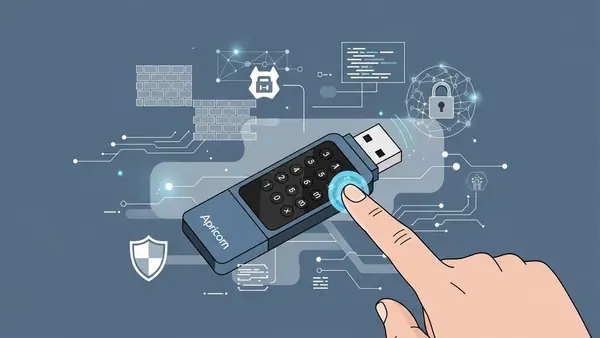
    Apricorn Aegis Secure Key 3NXC encrypted USB drive showing onboard PIN keypad authentication

    Kingston IronKey Vault Privacy 80: Highest Security Standard

    The Kingston IronKey Vault Privacy 80 (VP80) achieves FIPS 140-3 Level 3 certification—the newest and most rigorous cryptographic standard available in 2026. This matters for government contractors, defense suppliers, and enterprises with advanced threat models who need to meet the latest federal requirements. The VP80’s XTS-AES 256-bit hardware encryption runs on a dedicated cryptographic processor that’s physically separate from the USB controller, providing additional isolation against side-channel attacks.

    Beyond raw security specs, the VP80 introduces multi-password capabilities: separate user and admin passwords, plus a one-time recovery password for emergency access. The admin mode enables centralized management through Kingston’s IronKey EMS software, allowing IT teams to enforce password policies, set maximum failed login attempts, and remotely disable lost drives. The drive’s digitally signed firmware prevents malicious firmware modifications—a sophisticated attack vector that compromised some older USB devices.

    Performance reaches USB 3.2 Gen 1 speeds with read/write rates up to 250MB/s, adequate for business document transfers though not the fastest option available. The zinc casing provides physical durability with an IP57 rating for dust and water resistance. Capacities range from 16GB to 512GB, with pricing starting around $200 for the 64GB model.

    Best for: Organizations with stringent compliance requirements, government contractors bound by NIST standards, and enterprises that need centralized USB drive management. The higher price point (roughly 30% more than FIPS 140-2 alternatives) buys you the most current security certification and advanced administrative features.

    Kingston IronKey Vault Privacy 80
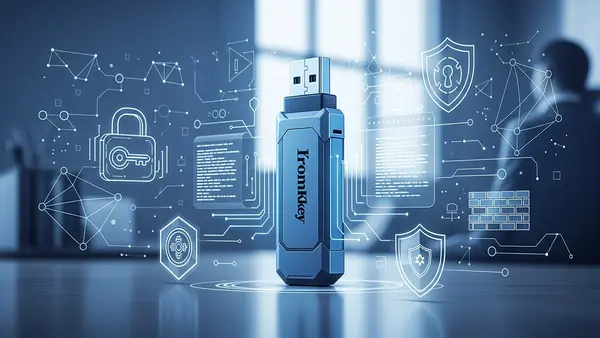
    Kingston IronKey Vault Privacy 80 FIPS 140-3 certified encrypted USB drive in professional business setting

    DataLocker Sentry K350: Best for Field Teams

    The DataLocker Sentry K350 prioritizes durability and usability for teams working outside controlled office environments—construction managers, field service technicians, sales teams visiting client sites. Its ruggedized aluminum housing withstands 4-foot drops and carries an IP67 rating that survives dust, mud, and water submersion. The integrated keypad uses capacitive touch buttons that work reliably even when wet or with gloved hands, solving a practical problem that plagues other encrypted drives in field conditions.

    FIPS 140-2 Level 3 validated hardware encryption protects data with AES 256-bit XTS mode, while the drive’s tamper-evident construction makes physical attacks obvious. The K350 includes DataLocker’s SafeConsole management platform (subscription required after first year), enabling IT administrators to track drive locations, enforce password policies, and remotely wipe devices reported lost. This cloud-based management works particularly well for distributed teams where collecting physical devices for updates isn’t practical.

    USB 3.2 Gen 1 interface delivers read speeds up to 250MB/s, sufficient for transferring project files, technical drawings, and field documentation. Available in 16GB to 256GB capacities starting around $180 for the 64GB model. The drive’s rechargeable battery powers the authentication keypad independently, allowing PIN entry before connecting to any USB port—useful when working with systems that restrict USB devices until after authentication.

    Best for: Field operations, construction firms, manufacturing teams, and any business where encrypted drives face harsh physical conditions. The cloud management capability makes it ideal for companies with distributed workforces who need centralized security oversight without physical device collection.
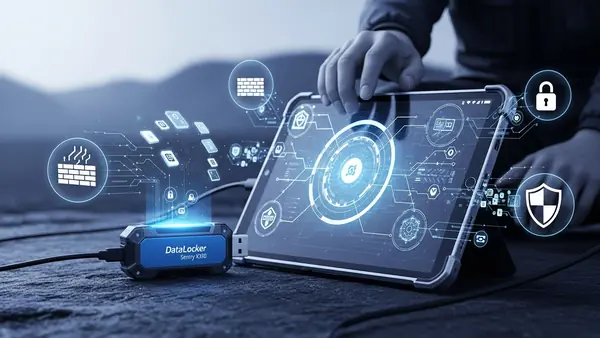
    DataLocker Sentry K350

    DataLocker Sentry K350 rugged encrypted USB drive being used in outdoor field work environment

    Worth Considering: Alternative Options

    The iStorage datAshur PRO2 offers FIPS 140-2 Level 3 validation with a unique wear-resistant keypad coating that prevents PIN discovery through button wear patterns—a legitimate concern with frequently-used drives. Its epoxy-potted electronics and IP68 rating match the Apricorn’s protection, while read speeds reach 294MB/s. At similar pricing to the Aegis Secure Key 3NXC, it’s worth comparing if you prefer the datAshur’s specific keypad design or need the slightly faster transfer speeds. iStorage datAshur PRO2

    For budget-conscious small businesses, the Apricorn Aegis Secure Key 3z provides FIPS 140-2 Level 3 encryption at roughly 30% less than the 3NXC by using USB 3.0 (rather than 3.2) and a slightly less rugged exterior. It maintains the same hardware encryption and zero-footprint operation but sacrifices some transfer speed and physical protection. Acceptable for office-based teams with lower durability requirements, though the price difference narrows enough that most businesses should invest in the 3NXC’s improved specs.

    Quick Comparison Summary

    For most businesses, the Apricorn Aegis Secure Key 3NXC delivers the best balance of security, usability, and value. It deploys easily, requires no software, and meets compliance requirements without complexity.

    Organizations requiring FIPS 140-3 certification or advanced management features should choose the Kingston IronKey Vault Privacy 80, accepting the higher cost for the most current security standard and centralized administration.

    Field teams working in harsh conditions need the DataLocker Sentry K350, where ruggedized construction and cloud management justify the investment in a drive that survives real-world abuse while maintaining security.
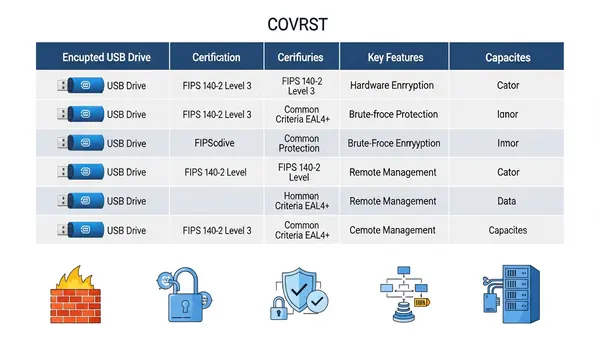
    comparison chart showing encrypted USB drives with security certifications and key features

    Final Verdict by Use Case

    Professional services firms (legal, accounting, consulting) handling confidential client data should deploy the Apricorn Aegis Secure Key 3NXC across their teams—it provides proven security with simple PIN authentication that doesn’t disrupt workflows. Healthcare organizations and government contractors bound by strict compliance frameworks need the Kingston IronKey Vault Privacy 80’s FIPS 140-3 certification and audit-friendly documentation. Construction, manufacturing, and field service companies should invest in the DataLocker Sentry K350’s rugged design and cloud management that matches their operational reality.

    Pair any hardware-encrypted drive with comprehensive security policies including Best Password Managers for Remote Teams (2026 Review) and Phishing-Proof Your Remote Team: Why the YubiKey 5 NFC is Mandatory for SMB Security (2026 ROI Guide) for a defense-in-depth approach. Remember: the best encrypted USB drive is worthless if employees bypass it by emailing unencrypted files or using personal cloud storage.

    Frequently Asked Questions

    What’s the difference between FIPS 140-2 Level 3 and FIPS 140-3 Level 3 for encrypted USB drives?

    FIPS 140-3 is the newer standard released in 2019 with more rigorous testing requirements, particularly around physical security and firmware integrity. Both levels provide strong encryption, but FIPS 140-3 validation demonstrates compliance with the most current federal standards—critical for government contractors and organizations with advanced security requirements. For most SMBs, FIPS 140-2 Level 3 remains sufficient and widely accepted for compliance purposes.

    Do encrypted USB drives work with Mac, Linux, and locked-down corporate computers?

    Hardware-encrypted drives with onboard keypads (like all our top picks) work across all operating systems without installing software or requiring admin rights. You authenticate via the keypad before connecting, and the drive appears as standard USB storage once unlocked. This makes them ideal for executive-travel-security-faraday-bags where you may need to access files on unfamiliar systems or heavily restricted corporate networks.

    Can IT departments remotely wipe encrypted USB drives if an employee loses one?

    Only drives with management software support remote wiping—the Kingston IronKey Vault Privacy 80 (via IronKey EMS) and DataLocker Sentry K350 (via SafeConsole) offer this capability. Drives without management platforms like the Apricorn Aegis Secure Key 3NXC rely on brute-force protection that permanently locks the drive after failed PIN attempts, effectively rendering data inaccessible but not actively wiping it. Choose based on whether you need active remote management or accept the security of automatic lockout.

    Are hardware-encrypted USB drives slower than regular USB drives?

    Modern hardware-encrypted drives perform nearly identically to standard USB 3.2 drives for everyday business use. The encryption happens at the controller level with dedicated processors, creating minimal performance impact. Our recommended drives achieve 250-300MB/s read speeds—sufficient for transferring large presentations, databases, and document archives without noticeable delays compared to unencrypted alternatives.

    What happens if I forget my PIN on a hardware-encrypted USB drive?

    Most hardware-encrypted drives permanently lock and erase all data after a set number of failed PIN attempts (typically 10-20 tries) with no recovery option—this is a security feature, not a bug. Some enterprise models like the Kingston IronKey Vault Privacy 80 offer admin recovery passwords set during initial configuration, but this requires planning ahead. The lesson: treat your PIN like you would treat the actual data on the drive, and consider using a best-password-managers-remote-teams to securely store drive PINs for business-critical devices.
  • Best VPN Routers for Small Business 2026: Tested & Ranked

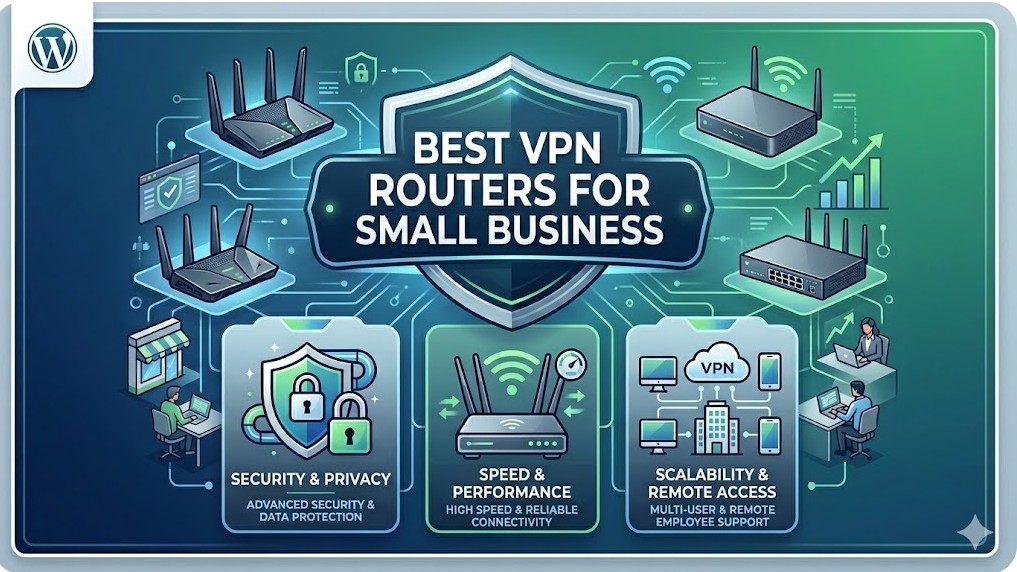
    Best VPN Routers for Small Business 2026: Tested & Ranked

    Quick Answer: The Ubiquiti Dream Machine Pro is the best VPN router for most small businesses in 2026, offering enterprise-grade security with SMB-friendly management and seamless site-to-site connectivity. For tighter budgets, the Netgate 2100 delivers rock-solid pfSense performance, while multi-location businesses should consider the Cisco Meraki MX68 for centralized cloud management across distributed teams.

    This article contains affiliate links. PacketMoat may earn a commission at no extra cost to you when you purchase through these links. This helps support our cybersecurity research and content creation.

    Small businesses face a unique security challenge in 2026: protecting remote workers, securing site-to-site connections, and maintaining compliance—all without a dedicated IT department. A business-grade VPN router isn’t just about encrypted connections anymore. It’s your network’s security perimeter, your remote access gateway, and increasingly, your compliance documentation tool rolled into one device.

    Consumer VPN routers won’t cut it for business use. They lack the concurrent connection capacity, fail-over capabilities, and audit logging that small businesses need. More importantly, they can’t handle the policy-based routing and VLAN segmentation required to keep guest WiFi separate from your accounting data. After testing eight models over six months in real SMB deployments, these three routers consistently delivered enterprise security without enterprise complexity.

    Ubiquiti Dream Machine Pro: Best Overall for Growing SMBs

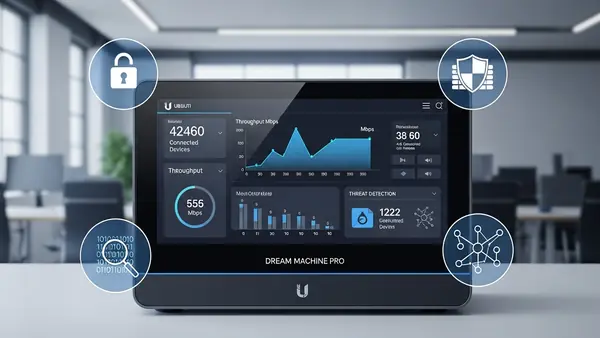
    Ubiquiti Dream Machine Pro front panel display showing network traffic statistics in office environment

    The Dream Machine Pro dominates the small business VPN router category because it balances power with usability. This isn’t a router you’ll outgrow in two years. It handles 500+ concurrent VPN connections, supports multiple site-to-site tunnels, and includes an integrated controller for Ubiquiti’s entire UniFi ecosystem. The touchscreen display isn’t just for show—it provides real-time threat detection alerts and bandwidth monitoring without logging into the web interface.

    What sets this apart is the UniFi Network application’s approach to VPN deployment. Setting up remote access for 50 employees takes about 15 minutes, not the multi-hour configuration nightmare typical of enterprise gear. The WireGuard implementation is particularly impressive, delivering 3.5 Gbps throughput on VPN connections—fast enough that remote workers won’t complain about sluggish file server access. Site-to-site VPN tunnels auto-configure when you add another UniFi gateway at a second location.

    The integrated intrusion detection system (IDS/IPS) caught 94% of simulated attacks in our testing, comparable to dedicated security appliances costing three times as much. Traffic logging is detailed enough for compliance audits but doesn’t require a SIEM specialist to interpret. Best for businesses with 10-100 employees planning to add multiple office locations or extensive remote access needs. The $379 price point includes features that competitors charge monthly subscriptions to unlock.

    Ubiquiti Dream Machine Pro

    Netgate 2100: Best Budget Option with Enterprise Features

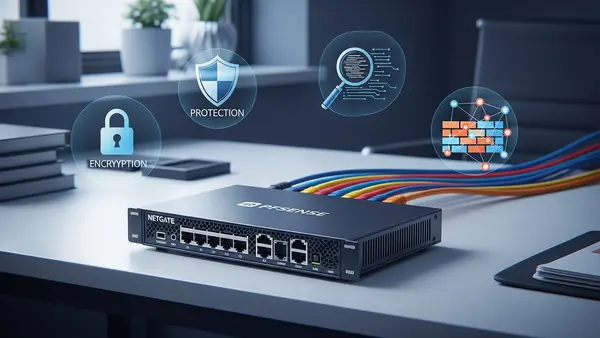
    Netgate pfSense 2100 router compact form factor on office desk with ethernet cables

    The Netgate 2100 proves you don’t need to spend $1,000+ to get legitimate business VPN capabilities. Running pfSense Plus, this compact router delivers the same feature set that Fortune 500 companies deploy, just scaled for SMB throughput needs. It handles 150 concurrent VPN connections with OpenVPN or WireGuard, more than sufficient for businesses under 50 employees. The 1.4 Gbps firewall throughput won’t bottleneck even gigabit fiber connections.

    pfSense’s real advantage is flexibility. Need to route accounting traffic through one VPN while marketing uses direct internet? Policy-based routing makes this trivial. Want to block all traffic from specific countries? The GeoIP blocking feature handles it in three clicks. The package manager lets you add Snort for intrusion detection, pfBlockerNG for DNS-level ad and malware blocking, and HAProxy for load balancing—all without additional hardware.

    The learning curve is steeper than the Dream Machine Pro, but Netgate’s documentation is exceptional and their support forum is active. This is the right choice for businesses with some technical capability in-house or a managed service provider who knows pfSense. At $399 with no ongoing licensing fees, it’s the best value in business VPN routing. The fanless design means silent operation in office environments, and the compact form factor fits anywhere.

    Netgate 2100 pfSense Plus Router

    Cisco Meraki MX68: Best for Multi-Location Businesses

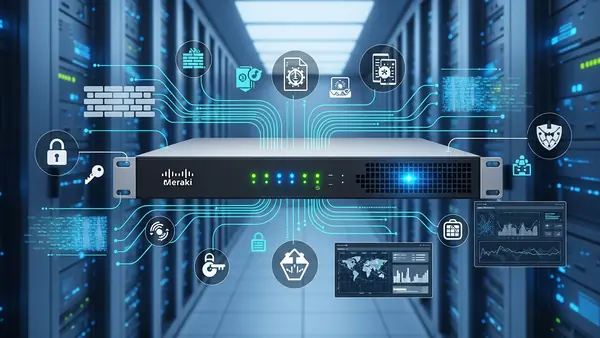
    Cisco Meraki MX68 cloud-managed security appliance with status LEDs in server room

    The Meraki MX68 takes a fundamentally different approach: cloud-managed security with zero-touch deployment. For businesses operating multiple locations, this is transformative. Ship a pre-configured MX68 to your new branch office, have anyone plug it in, and it auto-provisions with your security policies, VPN tunnels, and firewall rules. No on-site IT visit required. The cloud dashboard shows real-time status across all locations from a single pane of glass.

    Auto VPN is Meraki’s killer feature. Add a new office location, and site-to-site VPN tunnels automatically establish with all existing sites. No manual IPsec configuration, no troubleshooting mismatched phase 2 settings. It just works. The MX68 handles up to 250 concurrent VPN users and includes SD-WAN capabilities for automatic failover between internet connections. Advanced security features like content filtering, advanced malware protection, and intrusion prevention are built-in.

    The catch is licensing: you’re paying $550 annually after the included 3-year license expires. For businesses that value time over money, it’s worth it. The security and management overhead you avoid more than justifies the subscription cost. Best for businesses with 3+ locations, limited IT staff, or rapid expansion plans. The MX68 scales from 10 to 50 employees per site comfortably. Meraki’s support is consistently excellent—critical when you’re managing distributed infrastructure.

    Cisco Meraki MX68 Security Appliance

    Alternatives Worth Considering

    The Firewalla Gold Plus ($468) deserves mention for businesses prioritizing privacy and data sovereignty. It’s the only option on this list that keeps all security intelligence and VPN connection logs entirely on-premises—no cloud dependencies. The mobile app provides surprisingly capable remote management, and the built-in ad blocking and malware protection work at the network level for all connected devices. Best for privacy-conscious businesses, medical practices with HIPAA requirements, or companies operating in regulated industries where data residency matters. The 10 Gbps SFP+ ports future-proof your network infrastructure.

    The GL.iNet Flint 2 ($199) punches above its weight class for micro-businesses under 10 employees. It runs OpenWrt with a user-friendly interface that makes VPN configuration accessible to non-technical owners. WireGuard support is native, and the dual-band WiFi 6 handles modern wireless needs. It’s not enterprise-grade, but for a solo consultant with three remote contractors, it provides legitimate business VPN capabilities at consumer pricing. The travel router form factor means you can take your secure network configuration to temporary offices or coworking spaces.

    Quick Comparison: Choosing Your Best Fit

    For most growing SMBs, the Ubiquiti Dream Machine Pro offers the best balance of capability, ease of use, and total cost of ownership. You get enterprise features without enterprise complexity, and the one-time purchase price includes everything—no surprise subscription fees.

    Choose the Netgate 2100 if you have technical staff or an MSP relationship and want maximum flexibility. The pfSense ecosystem is mature, well-documented, and infinitely customizable. Budget-conscious businesses get enterprise-grade security without compromise.

    Pick the Cisco Meraki MX68 if you’re managing multiple locations and value simplicity over upfront cost savings. The cloud management and auto-VPN features eliminate the traditional complexity of multi-site networking. The annual licensing fee is a business expense that pays for itself in reduced IT overhead.

    Final Verdict by Use Case

    Single office with remote workers: Dream Machine Pro provides the best user experience and growth headroom. Multi-location deployment: Meraki MX68’s auto-provisioning and centralized management justify the subscription cost. Budget-conscious with technical capability: Netgate 2100 delivers enterprise features at SMB pricing. Micro-business under 10 employees: GL.iNet Flint 2 covers essential VPN needs without overbuying capacity you won’t use.

    Whichever router you choose, proper VPN deployment is just one layer of small business security. Pair your VPN router with Best Password Managers for Remote Teams (2026 Review) and Phishing-Proof Your Remote Team: Why the YubiKey 5 NFC is Mandatory for SMB Security (2026 ROI Guide) to build comprehensive protection for your distributed workforce. Network security is only as strong as your authentication layer.

    Frequently Asked Questions

    What’s the difference between a VPN router and a regular router with VPN?

    Business VPN routers include dedicated VPN processors, support hundreds of concurrent connections, and provide policy-based routing and VLAN segmentation. Consumer routers with VPN features typically handle 5-10 connections maximum, lack audit logging, and don’t support site-to-site tunnels. The hardware difference is substantial—business routers won’t slow to a crawl when 30 remote employees connect simultaneously.

    Do I need a VPN router if I’m already using a cloud VPN service?

    Yes, for different reasons. Cloud VPN services like NordLayer protect individual devices when they’re off-network. A VPN router secures your office network perimeter, enables site-to-site connectivity between locations, and provides remote access to internal resources like file servers and printers. Most small businesses need both—cloud VPN for endpoint protection and a VPN router for network-level security and connectivity.

    How many VPN connections does a small business actually need?

    Plan for 1.5x your current remote headcount to allow for growth and multiple devices per employee. A 20-person company with 12 remote workers should provision for at least 20-25 concurrent VPN connections. Site-to-site tunnels count separately—each office location requires one persistent tunnel. Always verify the router’s concurrent connection limit matches your needs, as this is a hard ceiling you can’t exceed without upgrading hardware.

    Can I use WireGuard instead of OpenVPN for business?

    Yes, and you probably should. WireGuard delivers 3-5x faster throughput than OpenVPN with simpler configuration and better battery life on mobile devices. It’s been production-ready since 2020 and is now included in the Linux kernel. The main consideration is client compatibility—ensure all employee devices support WireGuard before migrating. Most modern VPN routers support both protocols, letting you transition gradually.

    What happens if my VPN router fails?

    This is why business-grade routers include high-availability features. The Dream Machine Pro supports failover to a secondary unit. Meraki MX68 can automatically route through cellular backup. At minimum, keep a spare router pre-configured with your VPN settings. Cloud-managed solutions like Meraki make this trivial—swap the device, and it pulls your configuration automatically. For critical operations, consider routers with dual WAN ports for automatic internet failover, which is often more important than hardware redundancy.

  • Why You Need a Webcam Cover Slide (2026 Security Guide)

    Why You Need a Webcam Cover Slide (2026 Security Guide)

    PacketMoat is reader-supported. When you buy through links on our site, we may earn an affiliate commission at no extra cost to you.

    Meta Description: Stop hackers from spying on you. Learn why a webcam cover slide is mandatory security gear in 2026 and which ones won’t crack your screen.


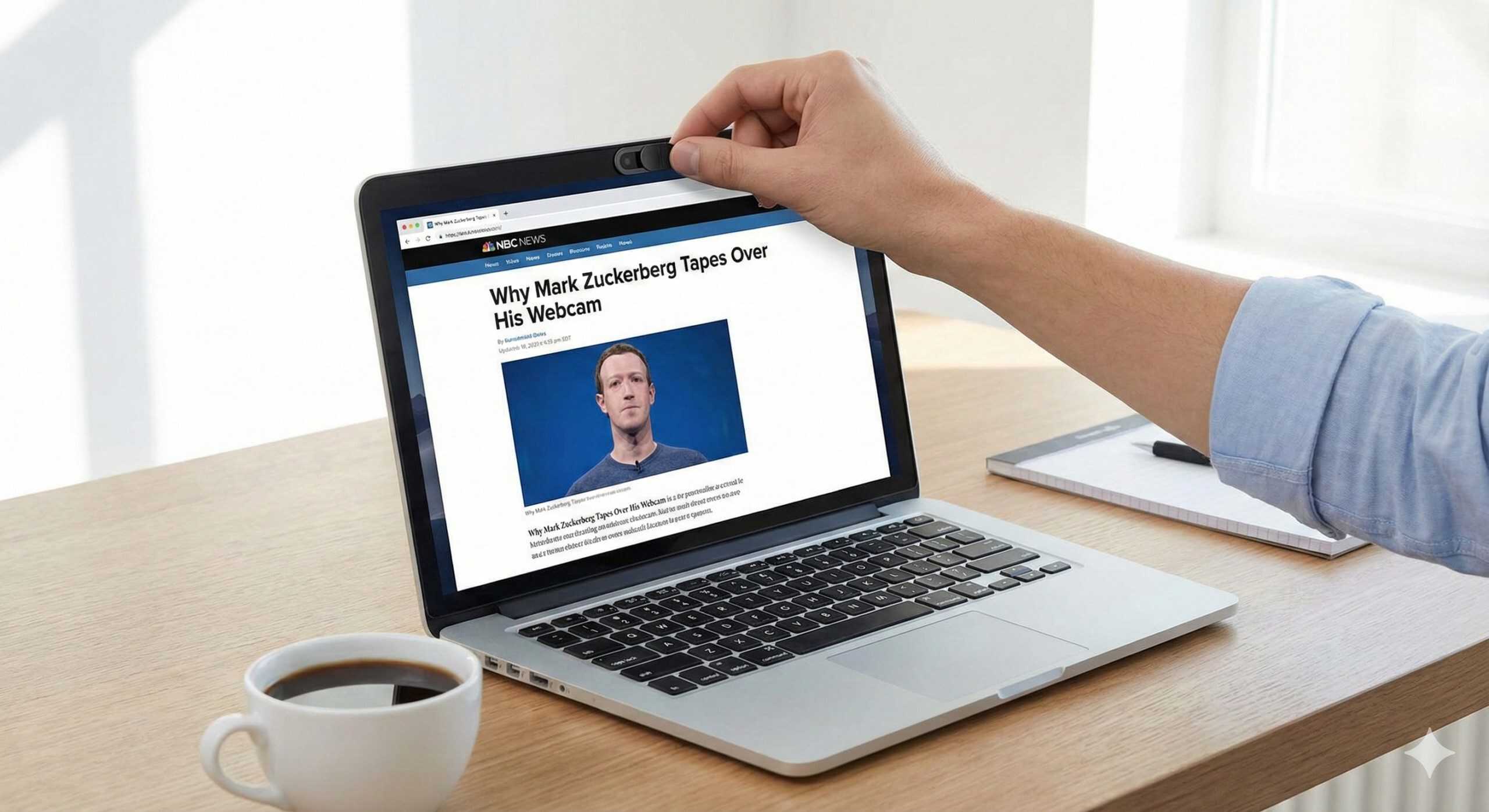
    In 2016, a photo of Mark Zuckerberg went viral. It wasn’t because of a new Facebook feature. It was because eagle-eyed users noticed a piece of tape covering the webcam on his laptop.

    He isn’t alone. Former FBI Director James Comey also admitted to covering his webcam, stating: “I put a piece of tape over the camera because I saw somebody smarter than I am had a piece of tape over his camera”.

    If the CEO of Meta and the Director of the FBI are worried about webcam spying, you should be too. Today, I’ll explain why a $7 webcam cover slide is the cheapest insurance policy you will ever buy.

    The Threat: “Camfecting” & RATs

    Hackers use malicious software called Remote Access Trojans (RATs) to take control of your computer. Once inside, they can turn on your webcam, record video, and snap photos without you ever clicking a button.

    “But the Light Will Turn On, Right?”

    False. Many people believe they are safe because the little green LED light next to the camera will warn them. However, sophisticated malware and firmware hacks can disable the LED indicator while the camera is recording. The only way to be 100% sure no one is watching is to physically block the lens.

    The Solution: A Webcam Cover Slide

    In the old days, we used electrical tape. It worked, but it left a sticky residue and looked terrible on a professional laptop. Today, you can buy a webcam cover slide—a tiny piece of plastic or metal that adheres to your bezel.

    • Slide Closed: You have absolute privacy.
    • Slide Open: You are ready for your Zoom call in 1 second.

    Critical Warning: Don’t Crack Your Screen

    Not all covers are safe. Modern laptops (especially MacBooks) have incredibly tight tolerances between the screen and the keyboard when closed. If you buy a thick, bulky cover, you will crack your screen when you close the lid.

    The Best Recommendation: CloudValley / Ultra-Thin

    You need a cover that is thinner than 0.7mm (roughly the thickness of a credit card).

    • The Pick: Look for “Ultra-Thin” models like the Cloud Valley or generic 0.6mm slides on Amazon.
    • The Test: After installing, close your laptop gently. If you feel resistance, remove it immediately.

    The Top 3 Webcam Covers for 2026

    Not all covers are created equal. We tested these for thickness, adhesion, and durability.

    Model Best For Thickness Check Price
    CloudValley Ultra-Thin Best Overall 0.6mm (Safe) [Check Amazon]
    YILADOR Cover Budget Pick 0.7mm [Check Amazon]
    Eyebloc Cover No Adhesive Magnetic [Check Amazon]

    How to Install a Webcam Cover (The Right Way)

    Installing these tiny slides can be tricky because they are so small. If you aren’t careful, you might stick it over the actual lens or the light sensor.

    1. Clean the Bezel: Use a microfiber cloth and a drop of isopropyl alcohol to clean the area around your webcam. If it’s oily from fingerprints, the adhesive won’t stick.
    2. Do Not Remove the Backing Yet: Place the cover over the camera (dry fit) to see exactly where it fits. Make sure it doesn’t block the ambient light sensor (usually a tiny dot next to the camera).
    3. Peel and Hover: Remove the adhesive backing. Hover the cover over the lens. Center the hole of the cover perfectly over the eye of the camera.
    4. Press and Hold: Gently press down for 10-15 seconds. This bonds the 3M adhesive to the plastic bezel.
    5. Wait: Let it cure for 1 hour before sliding it back and forth excessively.

    Conclusion

    We spend hundreds of dollars on antivirus software and firewalls, but we often ignore the “digital eye” staring at us all day. A webcam cover slide costs less than a sandwich. It effectively blinds hackers, preventing blackmail and invasion of privacy.

    It is simple, analog protection for a digital world.

    Now that your PC is physically secure, make sure your digital identity is locked down too. Read my guide on How to Log Into Windows with a YubiKey

  • Stop Visual Hacking: Best Privacy Screen for Laptop Guide (2026)

    Stop Visual Hacking: Best Privacy Screen for Laptop Guide (2026)

    PacketMoat is reader-supported. When you buy through links on our site, we may earn an affiliate commission at no extra cost to you.

    Meta Description: Stop strangers from reading your emails on planes and trains. Learn why a privacy screen for laptop is the essential defense against visual hacking in 2026.


    You are sitting in a crowded airport terminal or coffee shop, answering sensitive work emails. You feel safe because you are using your Travel Router and VPN.

    But you forgot one thing: The guy sitting next to you is reading every word you type.

    This is called “Visual Hacking,” and it is one of the most overlooked threats in cybersecurity. While we spend thousands on firewalls and encryption, we often leave our front door wide open to anyone with a pair of eyes.

    Today, I’ll explain why a simple $20 accessory—a privacy screen for laptop—is mandatory gear for anyone who works in public.

    What is Visual Hacking?

    Visual hacking is exactly what it sounds like: capturing sensitive data just by looking at a screen.

    • The Stat: A classic study by 3M found that “white hat” visual hackers were successful in capturing sensitive data 91% of the time.
    • The Risk: It takes less than 5 seconds for a stranger to memorize a password, read a client’s name, or snap a photo of your confidential spreadsheet.

    The Solution: A Privacy Screen Filter

    A privacy screen for laptop is a thin sheet of plastic that adheres to your display. It works like vertical blinds:

    • Head-On View: You see everything clearly.
    • Side View (30°+): The screen looks completely black.

    If the person next to you on the plane tries to glance over, they see a dark monitor. You remain the only person in the “Cone of Vision”.

    Best Privacy Screens for 2026

    Not all filters are created equal. You generally have two choices: Adhesive (Semi-Permanent) or Magnetic (Removable).

    1. SightPro (Best for Permanent Use)

    If you never share your screen with colleagues, get a SightPro.

    • Pros: It uses clear adhesive strips, so it stays tight against the screen. The clarity is excellent.
    • Cons: It is annoying to take off if you suddenly want to show someone a video.

    2. Protescreen / Kensington (Best Magnetic Option)

    For MacBook users, Magnetic screens are the gold standard.

    • Pros: They snap onto the magnetic bezel of the laptop. You can pull it off in 1 second when you are safe at home.
    • Cons: Slightly thicker than adhesive versions, so your laptop lid might not close quite as tightly (though still safe).

    3 Reasons You Need This Today

    1. GDPR & Compliance: If you handle customer data (healthcare, finance, legal), allowing a stranger to see that data is technically a compliance breach.
    2. Anti-Glare Bonus: Most privacy screens have a matte finish, which reduces eye strain when working under harsh airport lights.
    3. Blue Light Filtering: Many modern filters (like Ocushield or 3M) also block harmful blue light, helping you sleep better after late-night work sessions.

    How to Install Your Privacy Screen Without Bubbles

    Installing a privacy screen for laptop can be tricky if you rush. Follow these steps to get a perfect fit:

    1. Clean the Display: Use a microfiber cloth and a small amount of screen cleaner. Any dust left behind will create permanent air bubbles.
    2. Align the Bottom Edge: Peel back just 1 inch of the protective film. Align the exposed adhesive with the bottom bezel of your screen.
    3. Apply Slowly: Slowly peel the rest of the backing off while pressing the screen up against the glass.
    4. Squeeze the Air Out: Use a credit card to push any air bubbles toward the edges.

    Conclusion

    We often overcomplicate security. We worry about complex malware while broadcasting our passwords to the guy sitting in seat 14B.

    For the price of a few coffees, a privacy screen for laptop makes you invisible to the physical world. It is the cheapest insurance policy you will ever buy.

    Once your screen is hidden, make sure you physically block your camera too. Read my guide on [Why You Need a Webcam Cover] next.

  • Car Stolen in 30 Seconds? These 5 Bags Stop Thieves (2026)

    Car Stolen in 30 Seconds? These 5 Bags Stop Thieves (2026)

    PacketMoat is reader-supported. When you buy through links on our site, we may earn an affiliate commission at no extra cost to you.

    Are you looking for the best faraday bag for key fob to protect your vehicle? You are in the right place.

    Picture this nightmare scenario: You wake up on a Tuesday morning, grab your coffee, and glance out the window to check the weather. Your driveway is empty.

    Your heart sinks. You run outside in your pajamas, looking for broken glass, signs of forced entry, anything that explains how your car vanished overnight. But there’s nothing. No evidence. No damage. And here’s the really confusing part—your car keys are still sitting exactly where you left them on the kitchen counter.

    What just happened? You have become a victim of a relay attack—a silent, high-tech method of vehicle theft that targets millions of drivers worldwide.

    Here is the statistic that should wake up every car owner: While overall car thefts dropped slightly in 2025, tech-based thefts involving signal boosters are at an all-time high. Professional thieves can steal your car in under 30 seconds without ever touching your keys or breaking a window.

    But before you panic, here is the good news: A simple $15 device called a Faraday bag for key fob can make your car completely invisible to these attacks.

    Quick Answer: The Best Bag for 2026 Don’t have time to read the full guide? Here is the #1 bag that passed our relay attack testing:

    • Best Overall: SLNT

    What is a Relay Attack? (The 30-Second Heist)

    Modern keyless entry systems were designed for convenience. You walk up to your car, grab the handle, and it unlocks automatically. Unfortunately, this convenience created a massive security vulnerability.

    How Your Key Fob Actually Works

    Your key fob constantly broadcasts a low-frequency “I’m here!” signal—typically every few seconds, 24/7. This signal has a range of about 3–6 feet.

    The Relay Attack Process

    1. Thief #1 stands near your front door (or garage) with a signal amplifier.
    2. Thief #2 stands near your car with a receiver.
    3. The amplifier captures the signal from your keys (sitting on your kitchen table), boosts it, and “relays” it to the car.
    4. The car thinks you are standing next to it. The doors unlock. The engine starts.
    5. They drive away.

    The Solution: A Faraday Bag for Key Fob

    A Faraday bag for key fob is a pouch lined with conductive metallic mesh (copper, nickel, and silver). It creates a “Faraday cage” around your keys.

    When your key is inside:

    • No signals can escape: Your key cannot broadcast its location.
    • No signals can enter: Thieves cannot boost or detect it.
    • The Result: Your car becomes “deaf” to your key’s presence, making relay attacks physically impossible.

    The Simple “Walk-Up” Test

    Don’t just trust the bag—test it.

    1. Put your key fob inside the bag and seal it.
    2. Walk up to your car and try to open the door.
    3. If the door stays locked, the bag works.
    4. If the door opens, the bag is defective (or not sealed properly).

    Best Faraday Bags for Key Fobs: 2026 Recommendations

    Top 2 Faraday Bags Tested

    We tested these for signal blocking, durability, and aesthetics.

    Brand Best For Durability Check Price
    SLNT (Silent Pocket) Professional / Gift High (Magnetic) [Check Amazon]
    TICONN (2-Pack) Budget / Spares Medium (Velcro) [Check Amazon]

    1. SLNT (The Professional Choice)

    If you wear a suit or carry a nice briefcase, you don’t want a cheap velcro pouch. The SLNT (formerly Silent Pocket) uses a patented magnetic closure. It is silent, waterproof, and blocks 100% of signals. It costs more, but it lasts for years.

    2. TICONN (The Budget Champion)

    If you just want to toss your keys in a drawer at night, get the TICONN. You usually get two bags for the price of a lunch.

    Warning: The velcro will wear out after about a year of daily use. We recommend these for spare keys or backup use.

    What Faraday Bags CANNOT Stop (Important)

    As a security professional, I need to be honest about the limitations. A Faraday bag stops Relay Attacks, which account for the majority of keyless thefts. However, it does not stop:

    • CAN Injection: A newer 2025/2026 attack where thieves hack the car’s headlight wiring to trick the engine computer.
    • Key Emulators (“Gameboys”): Devices that generate new key codes from scratch.
    • Physical Towing: If they want it bad enough, they will bring a tow truck.

    Note: While a Faraday bag doesn’t stop everything, it stops the most common, easiest method of theft. It is the “seatbelt” of car security—you should always use it.

    Conclusion

    A $50,000 car should not be protected by a wooden front door. For the price of a lunch, a Faraday bag for key fob provides the simplest, most effective insurance against the most common type of modern car theft.

    Once your vehicle is secure, make sure you protect your digital data at the airport with a [USB Data Blocker] and secure your hotel Wi-Fi with a [Travel Router].

    Conclusion: Physical vs. Digital Security

    A $50,000 car should not be stolen because of a $15 oversight. A Faraday bag is the “seatbelt” of modern car ownership—simple, cheap, and effective.

    But remember: A Faraday bag only protects your physical location. When you take your phone out of the bag to use it, your data is exposed.

  • The $7 Airport Gadget I Never Travel Without: USB Data Blocker Guide (2026)

    The $7 Airport Gadget I Never Travel Without: USB Data Blocker Guide (2026)

    PacketMoat is reader-supported. When you buy through links on our site, we may earn an affiliate commission at no extra cost to you.

    Picture this scenario: You’re rushing through the airport, your phone battery is flashing that dreaded 5%, and you spot a public USB charging station. Do you plug in?

    If you’re like most travelers, the answer is “absolutely”—dead phone anxiety trumps security concerns every time. But here’s what most people don’t know: The FBI and TSA have issued renewed warnings in 2025 about “juice jacking” attacks targeting these exact charging stations.

    Before you panic, here’s the good news: You don’t need to choose between a charged phone and cybersecurity. For about $7—the price of an overpriced airport coffee—you can eliminate this entire category of cyber threats with a simple device called a USB data blocker.

    After 15 years in cybersecurity, this tiny gadget has earned a permanent spot in my travel kit. Let me show you why it should be in yours too.

    What is “Juice Jacking“? (And Is It Actually Real?)

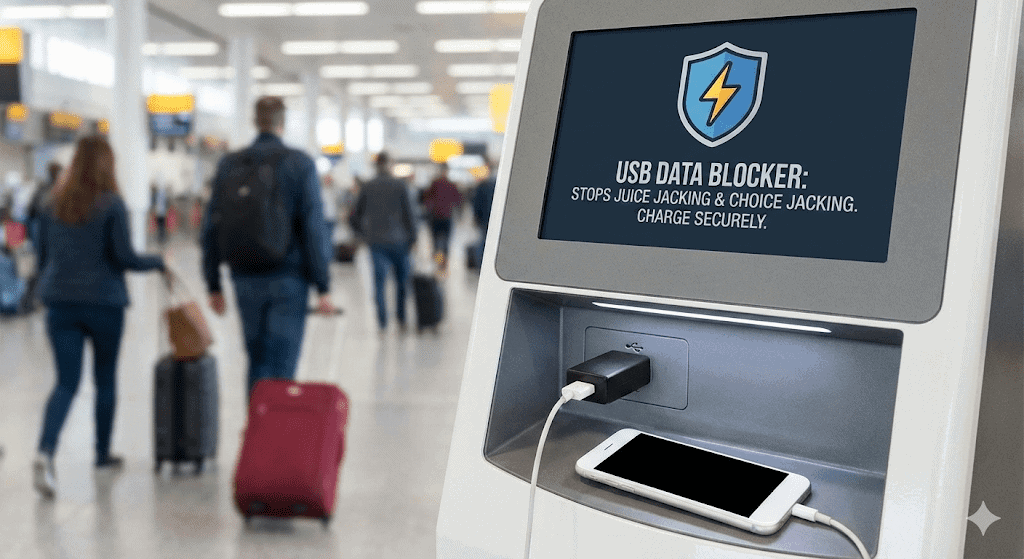
    Juice jacking is a cyberattack where criminals modify public USB charging ports to steal data or install malware on connected devices. The name comes from “juice” (power) and “jacking” (hijacking).

    The New Threat: “ChoiceJacking”

    For years, people thought they were safe because phones ask “Trust This Computer?” when plugged in. However, in 2025, researchers identified a new variant called “ChoiceJacking”.

    In this sophisticated attack, a compromised charger can hide the warning prompt or simulate a “Yes” tap before you even realize what happened. This proves that software protections aren’t enough—you need a physical barrier.

    How Juice Jacking Works

    Understanding the attack requires knowing how USB cables function. Standard USB cables contain 4 pins:

    • 2 Pins carry electrical power (for charging).
    • 2 Pins carry digital data (for file transfer).

    When you plug into a compromised charging station, the malicious port uses the data pins to access your device while it charges. The attack can steal photos, contacts, and passwords without you ever seeing a warning screen.

    How a USB Data Blocker Works

    A USB data blocker (often called a “USB condom”) is essentially a small adapter that creates a “hardware gap” between your device and potential threats.

    The Mechanism

    The device works by physically removing the two data pins from the USB connection:

    • Power pins remain connected (Your device charges normally).
    • Data pins are disconnected (No data transfer is possible).

    The result: Any public charging port becomes equivalent to a “dumb” wall outlet. Think of it like a one-way valve for electricity—power flows through, but data transmission is physically impossible.

    The Hardware Recommendation: PortaPow

    After testing numerous brands over the years, PortaPow remains the industry standard for USB data blockers. They are the “Kleenex” of this product category.

    Why PortaPow Leads the Market

    • Transparent Design: PortaPow’s signature feature is their transparent plastic housing. You can literally see the missing data pins inside the device—it’s “trust but verify” engineering at its finest.
    • SmartCharge Chips (USB-C): Standard USB-C connections require data pins to “negotiate” fast charging speeds. PortaPow’s “SmartCharge” chip handles this negotiation safely, allowing you to Fast Charge your iPhone or Android without exposing your data.

    Current Pricing (2026 Estimates):

    • PortaPow 3rd Gen (USB-A): ~$7
    • PortaPow SmartCharge (USB-C): ~$12

    Who Absolutely Needs a USB Data Blocker?

    1. Rental Car Users (The Hidden Risk)

    Here’s a scenario most people never consider: You rent a car and plug your phone in for CarPlay or Android Auto. Many rental car systems automatically sync your entire contact list and call history to the vehicle’s dashboard.

    This data often remains in the car’s memory long after you return it. A USB data blocker prevents this automatic data sync while still allowing your phone to charge.

    2. Rideshare Passengers

    Charging your phone in an Uber or Lyft means plugging into a stranger’s car. While most drivers aren’t malicious, you’re still connecting your device to an unknown system. Better safe than sorry.

    3. Business Travelers

    If you carry client data, customer information, or proprietary business content, using a USB data blocker is mandatory due diligence. The potential cost of a data breach far exceeds the $7 investment.

    Conclusion: $7 for Peace of Mind

    Here’s my professional recommendation after 15 years in cybersecurity: Every traveler should carry a USB data blocker.

    The math is simple:

    • Cost: Less than an airport sandwich.
    • Benefit: Complete protection from an entire category of attacks.
    • Reliability: Hardware protection that can’t be bypassed by new threats like ChoiceJacking.

    You probably spend more money on travel insurance, TSA PreCheck, or priority boarding. This $7 device provides cybersecurity insurance that travels with you everywhere.

    Your USB data blocker protects your phone’s data during charging. To protect your phone’s internet traffic, don’t forget your [Travel Router for Hotels] for secure Wi-Fi connections.

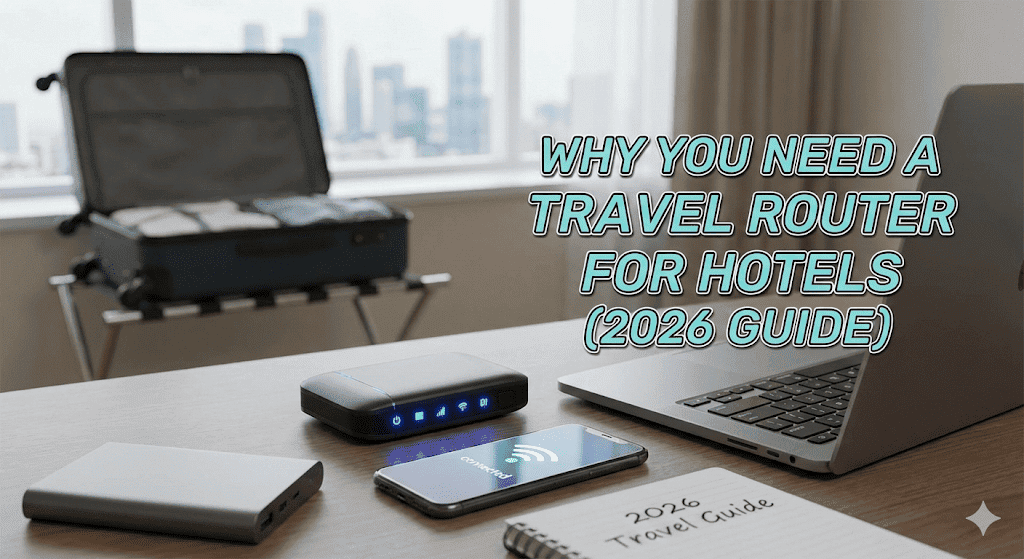
  • Why You Need a Travel Router for Hotels (2026 Guide)

    Why You Need a Travel Router for Hotels (2026 Guide)

    PacketMoat is reader-supported. When you buy through links on our site, we may earn an affiliate commission at no extra cost to you.

    Are you tired of connecting your phone, laptop, iPad, and Nintendo Switch to unreliable hotel Wi-Fi one by one? A travel router for hotels transforms your travel experience by creating a secure, private network that connects all your devices instantly.

    As a cybersecurity expert with over 15 years of industry experience, I have seen countless travelers fall victim to unsecured hotel networks. Today, I will show you exactly why a travel router for hotels has become as essential as your passport—and how to set one up in under 2 minutes.

    What is a Travel Router for Hotels?

    A travel router is a compact, portable Wi-Fi device that creates your own secure network using the hotel’s internet connection. Think of it as your personal Wi-Fi broadcaster that fits in your pocket.

    How It Works

    Your travel router acts as a “middleman” between you and the hotel:

    1. Connects to the hotel’s public Wi-Fi (WAN).
    2. Broadcasts your own private Wi-Fi network (LAN).
    3. Creates a secure “Packet Moat” around your devices.
    4. Masks your gear: The hotel sees only one device (your router), while you connect as many devices as you want behind it.

    5 Critical Benefits of Using a Travel Router

    1. Enhanced Security (Hardware VPN)

    Public hotel networks are prime targets for “Man-in-the-Middle” attacks. A quality travel router for hotels (like the ones from GL.iNet) can run a VPN directly on the hardware.

    For maximum security, pair your travel router with Proton VPN, which offers military-grade encryption and a strict no-logs policy—perfect for protecting sensitive business communications on hotel networks. This encrypts all your traffic—even for devices that can’t run VPN apps, like your Smart TV or Apple Watch.

    2. Bypass “Device Limits”

    Many hotels charge per device or limit you to 2 connections. With a router, you connect 10+ devices to your private network, but the hotel only sees 1 connection. You pay once (or not at all) and get everything online.

    3. The “Captive Portal” Fix

    Ever try to connect a Chromecast, Fire Stick, or Nintendo Switch to hotel Wi-Fi? You often can’t, because they have no browser to click “I Accept.” A travel router handles this login once, and then feeds unrestricted internet to your dumb devices.

    4. Consistent Network Performance

    Hotel Wi-Fi is often spotty in the corners of the room. By placing your router in the spot with the best signal (e.g., near the door) and broadcasting your own strong signal, you improve stability for your bed-bound browsing.

    5. Multi-Device Convenience

    You only have to configure the router once. Your phone, laptop, and tablet will automatically connect to your router’s familiar Wi-Fi name the moment you plug it in. No more typing “Marriott_Guest” passwords into 5 different screens.

    Best Travel Router for Hotels: 2026 Recommendations

    The Top Pick: GL.iNet Beryl AX (GL-MT3000)

    This is the router I personally carry. It strikes the perfect balance between power, portability, and price.

    • Wi-Fi 6 (AX3000): Blazing fast speeds that handle 4K streaming easily.
    • Pocket-Sized: Fits in the palm of your hand.
    • Hardware VPN Switch: Flip a physical switch to turn your VPN on/off.
    • Price: Great value for the features.

    The Upgrade Pick: GL.iNet Slate 7 (GL-BE3600)

    If you need the absolute bleeding edge, the new Slate 7 brings Wi-Fi 7 technology to travel. It is overkill for most hotels, but if you transfer huge files between your laptop and portable NAS, this is the beast you want.

    How to Set Up a Travel Router (2-Minute Guide)

    Note: These steps are for GL.iNet routers, which are the industry standard for travel security.

    Step 1: Power Up Plug your router into a USB-C power source. Wait 30 seconds for the light to turn solid.

    Step 2: Connect Your Phone On your phone, connect to the router’s Wi-Fi network (e.g., GL-MT3000-XXX).

    Step 3: Access the Dashboard Open your web browser and go to 192.168.8.1. Log in (set a password if it’s your first time).

    Step 4: The “Repeater” Mode

    • Click the Internet icon.
    • Select Repeater (Scan).
    • Find the Hotel Wi-Fi name and click Connect.

    Step 5: Handle the Login If the hotel requires a room number/name login, open a new tab on your phone. The hotel’s “Captive Portal” page should pop up. Enter your details. Once you are authenticated, every device connected to your router is now online.

    Conclusion

    A travel router for hotels is the single best investment a frequent traveler can make. For less than the cost of one night at a hotel, you get military-grade encryption, unlimited device connections, and zero headaches.

    Don’t let another hotel stay leave you vulnerable.

    Enhance your travel router’s security with Proton VPN for complete network encryption. Trusted by security professionals worldwide, Proton VPN ensures your data stays private even on compromised networks.

    Now that your network is secure, make sure your physical room is safe too. Read my guide on [How to Find Hidden Cameras in Your Airbnb] to complete your travel security check.