ProtonMail vs Gmail 2026: Which Is Safer for Small Businesses?
Quick Answer: ProtonMail is significantly safer for small businesses handling sensitive data due to end-to-end encryption and zero-access architecture, but Gmail offers better integration with business tools and easier user adoption. For businesses prioritizing data privacy and regulatory compliance, ProtonMail is the clear winner despite the steeper learning curve.
This article contains affiliate links. PacketMoat may earn a commission at no extra cost to you when you purchase through these links. This helps support our cybersecurity research and content creation.
Why Email Security Matters More Than Ever for Small Businesses
Email remains the primary attack vector for cybercriminals targeting small businesses. In 2025, business email compromise (BEC) attacks cost SMBs billions, with the average incident resulting in substantial financial losses and reputational damage.
The choice between ProtonMail and Gmail isn’t just about features anymore—it’s about your business’s risk tolerance. Gmail dominates the market with familiar tools and seamless Google Workspace integration. ProtonMail offers something Gmail fundamentally cannot: true end-to-end encryption where even the email provider cannot read your messages.
This comparison examines both platforms through the lens of small business security needs in 2026. We’ll cut through the marketing claims and focus on what actually protects your business data.
Security Architecture: How They Actually Protect Your Data
The security difference between ProtonMail and Gmail starts at the architectural level. ProtonMail uses end-to-end encryption (E2EE) with zero-access encryption, meaning your emails are encrypted on your device before they reach ProtonMail’s servers. ProtonMail cannot decrypt your messages even if compelled by court order—they literally don’t have the keys.
Gmail uses encryption in transit (TLS) and at rest on Google’s servers, but Google holds the encryption keys. This means Google can—and does—access your email content for various purposes. While Google has strengthened privacy controls in recent years, the fundamental architecture allows them to read your messages if required by law enforcement or their own business needs.
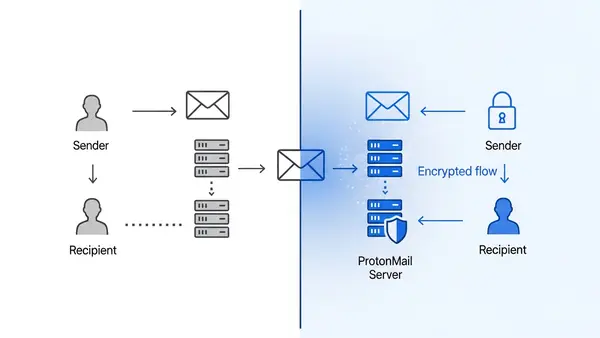
For small businesses, this architectural difference has real implications. If you’re handling client data subject to GDPR, HIPAA, or other privacy regulations, ProtonMail’s zero-access model provides stronger compliance guarantees. Your business becomes less liable for data breaches because the data is encrypted with keys only your users control.
Gmail’s advantage is its sophisticated AI-powered threat detection. Google analyzes billions of emails daily to identify phishing attempts, malware, and suspicious patterns. This machine learning approach catches threats that simpler rule-based systems miss. ProtonMail has improved its threat detection, but it cannot match Google’s scale and data advantage.
Phishing and Malware Protection: Real-World Defense
Gmail’s spam and phishing filters are industry-leading. Google blocks over 99.9% of spam, phishing, and malware from reaching inboxes. The system learns from user reports across billions of accounts, creating a constantly evolving defense network. For small businesses without dedicated security staff, this automated protection is valuable.
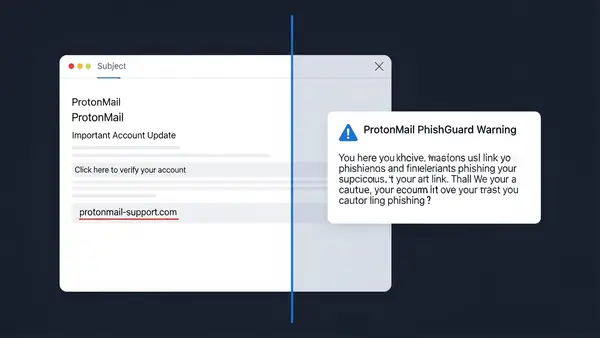
ProtonMail’s anti-phishing protection has matured significantly. The platform now includes PhishGuard, which warns users about suspicious links and sender spoofing attempts. However, ProtonMail’s smaller user base means its machine learning models have less training data than Google’s systems.
The critical difference: ProtonMail’s encryption prevents attackers who compromise your account from reading historical messages. With Gmail, a successful phishing attack that steals your credentials gives attackers immediate access to your entire email history. This makes ProtonMail inherently more resilient against credential theft, which remains the most common attack vector against small businesses.
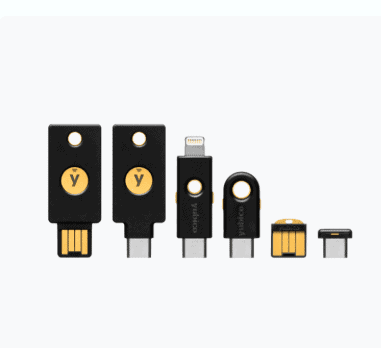
Both platforms now support hardware security keys like the YubiKey 5 NFC for phishing-resistant authentication. This is non-negotiable for small businesses—SMS-based two-factor authentication is no longer sufficient. We covered why in our article on SMS vs MFA: Why I Stopped Using Text Messages for 2FA in (2026).
Compliance and Legal Considerations for SMBs
ProtonMail is based in Switzerland and operates under Swiss privacy laws, which are among the strongest in the world. The company is not subject to US CLOUD Act or EU data retention directives. For small businesses working with European clients or handling sensitive data, this jurisdictional advantage matters.
Gmail operates under US law and Google’s global data policies. Google complies with lawful government requests for user data and has transparency reports showing thousands of requests annually. For most small businesses, this isn’t a concern. But if your business handles politically sensitive information or serves clients in privacy-conscious industries, the jurisdictional difference is significant.
GDPR compliance is easier with ProtonMail because of its zero-access architecture. Your business can credibly claim that even your email provider cannot access client communications. With Gmail, you’re relying on Google’s GDPR compliance measures, which add another layer of vendor risk to your compliance documentation.
HIPAA compliance for healthcare SMBs requires a Business Associate Agreement (BAA). Google Workspace offers BAAs for healthcare customers. ProtonMail also provides BAAs for its business plans. However, ProtonMail’s end-to-end encryption provides stronger technical safeguards that align better with HIPAA’s security rule requirements.
User Experience and Business Integration
Gmail wins decisively on user experience and ecosystem integration. The interface is familiar to nearly everyone, onboarding is instant, and integration with Google Calendar, Drive, Meet, and thousands of third-party tools is seamless. For small businesses, this means zero training time and immediate productivity.
ProtonMail has improved its interface significantly, but it still feels less polished than Gmail. The web interface is clean and functional, but lacks some of Gmail’s advanced features like smart compose and advanced search operators. Mobile apps are solid but don’t match Gmail’s refinement.
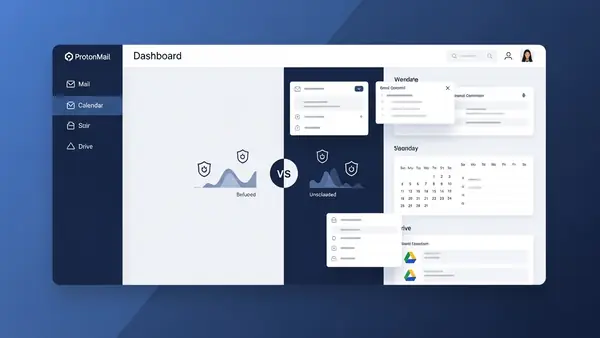
The integration gap is ProtonMail’s biggest weakness for SMBs. While ProtonMail now offers Calendar, Drive, and VPN as part of its ecosystem, these tools don’t integrate with the broader business software landscape the way Google Workspace does. If your business relies on CRM systems, project management tools, or marketing automation, Gmail’s native integrations save substantial time.
ProtonMail Bridge allows you to use ProtonMail with desktop email clients like Outlook and Thunderbird while maintaining end-to-end encryption. This helps businesses that need specific email client features, but it’s an additional setup step that Gmail doesn’t require.
Pricing and Total Cost of Ownership
Gmail through Google Workspace starts at $6 per user per month for the Business Starter plan, which includes 30GB storage, Gmail, Meet, Calendar, Drive, and Docs. The Business Standard plan at $12 per user per month adds 2TB storage and enhanced security features. For most small businesses, the Standard plan hits the sweet spot.
ProtonMail’s Business plan starts at $12.99 per user per month (billed annually), including 500GB storage per user, custom domain support, priority support, and access to ProtonMail, Calendar, Drive, and VPN. The pricing is competitive with Google Workspace’s mid-tier plans, but you get fewer third-party integrations.
Total cost of ownership extends beyond subscription fees. Gmail’s familiarity means zero training costs and minimal support burden. ProtonMail requires some user education, especially around concepts like encryption keys and secure message handling. Budget 2-4 hours per employee for initial training and transition support.
Consider the cost of a data breach when evaluating pricing. For small businesses, the average cost of a data breach includes incident response, legal fees, customer notification, and reputational damage. ProtonMail’s stronger encryption reduces this risk, which has real financial value even if it’s harder to quantify upfront.
ProtonMail: Detailed Security Analysis
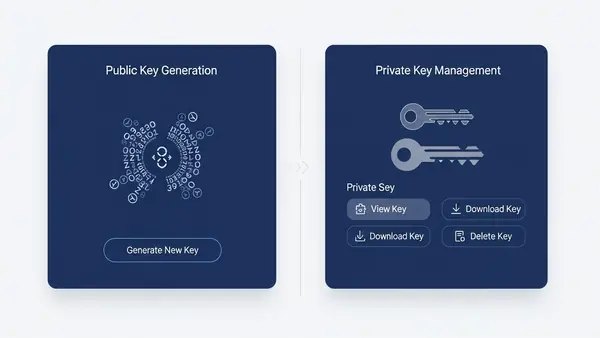
ProtonMail’s security model is built on open-source cryptography that has been independently audited. The platform uses OpenPGP encryption standards, ensuring compatibility with other encrypted email systems. All encryption happens client-side in your browser or mobile app before data reaches ProtonMail’s servers.
Zero-access encryption extends beyond email to ProtonMail Calendar and Drive. This means your entire business communication and file storage ecosystem can operate under a consistent security model where the service provider cannot access your data. This architectural consistency simplifies security audits and compliance documentation.
ProtonMail’s approach to metadata is more privacy-focused than Gmail’s. While ProtonMail must log some metadata for system functionality (like sender and recipient addresses), it minimizes collection and uses Swiss privacy laws to resist disclosure requests. Gmail’s metadata collection is more extensive, feeding into Google’s broader advertising and analytics systems.
The platform supports hardware security keys for account protection, making it compatible with our recommended YubiKey 5C NFC for businesses using USB-C devices. This phishing-resistant authentication is essential for protecting admin accounts and high-value targets within your organization.
ProtonMail’s weaknesses include a smaller development team and slower feature rollout compared to Google. Advanced features like AI-powered email categorization and smart replies are either absent or less sophisticated. For businesses prioritizing cutting-edge productivity features over maximum security, this trade-off matters.
Gmail: Detailed Security Analysis
Gmail’s security strength comes from Google’s massive investment in threat intelligence and AI-powered defense systems. The platform analyzes email content, sender reputation, link destinations, and attachment behavior to identify threats. This multi-layered approach catches sophisticated attacks that simpler systems miss.
Google Workspace includes advanced protection features like security sandboxing for attachments, link click-time analysis, and anomaly detection for unusual account activity. The Business Plus plan ($18 per user per month) adds advanced endpoint management and DLP (Data Loss Prevention) rules that can prevent employees from accidentally sharing sensitive information.
Gmail’s biggest security weakness is its fundamental architecture: Google can read your email. While Google has policies limiting how employee access to user data, the technical capability exists. For businesses in highly regulated industries or those handling trade secrets, this architectural limitation is a dealbreaker regardless of Google’s policies.
Account security in Gmail is excellent. The platform supports hardware security keys through the Advanced Protection Program, which is specifically designed for high-risk users like business executives and journalists. Combining Gmail with hardware keys like the YubiKey 5Ci provides strong protection against account takeover attacks.
Gmail integrates seamlessly with Google’s broader security ecosystem, including Google Cloud Identity for centralized access management and Chrome Enterprise for secure browsing policies. For small businesses building their entire IT infrastructure on Google platforms, this integration creates a more cohesive security posture than mixing providers.
Feature Comparison Table
| Feature | ProtonMail | Gmail (Google Workspace) |
|---|---|---|
| End-to-End Encryption | Yes (zero-access) | No (Google holds keys) |
| Encryption Standard | OpenPGP (client-side) | TLS in transit, AES at rest |
| Phishing Protection | Good (PhishGuard) | Excellent (AI-powered) |
| Spam Filtering | Good | Excellent (99.9%+ accuracy) |
| Hardware Security Key Support | Yes | Yes (Advanced Protection) |
| Data Jurisdiction | Switzerland | US (global data centers) |
| GDPR Compliance | Strong (zero-access model) | Yes (Google compliance) |
| HIPAA BAA Available | Yes (business plans) | Yes (Workspace plans) |
| Starting Price | $12.99/user/month | $6/user/month |
| Storage (base plan) | 500GB per user | 30GB per user |
| Calendar Integration | Yes (ProtonCalendar) | Yes (Google Calendar) |
| Cloud Storage | Yes (ProtonDrive) | Yes (Google Drive) |
| Third-Party App Integration | Limited | Extensive (thousands of apps) |
| Desktop Email Client Support | Yes (via Bridge) | Yes (native IMAP) |
| Mobile Apps | iOS, Android | iOS, Android |
| Custom Domain Support | Yes | Yes |
| User Training Required | Moderate | Minimal |
Migration Considerations: Switching Between Platforms
Migrating from Gmail to ProtonMail requires planning. ProtonMail offers an Easy Switch tool that imports emails, contacts, and calendars from Gmail, but the process takes time for large mailboxes. Budget several hours for each user’s migration, and plan for a transition period where users maintain both accounts.
The bigger challenge is retraining users and updating business processes. Employees accustomed to Gmail’s interface and features will need time to adjust. Document workflows that depend on Gmail-specific features and identify ProtonMail alternatives or workarounds before migration.
Moving from ProtonMail to Gmail is technically simpler because Gmail’s import tools are more mature, but you lose the security benefits that prompted the initial switch. Most businesses that migrate to ProtonMail stay with it once they’ve completed the transition and adjusted to the workflow differences.
Consider a hybrid approach for the transition period: keep Gmail for external communication and legacy integrations while moving sensitive internal communication to ProtonMail. This reduces risk during migration and gives your team time to adapt without disrupting business operations.
The Verdict: Which Platform for Your Small Business?
Choose ProtonMail if your small business prioritizes data privacy, handles sensitive client information, or operates in regulated industries like healthcare, legal, or finance. The end-to-end encryption and zero-access architecture provide security guarantees that Gmail cannot match. ProtonMail is also the better choice if you serve European clients who value GDPR compliance or if your business model depends on credible privacy claims.
Choose Gmail if your small business needs maximum productivity, seamless tool integration, and minimal user training. Gmail’s superior phishing protection and spam filtering provide excellent security for most SMB use cases, and the Google Workspace ecosystem offers unmatched integration with business tools. Gmail is the pragmatic choice for businesses where email security is important but not the primary business differentiator.
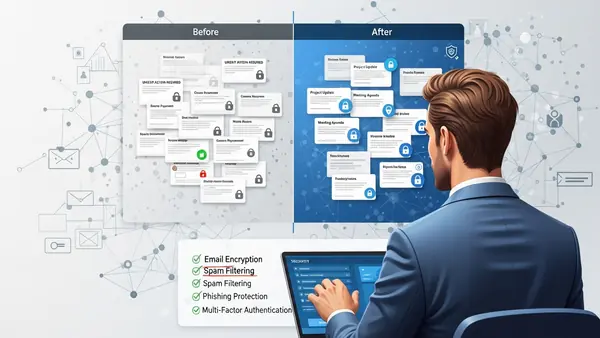
For many small businesses, the optimal solution combines both platforms strategically. Use Gmail for general business communication and tool integration, while using ProtonMail for sensitive client communication, financial discussions, and confidential strategy planning. This hybrid approach balances security and productivity without forcing an all-or-nothing choice.
Regardless of which platform you choose, implement hardware security keys for all user accounts. The YubiKey 5 NFC provides phishing-resistant authentication that dramatically reduces account takeover risk. We detailed why this matters in our Phishing-Proof Your Remote Team: Why the YubiKey 5 NFC is Mandatory for SMB Security (2026 ROI Guide).
Pair your email security with a comprehensive password management solution. Our Best Password Managers for Remote Teams (2026 Review) guide covers options that integrate well with both ProtonMail and Gmail, ensuring your team maintains strong, unique passwords across all business accounts.
Frequently Asked Questions
Can I use my existing business domain with both ProtonMail and Gmail?
Yes, both platforms support custom domain email addresses. Gmail requires a Google Workspace subscription (starting at $6/user/month), while ProtonMail requires a paid business plan (starting at $12.99/user/month). Both platforms provide DNS setup instructions for configuring your domain, though Gmail’s setup process is generally more streamlined for non-technical users.
Is ProtonMail really more secure than Gmail for small businesses?
ProtonMail provides stronger encryption architecture with end-to-end encryption and zero-access storage, meaning ProtonMail cannot read your emails even if compelled by authorities. Gmail uses strong encryption but Google holds the keys and can access your email content. For businesses handling sensitive data or requiring strong privacy guarantees, ProtonMail’s architecture is significantly more secure. However, Gmail offers better AI-powered phishing and spam protection due to Google’s massive threat intelligence network.
How long does it take to migrate a small business from Gmail to ProtonMail?
Technical migration using ProtonMail’s Easy Switch tool takes several hours per user depending on mailbox size, but the complete business transition typically requires 2-4 weeks. This includes user training, updating email signatures and business processes, notifying clients of the new address, and running both systems in parallel during the transition. Plan for 2-4 hours of training per employee to cover ProtonMail’s interface and encryption concepts.
Does ProtonMail work with Outlook and other desktop email clients?
Yes, ProtonMail works with desktop email clients through ProtonMail Bridge, a local application that maintains end-to-end encryption while enabling IMAP/SMTP access for clients like Outlook, Thunderbird, and Apple Mail. Bridge is included with paid ProtonMail plans and runs on Windows, Mac, and Linux. However, this requires installing additional software on each user’s computer, unlike Gmail which works natively with standard email protocols.
Can I use both Gmail and ProtonMail for different business purposes?
Yes, many small businesses use a hybrid approach: Gmail for general business communication and tool integration, ProtonMail for sensitive client communications and confidential discussions. This strategy balances Gmail’s productivity features with ProtonMail’s superior encryption for high-value data. You can forward emails between accounts as needed, though forwarding from ProtonMail to Gmail reduces the security benefits of ProtonMail’s encryption.

Tye runs PacketMoat. He's a CISSP-certified cybersecurity professional with 25+ years in IT and 12+ in security, including three real-world breach responses at Netskope and CrowdStrike. He also has a 16-year-old — which is why every parental control on this site gets handed to a real teenager to try to bypass before it's recommended.