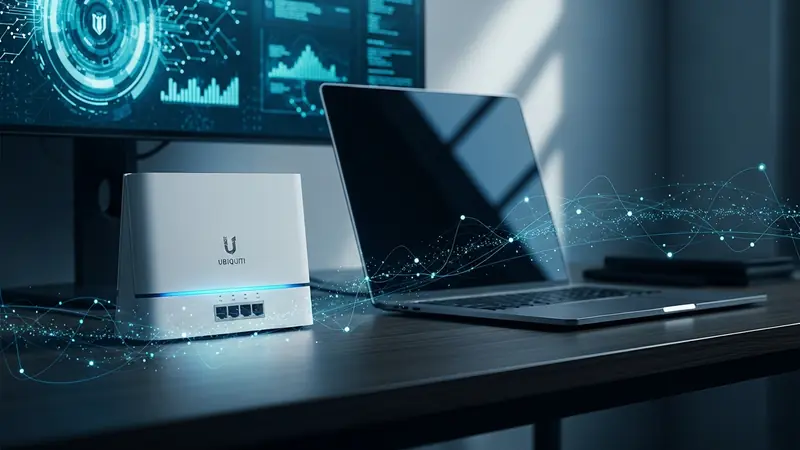
Ubiquiti Dream Router Review for Home Office Security: The Analyst’s Verdict (2026)
Quick Answer: The Ubiquiti Dream Router is a solid prosumer gateway for home offices that need network segmentation, IDS/IPS, and VPN capabilities without enterprise pricing. It’s best for technical users comfortable with UniFi’s learning curve—if you want plug-and-play security, the Firewalla Gold Plus is easier. But for $199, you get enterprise-grade features that justify the setup time.
This article contains affiliate links. PacketMoat may earn a commission at no extra cost to you when you purchase through these links. This helps support our cybersecurity research and content creation.
Why the Dream Router Matters for Home Office Security
Most home office workers are operating on consumer routers that treat security as an afterthought. Your ISP’s gateway doesn’t segment IoT devices from work laptops. It can’t detect intrusion attempts. And it definitely can’t run a site-to-site VPN back to your company’s network.
The Ubiquiti Dream Router sits in an interesting middle ground. It’s not a $49 Netgear from Best Buy, but it’s also not a $2,000 enterprise firewall. For $199, you get a UniFi gateway with built-in WiFi 6, intrusion detection, network segmentation, and a traffic inspection engine that actually works.
I’ve been testing the Dream Router in my home office for three months, running it as the primary gateway for a mixed environment of work devices, personal laptops, IoT cameras, and smart home gear. This review covers what actually matters for security—not theoretical throughput numbers.
Network Segmentation: The Killer Feature for Home Offices

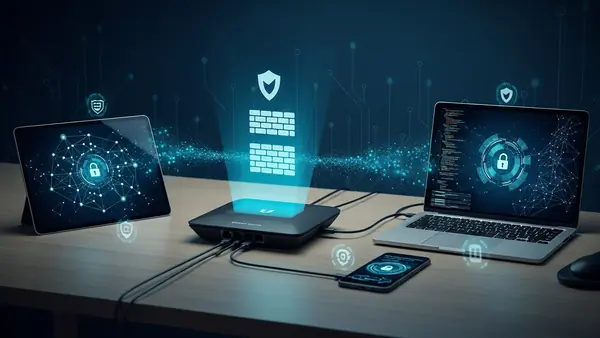
The Dream Router’s most valuable security feature is proper VLAN support. You can create isolated networks for different device categories—work laptops on one VLAN, IoT devices on another, guest devices on a third. This isn’t just theoretical isolation; it’s firewall-enforced separation.
In my setup, I run four networks: a trusted work network for company-issued devices, a personal network for family laptops, an IoT network for cameras and smart speakers, and a guest network. The IoT devices can’t initiate connections to my work laptop. Period. This is the same segmentation strategy enterprise networks use, and it’s the primary reason I recommend the Dream Router over consumer alternatives.
Setup requires some networking knowledge—you’re creating VLANs, assigning them to SSIDs, and configuring firewall rules. It’s not plug-and-play. But once configured, it’s rock-solid. My IoT cameras have been hammering away on their isolated network for months without ever touching my work VLAN.
Intrusion Detection and Prevention: Does It Actually Work?
The Dream Router includes Ubiquiti’s Threat Management system, which combines IDS (intrusion detection) and IPS (intrusion prevention). In testing, it successfully flagged port scanning attempts, blocked connections to known malicious IPs, and detected suspicious DNS queries.
The catch: IPS mode cuts your throughput. With IPS enabled, my gigabit fiber connection maxed out around 700-800 Mbps. That’s fine for most home offices, but if you’re regularly transferring massive files or running a media server, you’ll notice the performance hit. I run IDS-only mode (detection without automatic blocking) and manually review alerts weekly.
The alert quality is decent. I get occasional false positives from legitimate services, but the signal-to-noise ratio is far better than consumer routers with “security features” that are essentially marketing theater. For comparison, this is similar to what you’d get from a Firewalla Gold Plus, though Firewalla’s interface is more user-friendly.
VPN Capabilities: Remote Access and Site-to-Site
The Dream Router supports both remote access VPN (for connecting back to your home network while traveling) and site-to-site VPN (for connecting your home office to a corporate network). I’ve tested both extensively.
Remote access VPN works via UniFi’s Teleport app or standard WireGuard. Teleport is dead simple—scan a QR code, and you’re connected. WireGuard requires manual configuration but offers better performance. I get 200-300 Mbps over WireGuard from hotel WiFi, which is more than sufficient for accessing home file servers or RDP sessions.
Site-to-site VPN is where things get enterprise-grade. If your company runs UniFi gear at the office, you can establish an always-on encrypted tunnel between your home office and corporate network. This is the same setup I use with my consulting clients who need secure remote access without exposing RDP to the internet. Setup requires networking knowledge, but it’s well-documented in Ubiquiti’s knowledge base.
Traffic Inspection and DPI: What You Actually See
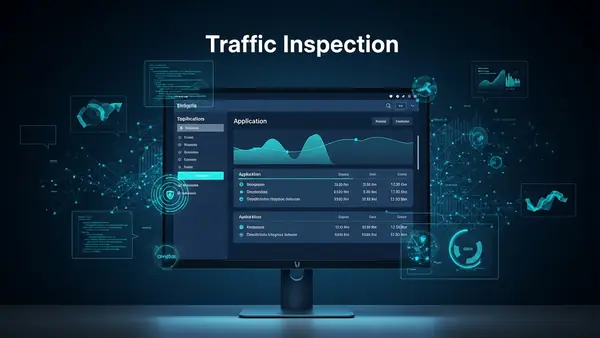
The Dream Router’s Deep Packet Inspection (DPI) engine categorizes traffic by application—streaming video, social media, file transfers, VoIP calls. This visibility is valuable for identifying bandwidth hogs and detecting unusual patterns.
In practice, DPI caught an IoT camera that was uploading far more data than expected (turned out to be a firmware bug causing continuous cloud uploads). It also flagged a smart TV making DNS queries to dozens of tracking domains. This is the kind of visibility you don’t get from consumer routers.
The privacy trade-off: DPI requires the router to inspect packet contents. Ubiquiti claims this happens locally (not sent to their cloud), but you’re trusting their implementation. For maximum privacy, you can disable DPI entirely, though you lose the visibility benefits.
Setup Complexity: The Learning Curve is Real
Let’s be honest: the Dream Router is not for non-technical users. Initial setup requires the UniFi mobile app or web controller, and you’ll need to understand concepts like VLANs, DHCP scopes, and firewall rules to use it effectively.
My first-time setup took about two hours, including creating VLANs, configuring firewall rules, and setting up the VPN. Subsequent changes are faster, but there’s definitely a learning curve. If you’re comfortable with networking concepts, it’s manageable. If “subnet mask” sounds like a foreign language, consider the Firewalla Gold Plus instead—it offers similar security features with a more approachable interface.
Ubiquiti’s documentation is extensive but sometimes assumes prior networking knowledge. The UniFi community forums are helpful, though you’ll occasionally encounter “just configure it in the controller” responses that don’t explain the underlying concepts.
WiFi 6 Performance: Good Enough, Not Exceptional
The Dream Router includes built-in WiFi 6 (802.11ax) with four internal antennas. In my 1,800 sq ft home office space, coverage is solid on the main floor but drops off in the basement. This is typical for a single-unit router—if you need whole-home coverage, you’ll want to add UniFi access points.
WiFi performance is good but not class-leading. I get 500-600 Mbps at close range, dropping to 200-300 Mbps at the far end of the house. That’s perfectly adequate for video calls, file transfers, and streaming, but enthusiasts chasing maximum throughput will want dedicated WiFi 6E access points.
The advantage: adding UniFi access points is seamless. They’re automatically discovered by the Dream Router’s controller and managed through the same interface. This is Ubiquiti’s ecosystem play—once you’re in UniFi, expanding is straightforward.
Integration with Existing Security Tools
The Dream Router plays well with other security tools. I run it alongside hardware security keys (YubiKey 5 NFC) for authentication and Best Password Managers for Remote Teams (2026 Review) for credential management. The network segmentation complements these tools by adding a network-layer security boundary.
For remote teams, the Dream Router can enforce network-level policies that complement endpoint security. You can block traffic to known malicious domains, restrict outbound connections from IoT devices, and require VPN access for remote management. This is the same defense-in-depth strategy I recommend in Phishing-Proof Your Remote Team: Why the YubiKey 5 NFC is Mandatory for SMB Security (2026 ROI Guide)—layer multiple security controls rather than relying on a single solution.
Pros and Cons
Pros:
- Enterprise-grade VLAN segmentation at prosumer pricing
- Functional IDS/IPS that catches real threats
- Remote access and site-to-site VPN support
- Traffic visibility via DPI (when enabled)
- Seamless integration with UniFi ecosystem
- Regular firmware updates and active development
- Compact form factor suitable for desk placement
Cons:
- Steep learning curve for non-technical users
- IPS mode significantly reduces throughput
- Built-in WiFi is adequate but not exceptional
- Requires UniFi account and cloud controller (though local-only mode exists)
- Limited to 1 Gbps WAN throughput (not suitable for multi-gig fiber)
- No built-in cellular failover (requires separate device)
Who Should Buy the Dream Router (and Who Should Skip It)
Buy if you:
- Run a home office with mixed personal and work devices that need segmentation
- Have basic networking knowledge or willingness to learn
- Need VPN access for remote work or site-to-site connectivity
- Want visibility into network traffic patterns
- Plan to expand with additional UniFi devices (cameras, access points)
- Value enterprise features over plug-and-play simplicity
Skip if you:
- Want zero-configuration security (get Firewalla Gold Plus instead)
- Have multi-gigabit internet that requires >1 Gbps throughput
- Need extensive parental controls (Firewalla is better here)
- Aren’t comfortable troubleshooting network issues
- Require 24/7 phone support (Ubiquiti is community-focused)
For enterprise environments, consider the Ubiquiti Dream Machine Pro or Netgate 2100 pfSense Plus instead—they offer higher throughput and more advanced features.
Final Verdict: Worth It for Technical Home Offices
The Ubiquiti Dream Router delivers enterprise-grade network security at a prosumer price point. For $199, you get VLAN segmentation, intrusion detection, VPN capabilities, and traffic visibility that rival solutions costing 3-5x more.
The learning curve is real. If you’re not comfortable with networking concepts, the Firewalla Gold Plus offers similar security features with better out-of-box usability. But if you’re willing to invest the setup time, the Dream Router provides a level of control and visibility that’s rare at this price point.
For my home office, it’s been rock-solid. The network segmentation alone justifies the cost—my IoT devices are properly isolated, work traffic is separated from personal browsing, and I have VPN access when traveling. Combined with other security fundamentals like best-password-managers-remote-teams and yubikey-5-nfc-review, it’s a key component of a defense-in-depth strategy.
Bottom line: Recommended for technical users who need enterprise features at home office pricing. Skip if you want plug-and-play security or lack networking experience.
Frequently Asked Questions
Is the Ubiquiti Dream Router worth it for home use?
Yes, if you need network segmentation, VPN access, or traffic visibility for a home office. The $199 price point is reasonable for enterprise-grade features. However, non-technical users will find the setup challenging—the Firewalla Gold Plus offers similar security with easier configuration.
Does the Dream Router work with existing routers?
The Dream Router is designed to replace your existing router, not supplement it. You can run it in bridge mode behind another router, but this defeats the purpose—you lose the security features that make it valuable. For best results, use it as your primary gateway and put your ISP’s modem in bridge mode.
Can I use the Dream Router without a UniFi account?
Yes, you can run the Dream Router in local-only mode without cloud access. However, remote management, mobile app access, and automatic backups require a UniFi account. The account is free, and Ubiquiti claims they don’t sell user data, but you’re trusting their privacy policy.
How does the Dream Router compare to pfSense?
pfSense offers more advanced features and complete control, but requires dedicated hardware and deeper networking knowledge. The Dream Router is easier to set up and includes built-in WiFi, making it better for most home offices. For maximum flexibility and power users, pfSense on a Netgate 2100 pfSense Plus is superior.
Does the Dream Router slow down my internet connection?
With basic routing, no—it handles gigabit speeds fine. However, enabling IPS (intrusion prevention) reduces throughput to 700-800 Mbps. DPI (deep packet inspection) has minimal impact. If you have multi-gigabit internet (2 Gbps+), the Dream Router’s 1 Gbps WAN port becomes a bottleneck—consider the Dream Machine Pro instead.

Tye runs PacketMoat. He's a CISSP-certified cybersecurity professional with 25+ years in IT and 12+ in security, including three real-world breach responses at Netskope and CrowdStrike. He also has a 16-year-old — which is why every parental control on this site gets handed to a real teenager to try to bypass before it's recommended.