Cybersecurity Checklist for Small Businesses 2026: The Complete Implementation Guide
Quick Answer: Small businesses need seven critical security controls in 2026: hardware-based MFA, enterprise password management, endpoint detection and response (EDR), encrypted email, network segmentation, automated backup systems, and security awareness training. This checklist provides the implementation roadmap with realistic budgets ($200-500/month for 10-25 employees) and measurable ROI that satisfies cyber insurance and compliance requirements.
The Business Risk: Why Cybersecurity Is No Longer Optional
The average cost of a data breach for small businesses reached $3.31 million in 2025, according to IBM’s Cost of a Data Breach Report. But the real cost goes deeper than the immediate financial hit. Sixty percent of small businesses that suffer a cyberattack close within six months.
Your business faces three critical vulnerabilities that attackers exploit daily: credential theft through phishing, ransomware that encrypts your data, and supply chain compromises that use your business as a gateway to larger clients. Each vulnerability has a specific countermeasure that this checklist addresses.
Cyber insurance premiums increased 74% year-over-year in 2025, and insurers now require documented security controls before issuing policies. This checklist satisfies those requirements while protecting your actual business operations.
Why Small Businesses Are the Primary Target
Attackers target SMBs because you have valuable data (customer records, financial information, intellectual property) but typically lack dedicated security staff. The 2024 Verizon Data Breach Investigations Report found that 43% of cyberattacks target small businesses, up from 28% in 2020.
Small businesses also serve as entry points to larger organizations. The Target breach that compromised 40 million credit cards started with credentials stolen from their HVAC vendor. If you work with enterprise clients, you’re a target specifically because of those relationships.
Ransomware groups openly advertise “small business packages” on dark web forums, with attack kits priced as low as $40. The barrier to entry for cybercriminals has never been lower, which means the volume of attacks continues to accelerate.
Step 1: Deploy Hardware-Based Multi-Factor Authentication
Hardware security keys eliminate 99.9% of account takeover attacks, according to Google’s internal security data. SMS-based two-factor authentication fails against SIM swapping and phishing, which is why SMS vs MFA: Why I Stopped Using Text Messages for 2FA in (2026) explains the critical difference between weak and strong MFA.
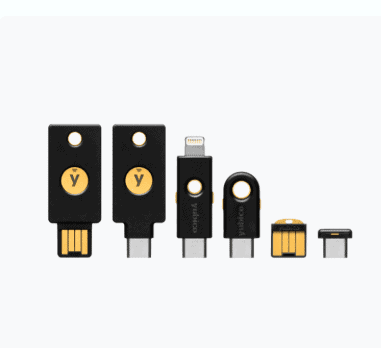
The YubiKey 5 NFC is the standard for SMB deployments. It works with Windows, Mac, iOS, and Android devices, supports all major cloud platforms (Microsoft 365, Google Workspace, AWS), and costs $55 per key. Phishing-Proof Your Remote Team: Why the YubiKey 5 NFC is Mandatory for SMB Security (2026 ROI Guide) provides the complete ROI analysis for remote teams.
Implementation takes two hours for a 10-person team. Register keys with your critical accounts (email, banking, cloud storage, administrative portals), distribute backup keys to employees, and document the recovery process. YubiKey Windows Login: The Easy Way to Log Into Windows 11 Without a Password shows how to extend hardware authentication to workstation login.
Budget: $110 per employee (primary + backup key). ROI: Prevents credential theft attacks averaging $4.45 million in breach costs.

Step 2: Implement Enterprise Password Management
Password reuse is the leading cause of business email compromise. Employees use an average of 191 passwords, according to NordPass research, and 78% reuse passwords across work and personal accounts. When one service suffers a breach, attackers test those credentials against your business systems.
Enterprise password managers enforce unique passwords for every account, integrate with single sign-on systems, and provide audit trails for compliance. Best Password Managers for Remote Teams (2026 Review) compares the top solutions for distributed teams.
Keeper Password Manager Review: Why This Analyst Chose It (2026) details why Keeper Security is the recommended choice for SMBs: it includes dark web monitoring, breach alerts, encrypted file storage, and supports compliance frameworks including SOC 2, ISO 27001, and HIPAA.
Deploy password managers in phases. Week one: administrative accounts. Week two: customer-facing systems. Week three: internal tools. Week four: personal accounts that could compromise business security. This staged rollout maintains productivity while improving security posture.
Budget: $45-65 per user annually. ROI: Eliminates password-related help desk tickets (averaging 30% of IT support time) and prevents credential stuffing attacks.
Step 3: Deploy Endpoint Detection and Response
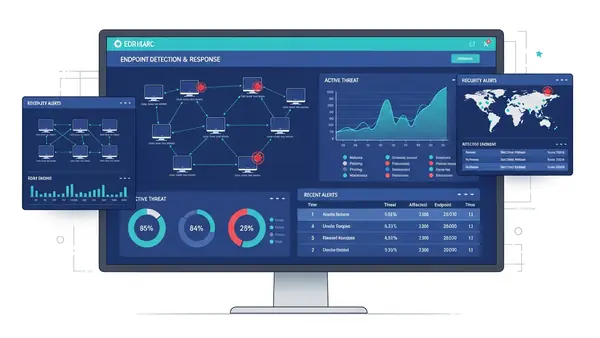
Traditional antivirus software detects known malware signatures. EDR solutions detect suspicious behavior, contain threats before they spread, and provide forensic data for incident response. The shift matters because 95% of malware variants are unique to each attack, rendering signature-based detection ineffective.
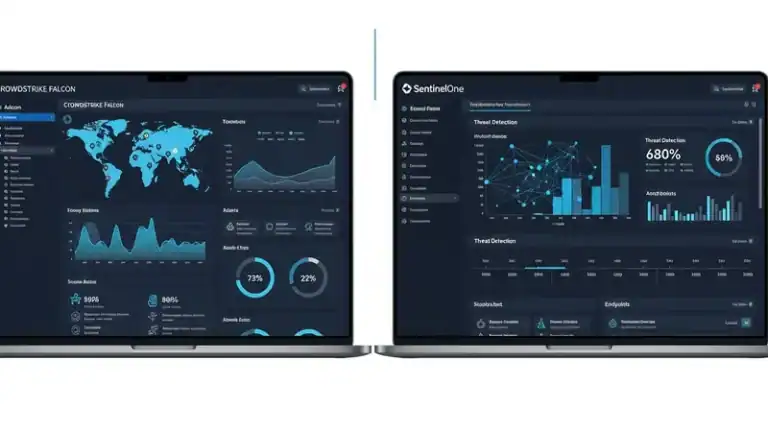
CrowdStrike Falcon, Microsoft Defender for Business, and SentinelOne are the leading EDR platforms for SMBs. Microsoft Defender for Business costs $3 per user monthly and integrates natively with Windows 11 and Microsoft 365, making it the practical choice for businesses already in the Microsoft ecosystem.
EDR deployment requires baseline configuration: enable real-time protection, configure automated threat response, establish alert thresholds, and integrate with your security information and event management (SIEM) system if you have one. The platform learns normal behavior over 30 days, then flags anomalies.
Budget: $3-8 per endpoint monthly. ROI: Reduces ransomware recovery costs from $1.85 million (average) to containment costs under $50,000.
Step 4: Migrate to Encrypted Email
Standard email transmits in plaintext, allowing interception at multiple points: your ISP, your recipient’s ISP, any intermediate mail server, and compromised network infrastructure. Business email compromise attacks cost $2.7 billion in 2024, making email security a revenue protection measure.
ProtonMail Review 2026: Why I Finally Ditched Gmail explains why ProtonMail is the recommended solution for SMBs handling sensitive data. End-to-end encryption protects email content, calendar entries, and file attachments. The Business plan costs $12.99 per user monthly and includes custom domain support, priority support, and compliance certifications.
Migration planning requires three weeks. Week one: set up custom domain and DNS records. Week two: migrate existing email archives (ProtonMail provides import tools). Week three: train employees on encrypted email workflows. Maintain your old email system in read-only mode for 90 days during transition.
Budget: $12.99 per user monthly. ROI: Satisfies HIPAA, GDPR, and CCPA encryption requirements, reducing compliance risk and potential fines.
Step 5: Segment Your Network
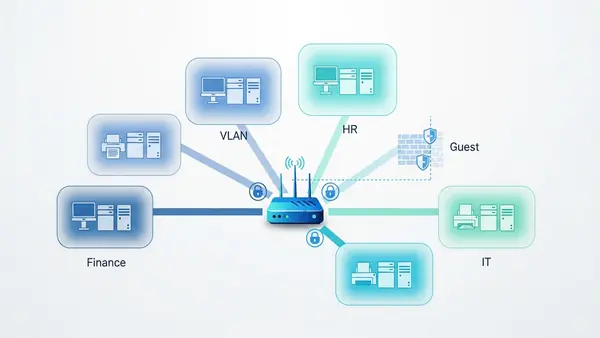
Network segmentation limits lateral movement after a breach. When an attacker compromises one system, segmentation prevents them from accessing your entire network. The principle applies to both physical offices and remote work environments.
For physical offices, implement VLANs (virtual local area networks) that separate guest WiFi, employee devices, IoT devices, and critical servers. Ubiquiti UniFi and Cisco Meraki provide managed solutions with intuitive interfaces for non-technical administrators.
For remote teams, deploy zero-trust network access (ZTNA) that verifies every connection request regardless of location. Cloudflare Access and Twingate offer ZTNA solutions starting at $7 per user monthly. These platforms replace traditional VPNs with identity-based access controls.
Why You Need a Travel Router for Hotels (2026 Guide) explains how to extend network security to traveling employees, while The 47-Second Compromise: GL.iNet Beryl AX B2B Travel Guide. provides specific configuration guidance for executives accessing corporate resources from untrusted networks.
Budget: $500-2,000 for office network equipment, or $7-15 per user monthly for cloud-based ZTNA. ROI: Contains breaches to single segments, reducing average breach cost by 67%.
Step 6: Automate Backup and Recovery
The 3-2-1 backup rule remains the gold standard: three copies of data, on two different media types, with one copy offsite. Ransomware specifically targets backup systems, so your backup strategy must assume attackers will attempt to delete backups before encrypting production systems.
Implement immutable backups that cannot be modified or deleted for a specified retention period. Backblaze B2 and Wasabi provide immutable cloud storage starting at $6 per terabyte monthly. Veeam Backup & Replication integrates with these services and provides automated backup verification.
Configure automated daily backups for critical systems, weekly backups for less critical data, and monthly archival backups for compliance. Test recovery procedures quarterly—untested backups fail 34% of the time when actually needed.
Budget: $50-200 monthly depending on data volume. ROI: Eliminates ransom payments (averaging $1.54 million) and reduces recovery time from weeks to hours.
Step 7: Establish Security Awareness Training
Eighty-two percent of breaches involve a human element, according to Verizon’s 2025 DBIR. Technical controls fail when employees click phishing links, use weak passwords, or disable security software because it’s inconvenient.
KnowBe4 and Proofpoint provide security awareness platforms with simulated phishing campaigns, interactive training modules, and compliance reporting. Training costs $20-30 per user annually and reduces successful phishing attacks by 87% after 12 months of consistent training.
Implement monthly training modules (15 minutes each), quarterly simulated phishing tests, and immediate micro-training when employees fail simulations. Track metrics: phishing click rate, reporting rate, and time-to-report. These metrics demonstrate security culture improvement to cyber insurance providers and auditors.
Budget: $20-30 per user annually. ROI: Prevents business email compromise attacks averaging $4.45 million in losses.

Budget Considerations and ROI Analysis
The total cost for implementing this checklist ranges from $200 to $500 per employee monthly, depending on your specific requirements and existing infrastructure. For a 10-person business, expect $2,000-5,000 monthly. For a 25-person business, expect $5,000-12,500 monthly.
Compare this to average breach costs: $3.31 million for SMBs, plus business interruption averaging 23 days, customer churn averaging 32%, and potential regulatory fines. The ROI calculation is straightforward: spending $60,000 annually to prevent a $3.31 million breach represents a 5,400% return on investment.
Cyber insurance premiums decrease 15-30% when you implement documented security controls. Many insurers now require MFA, EDR, and employee training as prerequisites for coverage. This checklist satisfies those requirements and provides the documentation insurers request during underwriting.
Phase implementation over 90 days to spread costs: Month one (MFA and password management), Month two (EDR and encrypted email), Month three (network segmentation, backups, and training). This approach maintains cash flow while steadily improving security posture.
Compliance Implications
This checklist maps directly to major compliance frameworks. NIST Cybersecurity Framework requires all seven controls in this checklist. SOC 2 Type II audits specifically verify MFA implementation, access controls, encryption, backup procedures, and security awareness training.
HIPAA requires encryption for protected health information (PHI), access controls, audit trails, and documented security policies. This checklist provides the technical controls; you’ll need to supplement with written policies and procedures. GDPR and CCPA require similar controls for personal data protection.
PCI DSS (Payment Card Industry Data Security Standard) mandates network segmentation, access controls, encryption, and security monitoring for businesses that process credit cards. If you accept card payments, this checklist provides the foundation for PCI compliance, though you’ll need additional controls specific to payment processing.
Document your implementation with screenshots, configuration files, and dated records. Auditors request proof of implementation, not just vendor contracts. Create a compliance folder with evidence for each control: MFA enrollment records, EDR deployment reports, backup verification logs, and training completion certificates.
Quick-Start Checklist
Use this implementation sequence for immediate security improvement:
- Week 1: Order hardware security keys, set up password manager, enable MFA on all administrative accounts
- Week 2: Deploy EDR to all endpoints, configure automated threat response, establish alert monitoring
- Week 3: Migrate to encrypted email, configure custom domain, begin email archive migration
- Week 4: Implement network segmentation, separate guest and employee networks, configure firewall rules
- Week 5: Set up automated backups, configure immutable storage, test recovery procedures
- Week 6: Launch security awareness training, send first simulated phishing campaign, schedule monthly training
- Week 7: Document all implementations, create compliance evidence folder, update cyber insurance policy
- Week 8: Conduct tabletop exercise simulating ransomware attack, identify gaps, refine incident response procedures
Assign ownership for each control. Security works when someone is accountable for maintenance, monitoring, and continuous improvement. Even a 5-person business needs a designated security owner (even if it’s a part-time responsibility).

Additional Security Measures for High-Risk Scenarios
Businesses handling sensitive data or facing elevated threats should implement additional controls beyond this baseline checklist. Executive Travel Security: Why Faraday Bags Are Mandatory for Protecting Corporate Assets (2026) explains why executives traveling internationally need Faraday bags to prevent device compromise at borders and in hotel rooms.
Physical security matters as much as digital security. Why You Need a Webcam Cover Slide (2026 Security Guide) and Stop Visual Hacking: Best Privacy Screen for Laptop Guide (2026) prevent visual hacking during video calls and in shared workspaces. The $7 Airport Gadget I Never Travel Without: USB Data Blocker Guide (2026) protects against juice jacking when charging devices in airports and hotels.
If your business uses AI agents or automation tools, How to Secure OpenClaw (Moltbot): The Ultimate 5-Step “Digital Cage” for AI Agents provides the framework for safely deploying AI while maintaining security boundaries. The MoltBot catastrophe demonstrates what happens when AI agents operate without proper containment.
Frequently Asked Questions
How much does implementing this cybersecurity checklist cost for a 15-person business?
Expect $3,000-7,500 monthly ($36,000-90,000 annually) for a 15-person business implementing all seven controls. This includes hardware security keys ($1,650 one-time), password management ($675-975 annually), EDR ($540-1,440 annually), encrypted email ($2,338 annually), network equipment or ZTNA ($1,260-2,700 annually), backup storage ($600-2,400 annually), and security awareness training ($300-450 annually). Phase implementation over 90 days to manage cash flow, starting with MFA and password management in month one.
Do I need all these controls to get cyber insurance in 2026?
Yes, most cyber insurance providers now require MFA, EDR, regular backups, and security awareness training as minimum prerequisites for coverage. Insurers request documentation during underwriting and may conduct security assessments before issuing policies. Without these controls, you’ll either be denied coverage or face premiums 200-400% higher than businesses with documented security programs. This checklist satisfies standard insurance requirements and provides the documentation insurers request.
Can I implement this checklist without hiring a dedicated IT security person?
Yes, this checklist is specifically designed for SMBs without dedicated security staff. Modern security platforms provide managed services, automated threat response, and intuitive interfaces that don’t require deep technical expertise. Plan 8-10 hours weekly for the first 90 days during implementation, then 2-4 hours weekly for ongoing maintenance and monitoring. Many businesses assign security responsibilities to an existing IT-comfortable employee rather than hiring dedicated security staff until they reach 50+ employees.
How does this checklist help with HIPAA or GDPR compliance?
This checklist provides the technical controls required by HIPAA and GDPR: encryption for data at rest and in transit, access controls with MFA, audit trails through EDR and password management systems, backup and recovery procedures, and security awareness training. However, compliance also requires written policies, business associate agreements, data processing agreements, and documented procedures. Use this checklist as your technical foundation, then supplement with policy documentation specific to your regulatory requirements. Most businesses hire a compliance consultant for the initial policy development ($5,000-15,000 one-time cost).
What happens if my business suffers a breach despite implementing this checklist?
These controls significantly reduce breach likelihood and limit damage when breaches occur. Network segmentation contains breaches to single segments. EDR detects and stops attacks before they spread. Immutable backups enable recovery without paying ransoms. However, no security is perfect. If you suffer a breach, your documented security controls demonstrate reasonable care to cyber insurance providers (supporting claims payment), reduce regulatory fines (showing good-faith compliance efforts), and limit legal liability. The average breach cost for businesses with these controls is $1.76 million versus $5.01 million for businesses without them—a 65% reduction in financial impact.

Tye runs PacketMoat. He's a CISSP-certified cybersecurity professional with 25+ years in IT and 12+ in security, including three real-world breach responses at Netskope and CrowdStrike. He also has a 16-year-old — which is why every parental control on this site gets handed to a real teenager to try to bypass before it's recommended.