Ultimate 2026 MFA Security Guide: 3 Methods Compared
Why This Comparison Matters Now
Choosing between passkeys vs authenticator apps vs SMS for MFA is one of the most important security decisions you’ll make this year. Multi-factor authentication (MFA) has moved from optional security feature to mandatory defense. But not all MFA methods offer equal protection, and choosing the wrong one can leave your accounts vulnerable despite having “two-factor authentication” enabled.
This article contains affiliate links. PacketMoat may earn a commission at no extra cost to you when you purchase through these links. This helps support our cybersecurity research and content creation.
The landscape changed dramatically in recent years. SMS-based codes, once the standard, are now considered the weakest link. Authenticator apps improved security significantly. And passkeys—the newest option—promise to eliminate phishing entirely.
This comparison cuts through the marketing noise to show you exactly which MFA method protects your accounts best, and when each option makes sense for your specific situation.
Quick Verdict: Which MFA Method Should You Use?
For most people: Use passkeys wherever available, with an authenticator app as backup. Avoid SMS codes except as a last resort.
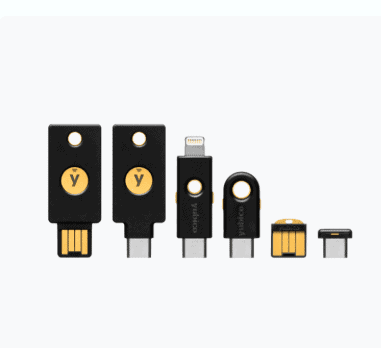
For businesses: Deploy passkeys for high-value accounts, mandate authenticator apps as the minimum standard, and phase out SMS-based authentication entirely. Consider hardware security keys like the YubiKey 5 NFC for executive accounts and administrators.
The security hierarchy: Passkeys > Hardware keys > Authenticator apps > SMS codes. Each step down represents a significant security compromise.
Security: Phishing Resistance and Attack Vectors
Passkeys offer the strongest security because they’re cryptographically bound to specific websites. When you authenticate with a passkey, your device verifies the site’s identity before responding. This makes phishing technically impossible—even if you’re tricked into visiting a fake login page, your passkey simply won’t work there.
The underlying technology (WebAuthn/FIDO2) uses public-key cryptography. Your private key never leaves your device, and the public key stored on the server is useless to attackers even if the service gets breached.
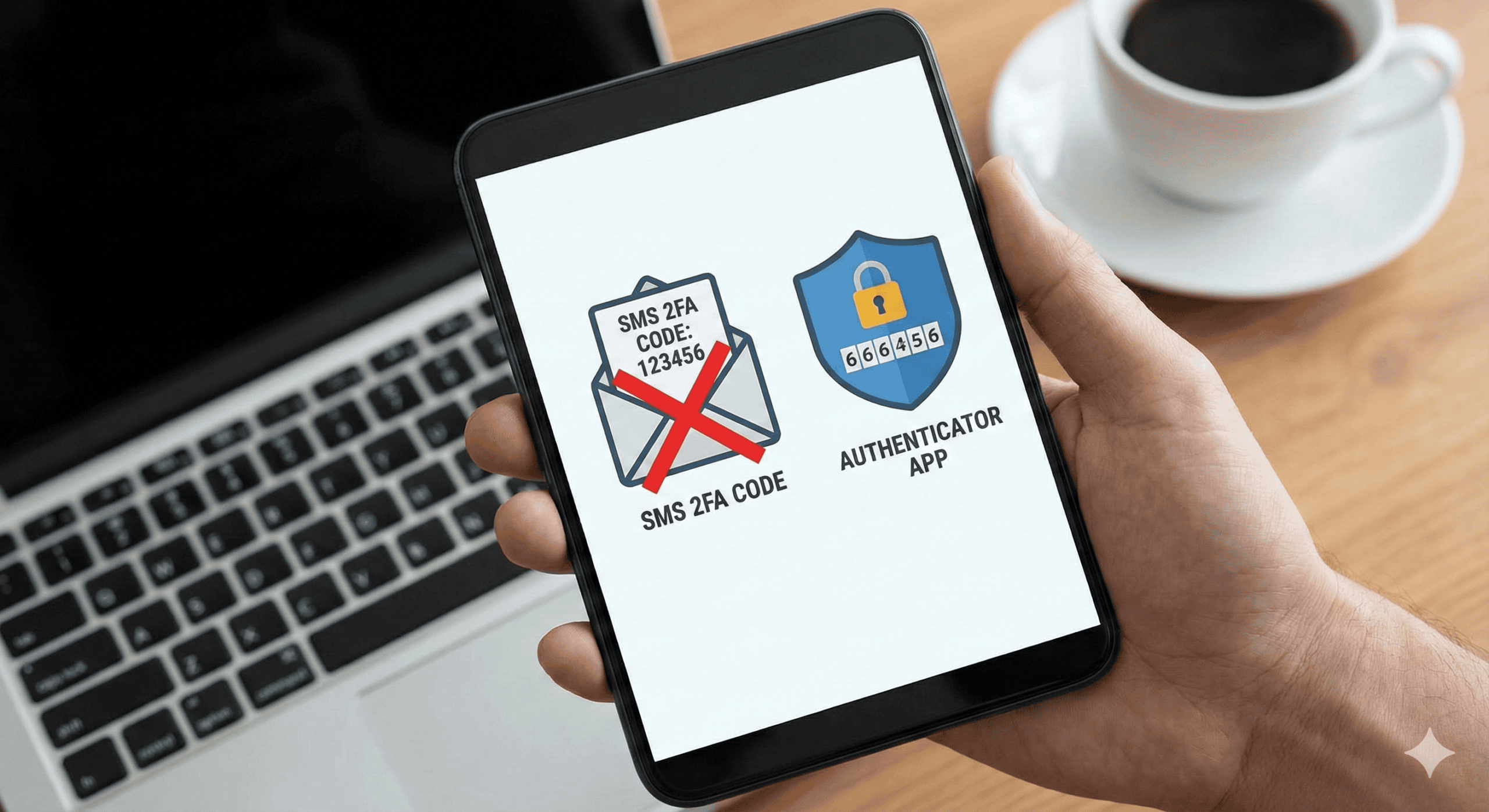
Authenticator apps like Google Authenticator, Microsoft Authenticator, or Authy generate time-based one-time passwords (TOTP). They’re significantly more secure than SMS because the codes are generated locally on your device using a shared secret. Attackers can’t intercept them in transit.
However, authenticator apps don’t protect against phishing. If you enter your password and TOTP code on a fake login page, attackers capture both and can immediately use them on the real site. This attack succeeds regularly against even security-conscious users.
SMS codes are the weakest option by far. They’re vulnerable to SIM swapping attacks, where criminals convince your phone carrier to transfer your number to a device they control. Once they have your number, they receive all your authentication codes.
SMS codes are also vulnerable to interception through SS7 protocol exploits, malware on your phone, and simple social engineering against carrier support staff. The 2019 Twitter breach demonstrated how easily SMS-based MFA fails against determined attackers.
Ease of Use: Setup and Daily Experience
Passkeys offer the smoothest user experience once set up. You authenticate using your device’s existing unlock method—Face ID, Touch ID, Windows Hello, or your phone’s fingerprint sensor. No codes to type, no separate app to open.
Setup requires a compatible device and browser, which increasingly isn’t a problem. Apple, Google, and Microsoft all support passkeys across their ecosystems. The main friction point is that not all services support passkeys yet, so you’ll need backup authentication methods.
Authenticator apps require more manual steps. You scan a QR code during setup, then open the app and type a six-digit code every time you log in. It’s not difficult, but it’s slower than biometric authentication.
The biggest usability issue is device loss. If you lose your phone without backing up your authenticator app, you’re locked out of all your accounts until you complete recovery procedures. Apps like Authy offer cloud backup, but this introduces new security considerations.
SMS codes are the easiest to set up—just enter your phone number. Authentication is simple: wait for the text, then type the code. But this simplicity comes with reliability problems.
SMS delivery can be delayed or fail entirely, especially when traveling internationally. You need cellular service to receive codes, which creates problems in areas with poor coverage. And if you change phone numbers without updating all your accounts first, you’ll face a recovery nightmare.
Compatibility: What Works Where
Passkey adoption is growing rapidly but remains incomplete. Major platforms like Google, Apple, Microsoft, PayPal, and many financial institutions now support passkeys. However, many smaller services and legacy enterprise systems don’t offer passkey options yet.
Cross-platform passkey use has improved significantly. You can now use passkeys across different ecosystems—for example, using a passkey stored on your iPhone to log into a Windows PC via Bluetooth proximity. Password managers like Best Password Managers for Remote Teams (2026 Review) are also adding passkey storage and sync.
Authenticator apps work with virtually any service that supports TOTP-based MFA. This near-universal compatibility makes them the most reliable fallback option. Any service offering “authenticator app” support will work with Google Authenticator, Microsoft Authenticator, Authy, or other TOTP-compatible apps.
The standardization of TOTP means you’re not locked into a specific authenticator app. You can switch apps by re-registering your accounts, though this is tedious if you have many accounts secured this way.
SMS authentication is still the most widely supported MFA method, though many security-conscious services are phasing it out. Its universal availability makes it tempting as a backup method, but this convenience comes at a steep security cost.
Backup and Recovery: What Happens When Things Go Wrong
Passkeys benefit from built-in platform sync. If you use iCloud Keychain, your passkeys sync across all your Apple devices automatically. Google Password Manager and Microsoft Authenticator offer similar sync for their ecosystems. This means losing a single device doesn’t lock you out.
However, switching ecosystems (iPhone to Android, for example) requires re-registering your passkeys. Most services that support passkeys allow multiple passkeys per account, so the best practice is registering passkeys on devices from different ecosystems before you need to switch.
Authenticator app recovery depends entirely on whether you’ve backed up your secrets. Google Authenticator now offers cloud backup through your Google account. Microsoft Authenticator backs up to your Microsoft account. Authy backs up to Authy’s servers (encrypted with your password).
If you use an app without backup (or don’t enable the backup feature), losing your device means losing access to all your accounts. You’ll need to go through account recovery procedures for each service, which can take days and requires access to backup email addresses or phone numbers.
SMS recovery is straightforward if you keep the same phone number—just get a new SIM card from your carrier. But if you lose access to your number, recovery becomes difficult. Many people discover too late that they’ve secured dozens of accounts with a phone number they no longer control.
Cost: What You’ll Pay
Passkeys are completely free. They’re built into your devices’ operating systems and browsers at no additional cost. There’s no subscription, no hardware to buy (beyond the devices you already own), and no ongoing fees.
Authenticator apps are also free. Google Authenticator, Microsoft Authenticator, and Authy all offer their full functionality at no cost. Some password managers with built-in TOTP generation require paid subscriptions, but standalone authenticator apps don’t.
SMS authentication is typically free, though you need an active phone plan. International travelers may incur roaming charges when receiving authentication codes abroad. Some services charge for SMS delivery in certain countries, but this is rare for authentication purposes.
Business Considerations: Deployment and Management
Passkeys simplify IT management by reducing password-related support tickets. Users can’t forget their passkeys, and phishing attacks fail automatically. However, enterprise deployment requires identity provider support and device management infrastructure.
The biggest business benefit is eliminating credential-based attacks entirely. No more password breaches, no more phishing incidents, no more credential stuffing. For organizations handling sensitive data or facing compliance requirements, this represents substantial risk reduction.
Authenticator apps are the current enterprise standard for good reason. They’re compatible with virtually all business applications, easy to deploy, and significantly more secure than SMS. Most identity providers support TOTP-based MFA out of the box.
The main management challenge is handling device loss and employee turnover. IT departments need clear procedures for deprovisioning access when employees leave and helping employees recover access when they lose their authentication devices.
SMS authentication should be phased out of business environments entirely. It’s too vulnerable to targeted attacks against high-value employees. The 2020 Twitter breach, where attackers used social engineering and SIM swapping to compromise employee accounts, demonstrated why SMS-based MFA fails against determined adversaries.
For businesses still using SMS codes, the priority should be migrating to authenticator apps as a minimum standard, with passkeys or hardware security keys like the Phishing-Proof Your Remote Team: Why the YubiKey 5 NFC is Mandatory for SMB Security (2026 ROI Guide) for administrator accounts and executives.
Detailed Breakdown: Passkeys
Passkeys represent the most significant authentication advancement in decades. They replace passwords entirely rather than just adding a second factor. When you create a passkey for a website, your device generates a unique cryptographic key pair—a private key that stays on your device and a public key that the website stores.
Authentication happens through a cryptographic challenge-response. The website sends a challenge, your device signs it with the private key, and the website verifies the signature using the public key. Because your private key never leaves your device and the signature is unique to each login attempt, even a compromised website can’t expose your credentials.
Platform support: iOS 16+, macOS Ventura+, Android 9+, Windows 10+, and all major browsers (Chrome, Safari, Edge, Firefox) support passkeys. Cross-platform authentication works through Bluetooth proximity—you can use your phone’s passkey to log into a computer even if they’re on different platforms.
Best for: Anyone with a modern smartphone or computer. Passkeys should be your first choice for any service that supports them. They’re particularly valuable for high-security accounts like email, banking, and password managers.
Limitations: Passkey support is still rolling out. Many services don’t offer passkey options yet, so you’ll need backup authentication methods. Some older devices and browsers don’t support passkeys at all.
Detailed Breakdown: Authenticator Apps
Authenticator apps generate time-based one-time passwords (TOTP) using a shared secret established during setup. The app and the service both know this secret and use it with the current time to generate matching six-digit codes that change every 30 seconds.
Because the codes are generated locally on your device using an algorithm (typically HMAC-based One-Time Password), they can’t be intercepted in transit like SMS codes. An attacker would need physical access to your device or the ability to extract the shared secret from it.
Popular options: Google Authenticator offers the simplest experience with cloud backup. Microsoft Authenticator includes additional features like passwordless phone sign-in for Microsoft accounts. Authy provides cross-device sync and cloud backup with master password protection. Many best-password-managers-remote-teams also include built-in TOTP generation.
Best for: Anyone whose services don’t support passkeys yet. Authenticator apps should be your minimum standard for any account with sensitive information. They’re the best balance of security and universal compatibility.
Limitations: Authenticator apps don’t protect against phishing. If you enter your password and TOTP code on a fake site, attackers can use them immediately. Device loss can lock you out of all accounts if you haven’t enabled backup.
Detailed Breakdown: SMS Codes
SMS-based authentication sends one-time codes to your phone number via text message. You enter this code along with your password to complete authentication. It’s the oldest and most widely supported MFA method, but also the least secure.
The fundamental problem is that SMS codes travel through systems you don’t control. Your carrier’s network, the SS7 signaling protocol, and the physical SIM card in your phone all represent potential attack vectors. SIM swapping—where attackers convince your carrier to transfer your number to their device—has become a common attack against high-value targets.
When it’s acceptable: As a backup method for account recovery only. Some services require SMS as a fallback for when you lose access to your primary authentication method. In these cases, having SMS as a last resort is better than having no recovery option at all.
Best for: Low-security accounts where the convenience outweighs the risk, or as a backup recovery method. If an account contains no sensitive information and you need the simplest possible MFA option, SMS is acceptable.
Limitations: Vulnerable to SIM swapping, SS7 exploits, and interception. Unreliable when traveling internationally. Requires cellular service to receive codes. Should never be used for high-value accounts like email, banking, or cryptocurrency.
Feature Comparison Table
| Feature | Passkeys | Authenticator Apps | SMS Codes |
|---|---|---|---|
| Phishing Resistance | Complete | None | None |
| Setup Difficulty | Easy | Moderate | Very Easy |
| Daily Use Speed | Fast (biometric) | Moderate (type code) | Slow (wait for SMS) |
| Service Compatibility | Growing rapidly | Near universal | Universal |
| Works Offline | Yes | Yes | No |
| Cross-Device Sync | Yes (same ecosystem) | Varies by app | N/A |
| SIM Swap Protection | Complete | Complete | None |
| Cost | Free | Free | Free (requires phone plan) |
| Recovery Complexity | Low (platform sync) | High (without backup) | Low (get new SIM) |
| Enterprise Deployment | Excellent (reduces support) | Good (standard practice) | Poor (security risk) |
Migration Strategy: Moving to Better MFA
If you’re currently using SMS codes, upgrading your security doesn’t require changing everything at once. Start with your most critical accounts and work your way down.
Priority 1: Email accounts. Your email is the skeleton key to your digital life. Most password resets go through email, so securing it protects everything else. Enable passkeys if your email provider supports them, or use an authenticator app as a minimum.
Priority 2: Financial accounts. Banks, investment accounts, and payment services should use the strongest authentication available. Most major financial institutions now support authenticator apps, and some support passkeys or hardware security keys.
Priority 3: Password managers. Your password manager contains credentials for all your other accounts. It deserves the strongest protection available. Most password managers support multiple MFA methods—enable the strongest option available.
Priority 4: Work accounts. If you work remotely or access company systems, follow your organization’s MFA requirements. If your company still uses SMS-based MFA, advocate for upgrading to authenticator apps or passkeys.
Priority 5: Social media and other accounts. Once your critical accounts are secured, upgrade your remaining accounts. Even low-value accounts benefit from stronger MFA, as compromised accounts often serve as stepping stones to more valuable targets.
Common Mistakes to Avoid
Using SMS as your only backup method. If SMS is your only recovery option and you lose your phone number, you’re locked out. Always configure at least two different recovery methods—for example, an authenticator app plus backup codes stored securely.
Not backing up authenticator apps. Enable cloud backup in Google Authenticator or Microsoft Authenticator. If you use an app without backup features, manually record your setup secrets and store them securely (in your password manager, for example).
Registering only one passkey. If a service supports passkeys, register multiple—one on your phone, one on your computer, and perhaps one on a tablet. This protects you if you lose any single device.
Ignoring backup codes. Most services provide one-time backup codes when you enable MFA. Download these codes and store them in a secure location separate from your devices. They’re your last-resort recovery method.
Reusing phone numbers across too many accounts. If you use SMS as a backup method, track which accounts use your phone number. When you change numbers, update all these accounts before losing access to the old number.
Hardware Security Keys: The Alternative Worth Considering
Hardware security keys like the YubiKey 5 NFC deserve mention as an alternative to all three methods discussed above. They offer the same phishing resistance as passkeys but in a dedicated physical device rather than integrated into your phone or computer.
Hardware keys make sense for specific situations: users who need cross-platform authentication before passkey sync matured, organizations requiring FIPS-certified security hardware, or individuals who want authentication completely separate from their daily-use devices.
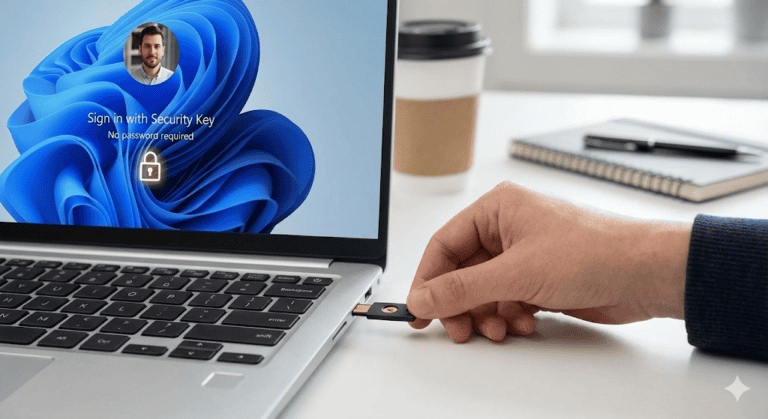
The YubiKey 5 NFC works with both USB and NFC connections, supporting computers and smartphones. It costs around $50 (check current pricing on Yubico’s website), which is reasonable for the security it provides. For detailed setup instructions, see our guide on YubiKey Windows Login: The Easy Way to Log Into Windows 11 Without a Password.
However, for most users, passkeys built into your existing devices offer the same core security benefits without requiring additional hardware purchases or the risk of losing a physical key.
Final Verdict: Which MFA Method Should You Choose?
Use passkeys wherever available. They offer the strongest security with the best user experience. The technology has matured to the point where cross-platform use works reliably, and major services are adopting passkey support rapidly.
Use authenticator apps for everything else. Until passkey support becomes universal, authenticator apps represent the best compromise between security and compatibility. They work with virtually every service offering MFA and provide strong protection against most attacks.
Avoid SMS codes except as a last-resort backup. If a service offers only SMS-based MFA, enable it—weak MFA is better than no MFA. But prioritize services that support stronger authentication methods, and advocate for better security options when you can.
For businesses: mandate authenticator apps as the minimum standard. Phase out SMS-based authentication entirely. Deploy passkeys for administrator accounts and other high-value targets. The security improvement justifies the deployment effort.
The authentication landscape is shifting toward passkeys as the new standard. By adopting them now for your most critical accounts and using authenticator apps for everything else, you’ll stay ahead of the security curve while maintaining practical usability.
Your accounts are only as secure as your weakest authentication method. If you’re still relying primarily on SMS codes, start migrating to stronger options today. The time investment is minimal, and the security improvement is substantial.
Teaching your kids about security? Once you’ve secured your own accounts with proper MFA, lock down their devices with our Best Parental Control Apps 2026 guide.

Tye runs PacketMoat. He's a CISSP-certified cybersecurity professional with 25+ years in IT and 12+ in security, including three real-world breach responses at Netskope and CrowdStrike. He also has a 16-year-old — which is why every parental control on this site gets handed to a real teenager to try to bypass before it's recommended.