How to Easily Find Hidden Cameras in your Airbnb (2026 Guide)
PacketMoat is reader-supported. When you buy through links on our site, we may earn an affiliate commission at no extra cost to you.
Learning how to find hidden cameras is the most important skill for any traveler in 2026. Whether you need to check for cameras in Airbnb properties, spot hidden cameras in hotel rooms, or scan rental homes for spy devices, this guide covers the exact methods security professional’s use. Look, I get it. You just survived a 6-hour flight, your back hurts, and the last thing you want to do is sweep your rental for spy cameras. But here’s the thing—I work in cybersecurity. I spend my days defending networks from people who exploit trust for a living. And I can tell you that “it won’t happen to me” is exactly what bad actors are counting on.
Hidden cameras in vacation rentals aren’t some urban legend. They’re a real problem, and it’s gotten worse. We’re talking tiny lenses stuffed inside smoke detectors, alarm clocks, even those random USB chargers that are just… there when you check in. Most of them? You’d walk right past them.
I do a 5-minute security sweep every single time I check into an Airbnb or hotel. It’s become habit at this point. In this guide, I’ll walk you through exactly what I do—the manual checks, the phone apps, and the one category of gadget that catches what your eyes can’t.
Short on Time? Here’s What I’d Buy
If you just want the quick answer, these are the detectors actually worth your money in 2026:
The heavy hitters:
- JMDHKK Hidden Camera Detector – The one most people should get. Does RF, GPS trackers, and lens detection. It just works.
- C10 Pro Professional Bug Detector – Overkill for most people, but if you travel for business or you’re paranoid (no judgment), this thing has an AI chip and catches stuff in the 1MHz to 10GHz range. Comes with a lifetime warranty too.
If you’re on a budget:
- JAXTIN G9 Pro – 72-hour battery life. Seriously. Great for longer trips.
- Aleanu Hidden Camera Detector – Picks up cellular signals too, which matters because some newer spy devices skip Wi-Fi entirely.
Alright, let’s get into the actual process.
How to Check for Hidden Cameras in Airbnb Rentals
Step 1: The Old-School Physical Sweep
No gadgets needed here. Just your phone’s flashlight and a few minutes.
Turn off all the lights and close the curtains. Camera lenses have this reflective coating that catches light in a very specific way—you’ll see a tiny glint if you know what to look for.
Grab your phone, turn on the flashlight, and slowly scan these spots:
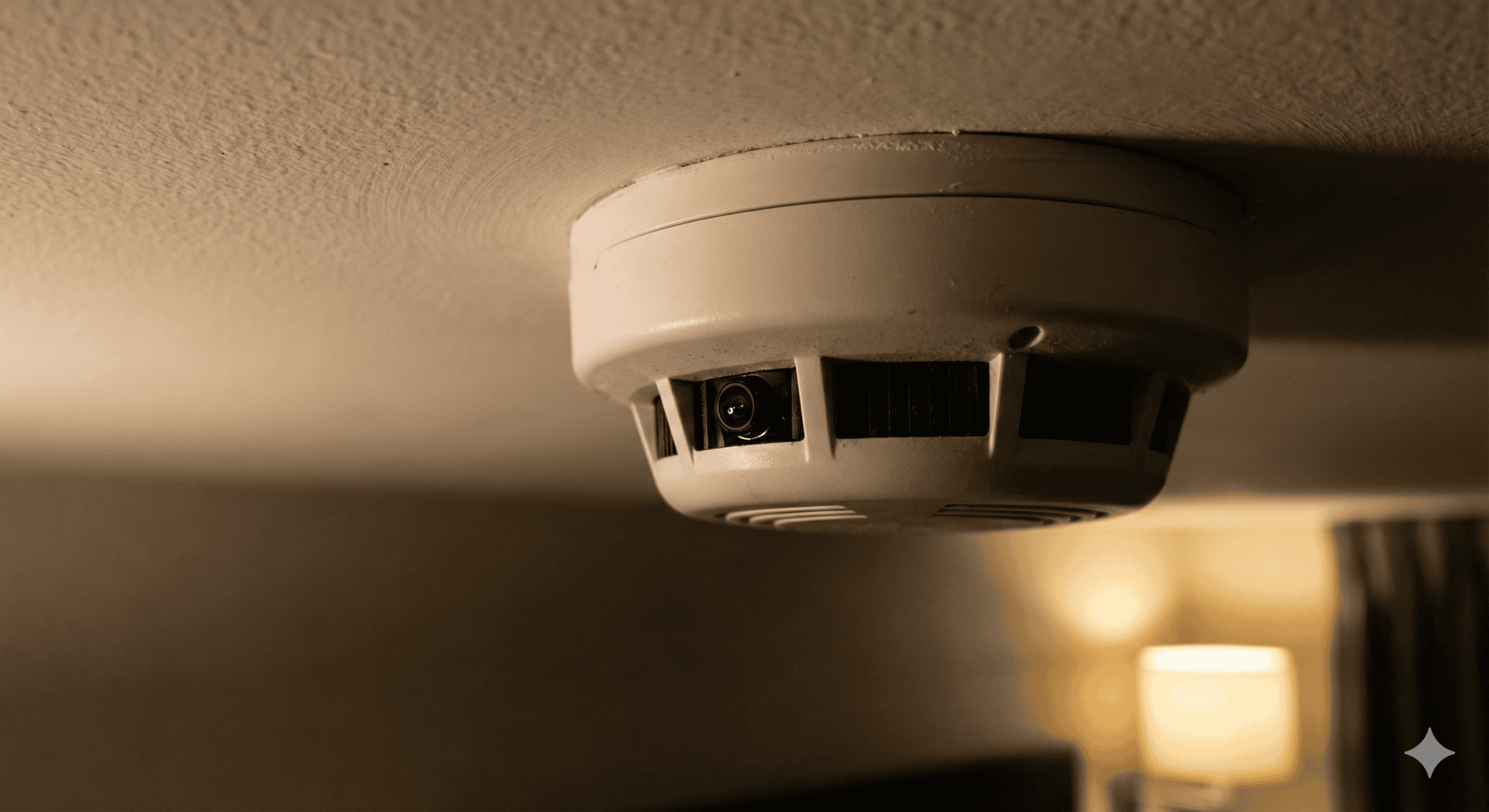
Smoke detectors. This is where I always start. It’s the #1 hiding spot because nobody ever looks up. Check for any detector that looks slightly different from the others in the unit, or has a small dark hole that doesn’t seem to do anything. Also pay attention to placement—if it’s angled weirdly toward the bed, that’s a red flag.
Random USB chargers. If there’s a charger already plugged into the wall and you didn’t put it there, take a closer look. Spy chargers are like $20 on Amazon and they look completely normal.
Alarm clocks. Specifically the speaker grills. Shine your light through the mesh and see if anything’s hiding behind the display.
AC vents. Cameras love a high angle. Vents give them exactly that.
This quick visual check to find hidden cameras takes two minutes and catches the obvious stuff.
Step 2: Scan the Wi-Fi Network
Here’s where it gets interesting. A lot of these cameras connect to the host’s Wi-Fi so they can stream footage remotely. That’s convenient for them—and it’s a vulnerability you can exploit.
Download an app called Fing. It’s free, works on iPhone and Android, and it’ll show you every device connected to the network. For additional digital privacy while traveling, consider using a VPN on public networks.
Connect to the Airbnb’s Wi-Fi and run a device scan. You’re looking for anything labeled “IP Camera,” “Nest,” “Arlo,” or manufacturer names like “Shenzhen” or “Hikvision.” If you see a device that’s just a MAC address with no name and the host can’t tell you what it is? Unplug that router and call Airbnb.
Not foolproof, but it catches the lazy setups.
Step 3: The RF Detector Sweep
Okay, here’s the problem with the network scan: the really sketchy cameras don’t use Wi-Fi at all. They just record to an SD card locally. No signal, no network footprint, nothing for Fing to find.
To catch these, you need something that detects radio frequencies or the magnetic signature of a camera lens. This is where a dedicated detector comes in.
I keep one in my travel bag to find hidden cameras whenever I travel.
Best Tools to Find Hidden Cameras in Airbnb
The Detectors I Actually Recommend
JMDHKK Hidden Camera Detector
This is the one I tell most people to get. JMDHKK has been in this space for a while, and their detector handles the three things you actually need: RF detection for wireless cameras, magnetic field detection for GPS trackers, and a lens finder for the hardwired stuff.
It’s not fancy. It doesn’t have an app or Bluetooth connectivity or whatever. It just does the job, and it does it consistently. Good for hotels, Airbnbs, even checking your own car if you’re worried about trackers.
C10 Pro Professional Bug Detector
This one’s for the people who want the best and don’t mind paying for it. The C10 Pro has an AI-powered detection chip (yeah, really) and scans from 1MHz all the way up to 10GHz. That’s a wider range than most detectors on the market.
What I actually like about it: you get three detection modes. There’s a visual mode with lights, a vibration-only mode for when you need to be discreet, and a mixed mode. The 9-level signal meter helps you pinpoint exactly where something is hiding instead of just “somewhere in this general direction.”
Oh, and it comes with a lifetime manufacturer warranty. That’s rare.
Good Detectors That Won’t Break the Bank
You don’t need expensive gear to find hidden cameras effectively.
Not everyone needs the top-tier stuff. These mid-range options still get the job done.
JAXTIN G9 Pro
The killer feature here is the battery. 72 hours of working time. If you’re doing a two-week trip through Europe and don’t want to think about charging yet another device, this is the one.
Six sensitivity levels let you dial it in based on how many electronics are in the room (hotels with a dozen gadgets need different settings than a bare-bones cabin).
Aleanu Hidden Camera Detector
The Aleanu’s claim to fame is frequency range—it goes from 1MHz to 6.5GHz, which covers 2G, 3G, and 4G cellular signals. Why does that matter? Because some of the newer spy devices transmit over cellular instead of Wi-Fi specifically to avoid network scans.
Six sensitivity levels, straightforward to use. Nothing flashy, just solid coverage.
Quick Buyer’s Guide
If you’re comparison shopping, here’s what actually matters:
Frequency range – At minimum, you want 1MHz to 6.5GHz. Wider is better.
Infrared scanning – This catches cameras that aren’t transmitting anything. Non-negotiable feature.
Magnetic detection – For GPS trackers. Important if you’re renting cars too.
Sensitivity levels – More levels = more control. Look for at least 5 or 6.
Battery life – Matters more than you’d think on longer trips.
Size – If it’s annoying to pack, you won’t bring it.
Most decent options run between $15 and $50. You don’t need to spend more than that unless you’re doing this professionally.
How to Spot Cameras in Airbnb: Step-by-Step
How to Actually Use These Things
Turn the sensitivity up. Walk slowly. That’s basically it.
Start near the bed and bathroom—the places someone would actually want footage of. If the detector starts beeping or lighting up near a smoke detector, a shelf, or any object that has no business emitting a signal, stop and investigate.
The signal strength meter (if your detector has one) helps you narrow it down. Move closer, watch the levels climb, find the source.
Final Thoughts
I wish I didn’t have to write guides like this. Most hosts are normal people just trying to make some extra income. But it only takes one creep to make you feel unsafe in a place you’re paying to sleep in.
The physical sweep catches the obvious stuff. The physical sweep helps you find hidden cameras that are poorly concealed and a decent RF detector catches everything else.
Takes five minutes. Costs less than a checked bag fee. For complete travel security, also check out our guide on Faraday bags for protecting your devices from tracking.
Stay safe out there.

Tye runs PacketMoat. He's a CISSP-certified cybersecurity professional with 25+ years in IT and 12+ in security, including three real-world breach responses at Netskope and CrowdStrike. He also has a 16-year-old — which is why every parental control on this site gets handed to a real teenager to try to bypass before it's recommended.